
Hydeee_ - Minecraft Skins & Skin History
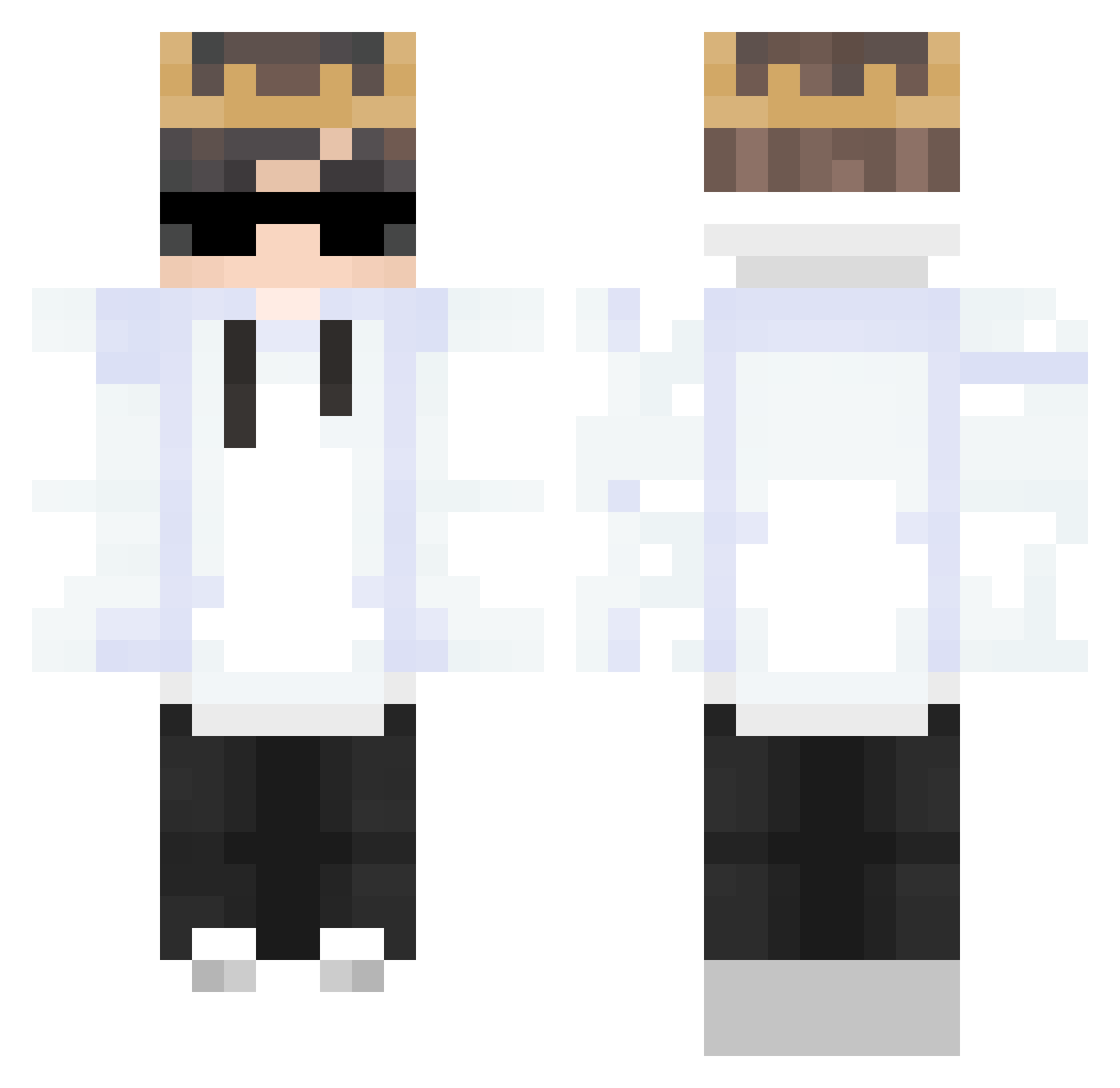
Current Minecraft skin of the player Hydeee_, loaded from the official Mojang API. Rotate the 3D model with your mouse or finger, then download the skin as a PNG file and use it in Minecraft: Bedrock Edition or Java Edition for free. When Hydeee_ changes their skin, this page updates automatically and the old skin stays in the history below.
Other players with this skin (311)
Hydeee_ was the 35th player we have seen with this skin, first spotted on 08.08.2026. The same skin was seen on these players. Open a nickname to see their current skin and skin history.
 Dem_OS GodMajky zMarcos_a3902 GaMeSt3cH kongkong_ Xyylos megrelidze21 Skeezzar BlackEvony JayMandu reserve_life Centrall_ OcreaDupeBot 17mdan PurgatoryKyojuro Xiaoxin233 sebbe28o6 myomyon777 YE5U SoftThird Xelilov_053 ChatTodoo Biel_007 Kid3056 LeKevREAL Arckdown Beth66 OnurBozkurtFTW rimeeeE whegg yifeng06 Perorin98 _miTs_ purplesnail27 Kuki3006 BooTavo DextoBoy Mardi47 Cebula_Filip ly_hroFX_1111 Porsha_boy SteffenMcQuak Helseng4090 Tanbr03 HypremeGuy Lvuki1 xcz555 XMASTER33 williej201 xKvnC I_not_understand dylan69LYON Polixe TheRealKnoT MotocicletaRD MRX2000 _Ryoma_ Itz_LocNek iiMSZ Mwool
More Technoblade Minecraft skins
See all 4184 Technoblade skins
How to install the Hydeee_ skin
- Press the Download button above to save the skin as a PNG file.
- Minecraft: Bedrock Edition (PE): open the Dressing Room from the main menu (or tap your character → Edit Character), go to Classic Skins → Owned, press the + (new skin) button, choose the downloaded PNG and pick the Classic (Steve) model. Works on PC and mobile; consoles cannot import custom skins.
- Minecraft: Java Edition: open the Minecraft Launcher, go to the Skins tab, click New Skin, load the PNG, pick the Classic (Steve) model and press Save & Use. You can also upload it at minecraft.net → Profile → Change Skin.
The skin does not show up after import - what should I do?
Restart Minecraft and open the Dressing Room again - imported skins sometimes appear only after a restart. Also make sure you selected the imported skin and picked the Classic (Steve) model.
Which model should I choose, Classic or Slim?
This skin is designed for the Classic (Steve) model. If you pick the wrong model, the arms of the skin will look stretched or squeezed.
Is the skin of Hydeee_ free to download?
Yes. Press Download, save the PNG file and use it in Minecraft: Bedrock Edition or Java Edition - no payment or registration needed. The skin also works on multiplayer servers and Realms.
More skins
Looking for more? Go back to all Minecraft skins and check the top skins of the week, month and all time, or find any player's skin by nickname.