
turbopoor - Minecraft Skins & Skin History
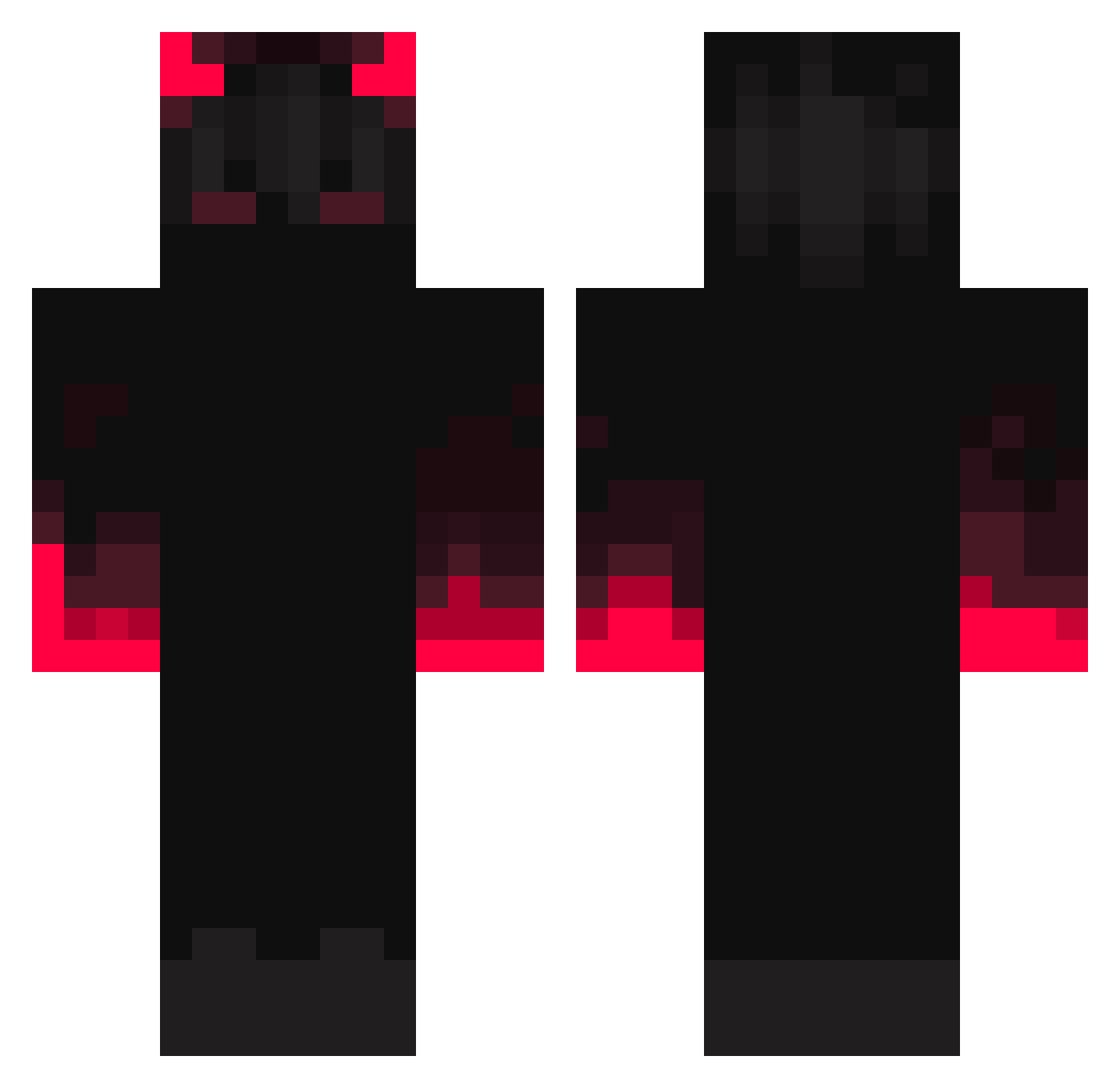
Current Minecraft skin of the player turbopoor, loaded from the official Mojang API. Rotate the 3D model with your mouse or finger, then download the skin as a PNG file and use it in Minecraft: Bedrock Edition or Java Edition for free. When turbopoor changes their skin, this page updates automatically and the old skin stays in the history below.
Other players with this skin (354)
turbopoor was the 67th player we have seen with this skin, first spotted on 14.08.2026. The same skin was seen on these players. Open a nickname to see their current skin and skin history.
 Nasaranis Kilz21 MohUlto Dinklebean Phoenix2058 Scopix8 _I_Droid_I_ Dohaan ANotUsedName_ proshot7
 S_H_A_D_Ow dlwnsgur02 iiR4 ELMT_Fire _60fps Skunk_Raff LostxWonder Ignacchiti HereWarn CorsairFN YourXBoi Zestbed LR35902 Deathgod974 MoPoXiao TeaFrog975 ElFamososo Ringhio_q xWhisper0 Awesomemason29 Dizzy_3810 PunyGorilla4954 Forethor Fytrus koogisdownbad Night_xKing mirmack2007 Pintomba Patattack68 Top4ukk notsakib007 Skinio Moinmeister066 Taizen Zokswer Bojio GY3S VoidRegent80 EmilTooth 21kitchensinks OmenXXVII Sirofe motassim42 bimark o0n3 streem876 Kingdom123090 jimyu95155
 ImIvanNow ASSASSIN9241
More Fire Minecraft skins
How to install the turbopoor skin
- Press the Download button above to save the skin as a PNG file.
- Minecraft: Bedrock Edition (PE): open the Dressing Room from the main menu (or tap your character → Edit Character), go to Classic Skins → Owned, press the + (new skin) button, choose the downloaded PNG and pick the Classic (Steve) model. Works on PC and mobile; consoles cannot import custom skins.
- Minecraft: Java Edition: open the Minecraft Launcher, go to the Skins tab, click New Skin, load the PNG, pick the Classic (Steve) model and press Save & Use. You can also upload it at minecraft.net → Profile → Change Skin.
The skin does not show up after import - what should I do?
Restart Minecraft and open the Dressing Room again - imported skins sometimes appear only after a restart. Also make sure you selected the imported skin and picked the Classic (Steve) model.
Which model should I choose, Classic or Slim?
This skin is designed for the Classic (Steve) model. If you pick the wrong model, the arms of the skin will look stretched or squeezed.
Is the skin of turbopoor free to download?
Yes. Press Download, save the PNG file and use it in Minecraft: Bedrock Edition or Java Edition - no payment or registration needed. The skin also works on multiplayer servers and Realms.
More skins
Looking for more? Go back to all Minecraft skins and check the top skins of the week, month and all time, or find any player's skin by nickname.