
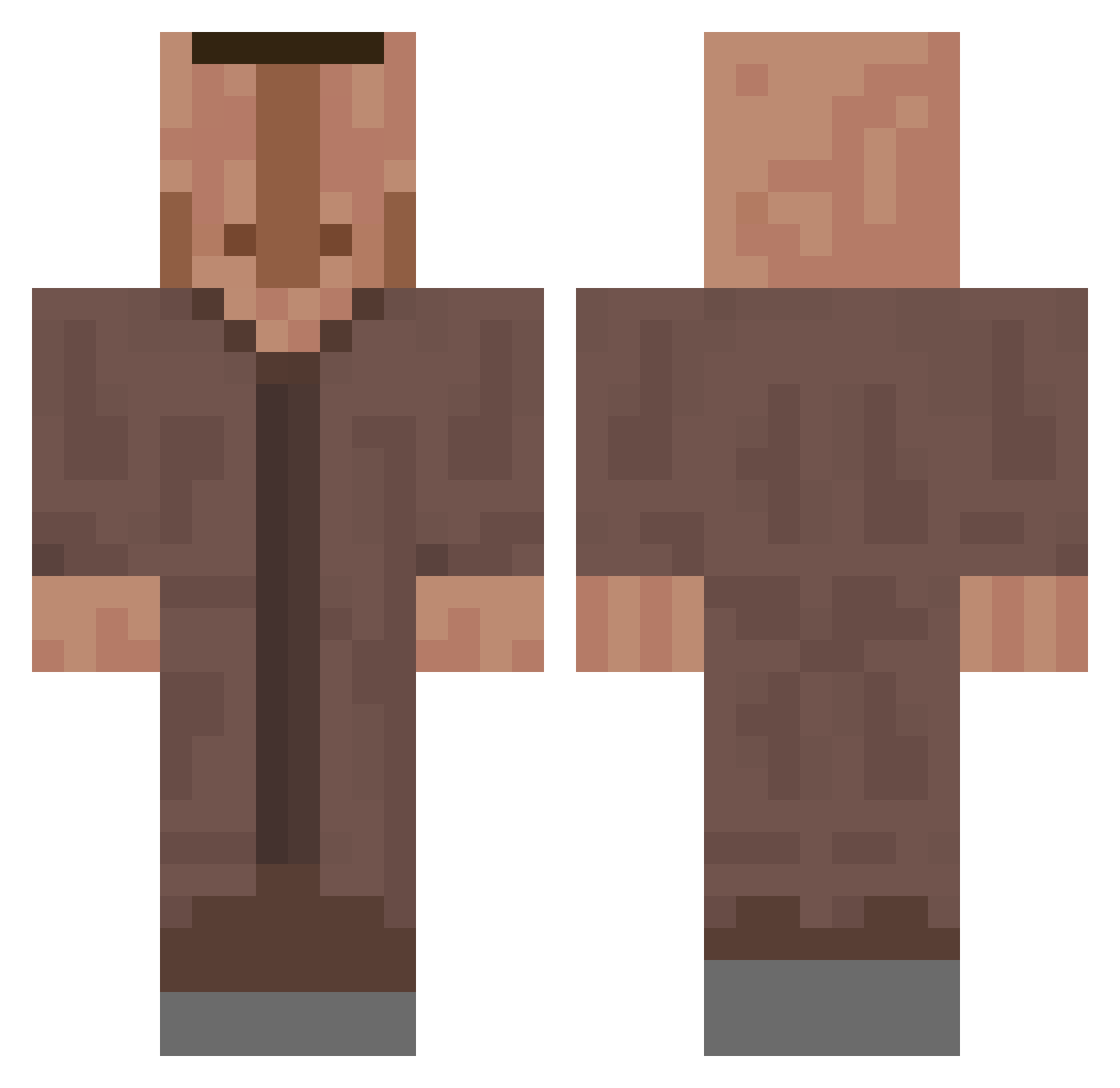
Current Minecraft skin of the player tibodo440, loaded from the official Mojang API. Rotate the 3D model with your mouse or finger, then download the skin as a PNG file and use it in Minecraft: Bedrock Edition or Java Edition for free. When tibodo440 changes their skin, this page updates automatically and the old skin stays in the history below.
Other players with this skin (475)
tibodo440 was the 463rd player we have seen with this skin, first spotted on 14.10.2026. The same skin was seen on these players. Open a nickname to see their current skin and skin history.
 Maxouille23 littlebabyboo uppirumpan mofrolo ViniLindo123 VertexGoodyy maliholmes OggYesYes QP1000 hashtacFNA projektilfisken ZKYEL velkejgarfild M_BL RoFen01 Clement12345 happy_goldfish Bafometto jimmypaid0lagnos kor_qudtls CholoElTrollo Salgam12 F0REE ilyasemreerd martketablestick Pytho14 MacklemoreH2O FO__ PLM_Danny kswoo12 Paire_Spicace Medimenez Tuwen 8T8k8 verydarck Fanatstic Zerklickt zoj33e Lnkah pwmir Oli0069 MrGuyGuy12 zxdaniel Norman025 VC_Barree _1Ordnungsamt1_ kovictrem Wkdtp VVMaster_03 rxiddewaard DJ_L0LZ BertNeugi astr4ls_ h4rri77 JeyLuwwwww barou157 TheSadMoon GentleMentleMan patow1sc zon31
More Villager Minecraft skins
How to install the tibodo440 skin
- Press the Download button above to save the skin as a PNG file.
- Minecraft: Bedrock Edition (PE): open the Dressing Room from the main menu (or tap your character → Edit Character), go to Classic Skins → Owned, press the + (new skin) button, choose the downloaded PNG and pick the Classic (Steve) model. Works on PC and mobile; consoles cannot import custom skins.
- Minecraft: Java Edition: open the Minecraft Launcher, go to the Skins tab, click New Skin, load the PNG, pick the Classic (Steve) model and press Save & Use. You can also upload it at minecraft.net → Profile → Change Skin.
The skin does not show up after import - what should I do?
Restart Minecraft and open the Dressing Room again - imported skins sometimes appear only after a restart. Also make sure you selected the imported skin and picked the Classic (Steve) model.
Which model should I choose, Classic or Slim?
This skin is designed for the Classic (Steve) model. If you pick the wrong model, the arms of the skin will look stretched or squeezed.
Is the skin of tibodo440 free to download?
Yes. Press Download, save the PNG file and use it in Minecraft: Bedrock Edition or Java Edition - no payment or registration needed. The skin also works on multiplayer servers and Realms.
More skins
Looking for more? Go back to all Minecraft skins and check the top skins of the week, month and all time, or find any player's skin by nickname.