
skyloxuniverse99 - Minecraft Skins & Skin History
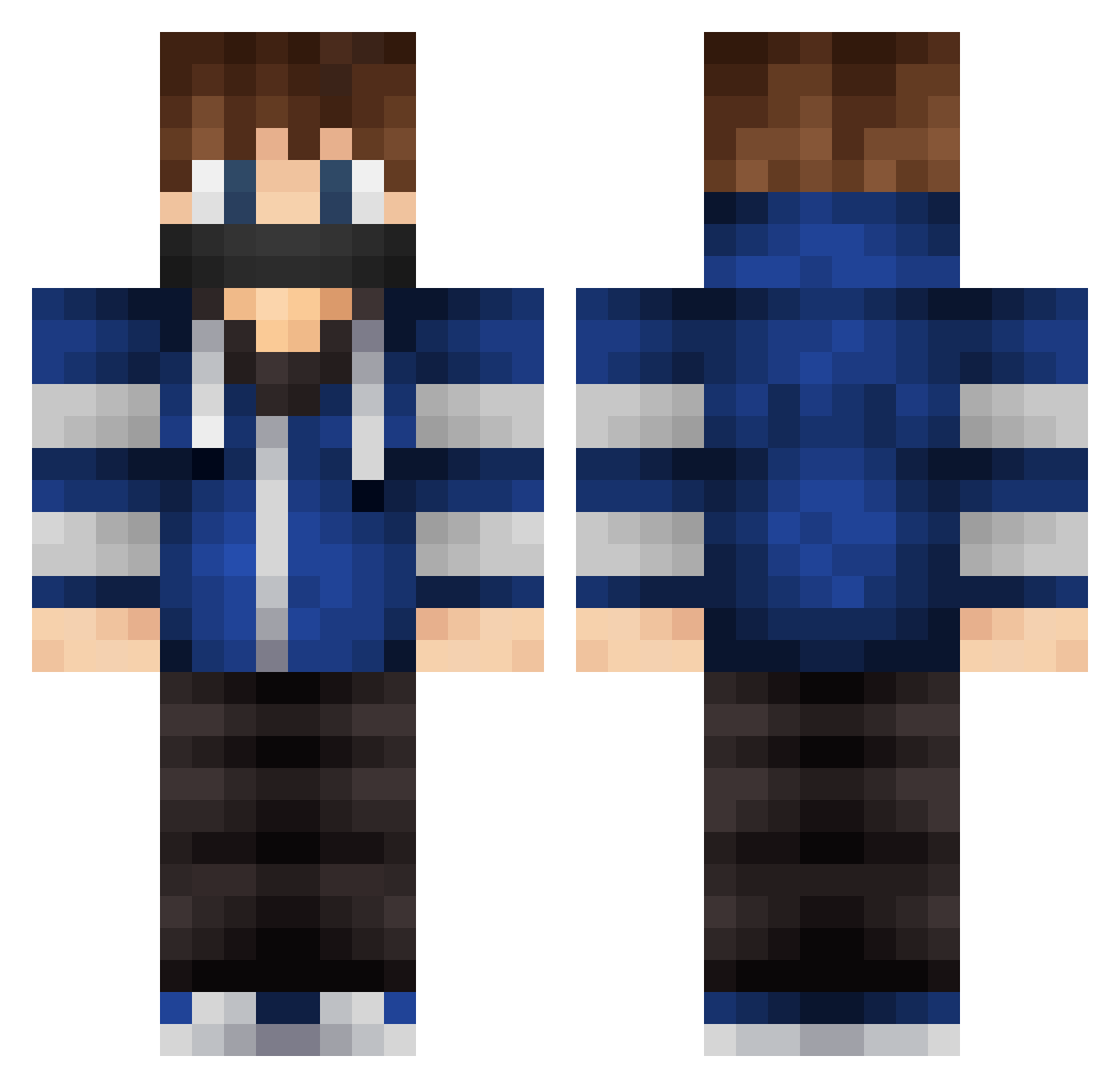
Current Minecraft skin of the player skyloxuniverse99, loaded from the official Mojang API. Rotate the 3D model with your mouse or finger, then download the skin as a PNG file and use it in Minecraft: Bedrock Edition or Java Edition for free. When skyloxuniverse99 changes their skin, this page updates automatically and the old skin stays in the history below.
Other players with this skin (543)
skyloxuniverse99 was the 521st player we have seen with this skin, first spotted on 29.10.2026. The same skin was seen on these players. Open a nickname to see their current skin and skin history.
 Sokolenok2019 Nikj111 julispieltminecr FoxDark GamerJoost Crytoh swagxmidget LilS4ndro xHube Silent_Snow NuclearEgo Nqck PortossLeToss Vauganizer ItsProGamerHD lfcfa MasterMaurice Hermanthor123 gitler228 Dragonofice AndreDaMassa derdaw555 Tobinator5 AlMarri6461 FyreNoodles REN5123 kaaspotje IamSaiFung IvanPastore xXSkRiLLeX Batisa619 Azendale Gruber369 Lars_2 FrodeEik SpeedNugget_7 ZantoPlays123 RexWars PurplePokemon10 Peroxy TMaster2016 bboypunk17 Subsides DMAN_K1NG Kukkeli oishi1112 xNasim zyperex Hydraonion NamelessThief xPotential crafter_juju xxMoUsExx Liamschutte PvPgoodgamerHD Mtlee Reveant AP_YesnT Phylow3 malthe_12345
More Mask Minecraft skins
How to install the skyloxuniverse99 skin
- Press the Download button above to save the skin as a PNG file.
- Minecraft: Bedrock Edition (PE): open the Dressing Room from the main menu (or tap your character → Edit Character), go to Classic Skins → Owned, press the + (new skin) button, choose the downloaded PNG and pick the Classic (Steve) model. Works on PC and mobile; consoles cannot import custom skins.
- Minecraft: Java Edition: open the Minecraft Launcher, go to the Skins tab, click New Skin, load the PNG, pick the Classic (Steve) model and press Save & Use. You can also upload it at minecraft.net → Profile → Change Skin.
The skin does not show up after import - what should I do?
Restart Minecraft and open the Dressing Room again - imported skins sometimes appear only after a restart. Also make sure you selected the imported skin and picked the Classic (Steve) model.
Which model should I choose, Classic or Slim?
This skin is designed for the Classic (Steve) model. If you pick the wrong model, the arms of the skin will look stretched or squeezed.
Is the skin of skyloxuniverse99 free to download?
Yes. Press Download, save the PNG file and use it in Minecraft: Bedrock Edition or Java Edition - no payment or registration needed. The skin also works on multiplayer servers and Realms.
More skins
Looking for more? Go back to all Minecraft skins and check the top skins of the week, month and all time, or find any player's skin by nickname.