
shina31 - Minecraft Skins & Skin History
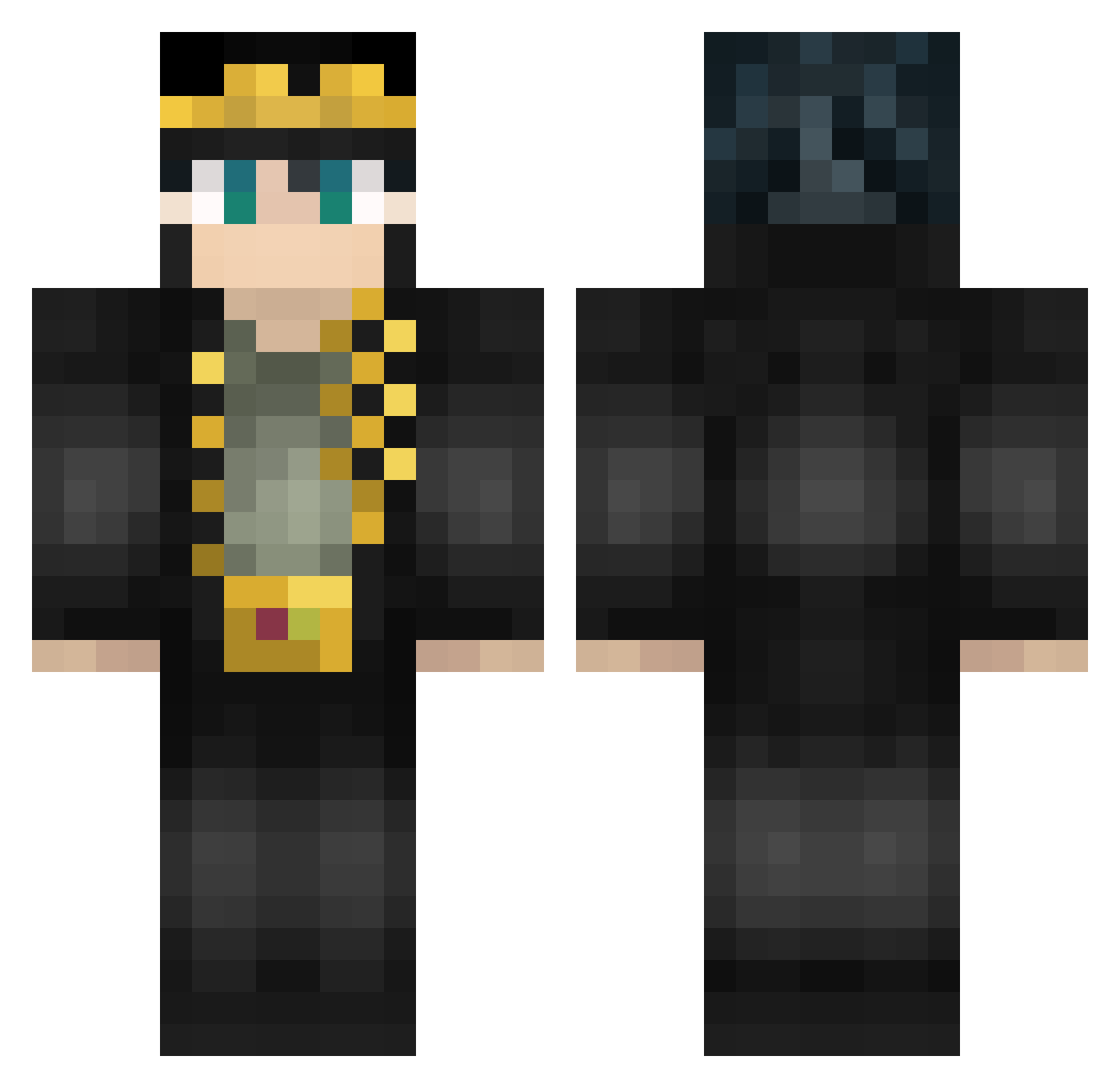
Current Minecraft skin of the player shina31, loaded from the official Mojang API. Rotate the 3D model with your mouse or finger, then download the skin as a PNG file and use it in Minecraft: Bedrock Edition or Java Edition for free. When shina31 changes their skin, this page updates automatically and the old skin stays in the history below.
Other players with this skin (462)
shina31 was the 118th player we have seen with this skin, first spotted on 16.08.2026. The same skin was seen on these players. Open a nickname to see their current skin and skin history.
 Punkachiens Zeus894 HappyPoison5071 Tekneekist ThugGirlDu78 ganilofsk CottonButt Kanakin27 BRUH9487 SirLauderdale galinageneral jorgon76 shadowknife3734 CRONOS95 PeterPark147 Bel616 YEPPI Eenderr Zegahg4m3r ShuTzYyyy AtreusS_ DiDiVerto jingjun1202 RK12_ WayBerruuu MrLordEbil Californie wombatslayer22 Sheeplily AiloMathias69 nemaucrevette ReevinN vex1286 theworld476 bAtdyx UltiToutCourt Foxy62 ErikEtMorty JotaroKujo_666 kikimaru639 HoLoKoSTeR kokspolski gol_quadrado John_Wick77 Shujokin DreamForLife5 NeXtem BlueSky06 Pyoosh BigJuZa Ximaxe BogdikOff Doomed_Gaming Felux_ vitiskate CLOUDY228 xenon_Aron SATORI1193 ogsupreme23 enrnfl1
More Jotaro Kujo Minecraft skins
How to install the shina31 skin
- Press the Download button above to save the skin as a PNG file.
- Minecraft: Bedrock Edition (PE): open the Dressing Room from the main menu (or tap your character → Edit Character), go to Classic Skins → Owned, press the + (new skin) button, choose the downloaded PNG and pick the Classic (Steve) model. Works on PC and mobile; consoles cannot import custom skins.
- Minecraft: Java Edition: open the Minecraft Launcher, go to the Skins tab, click New Skin, load the PNG, pick the Classic (Steve) model and press Save & Use. You can also upload it at minecraft.net → Profile → Change Skin.
The skin does not show up after import - what should I do?
Restart Minecraft and open the Dressing Room again - imported skins sometimes appear only after a restart. Also make sure you selected the imported skin and picked the Classic (Steve) model.
Which model should I choose, Classic or Slim?
This skin is designed for the Classic (Steve) model. If you pick the wrong model, the arms of the skin will look stretched or squeezed.
Is the skin of shina31 free to download?
Yes. Press Download, save the PNG file and use it in Minecraft: Bedrock Edition or Java Edition - no payment or registration needed. The skin also works on multiplayer servers and Realms.
More skins
Looking for more? Go back to all Minecraft skins and check the top skins of the week, month and all time, or find any player's skin by nickname.