
shad_D - Minecraft Skins & Skin History
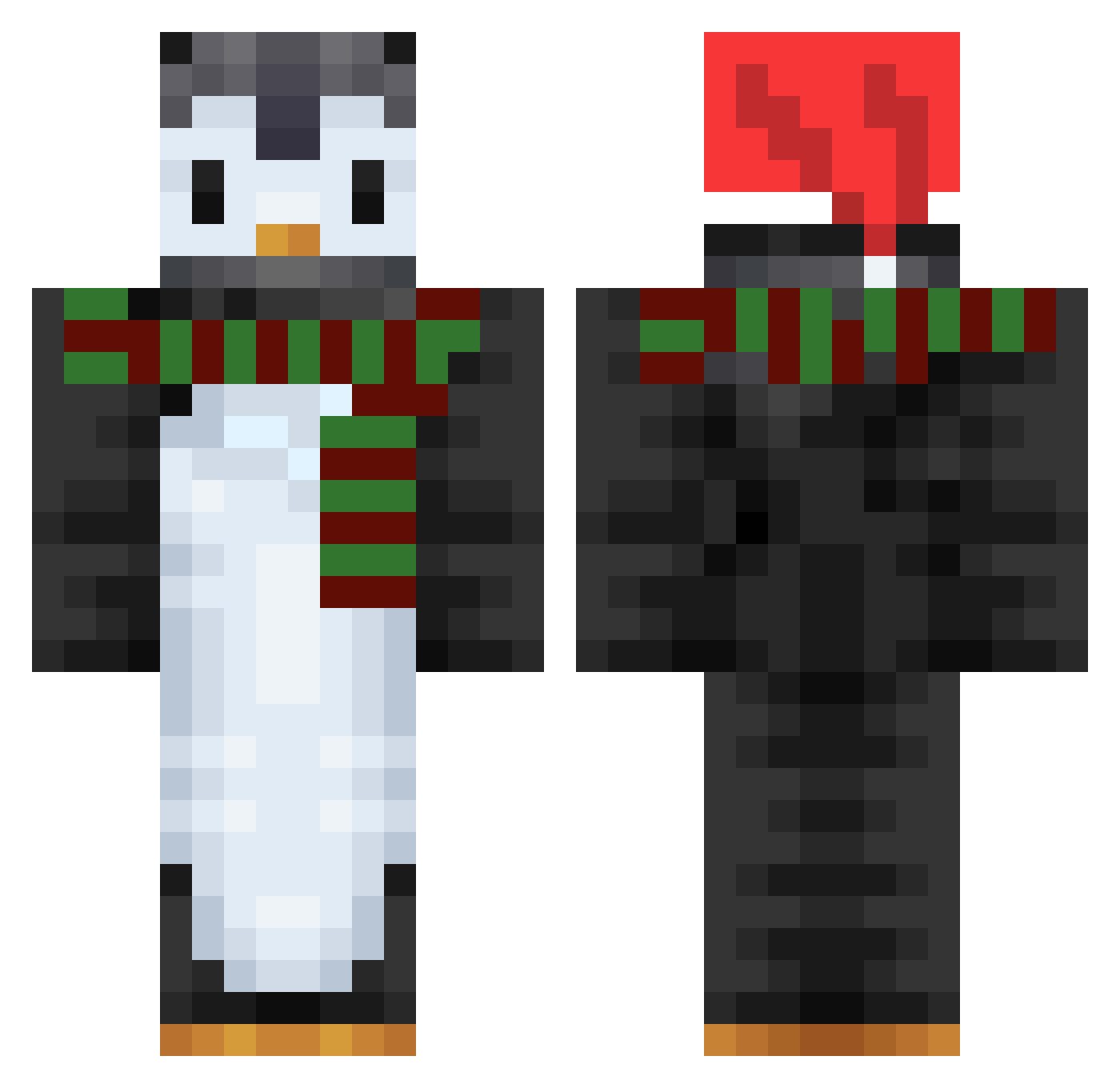
Current Minecraft skin of the player shad_D, loaded from the official Mojang API. Rotate the 3D model with your mouse or finger, then download the skin as a PNG file and use it in Minecraft: Bedrock Edition or Java Edition for free. When shad_D changes their skin, this page updates automatically and the old skin stays in the history below.
Other players with this skin (753)
shad_D was the 25th player we have seen with this skin, first spotted on 28.07.2026. The same skin was seen on these players. Open a nickname to see their current skin and skin history.
 Sam603 NeenjaJ jama311 leegamja dododol knispel154 MomoKive mandy163OuO prisii Sondex03 elubu ArrestedBacon72 HUKTYK lLogger Roi_PinPin apo1130 PenguinInsane Werilia SneakyGh0st ByronZhang Limina_1227 _PenPen_ MrOogway236 Ame_Tsuki Trixsaurus GU_Penguin Bolleboi IshyIshy Superjulia1 Trickyjej EDITH2651 wojnarka9 Metehan226 Fynngodz Prosjekttuba Yeji_258 falnex WinglessPenguin sSabaku Dom_7 WinterSpirit_YIP Beethon Floatzell AlexanderTheBad1 KiwiflyJr loopyfun aa0808 endomatriix Yupit1 DeskaDoKrojenia the_otherside KURIPANMAN Zeeny_c Ipodbaby kyungjin1220 detooerfeit devinearcher PVP_Miki123 bwetw Ashlyyn
More Penguin Minecraft skins
How to install the shad_D skin
- Press the Download button above to save the skin as a PNG file.
- Minecraft: Bedrock Edition (PE): open the Dressing Room from the main menu (or tap your character → Edit Character), go to Classic Skins → Owned, press the + (new skin) button, choose the downloaded PNG and pick the Classic (Steve) model. Works on PC and mobile; consoles cannot import custom skins.
- Minecraft: Java Edition: open the Minecraft Launcher, go to the Skins tab, click New Skin, load the PNG, pick the Classic (Steve) model and press Save & Use. You can also upload it at minecraft.net → Profile → Change Skin.
The skin does not show up after import - what should I do?
Restart Minecraft and open the Dressing Room again - imported skins sometimes appear only after a restart. Also make sure you selected the imported skin and picked the Classic (Steve) model.
Which model should I choose, Classic or Slim?
This skin is designed for the Classic (Steve) model. If you pick the wrong model, the arms of the skin will look stretched or squeezed.
Is the skin of shad_D free to download?
Yes. Press Download, save the PNG file and use it in Minecraft: Bedrock Edition or Java Edition - no payment or registration needed. The skin also works on multiplayer servers and Realms.
More skins
Looking for more? Go back to all Minecraft skins and check the top skins of the week, month and all time, or find any player's skin by nickname.