
renjpeg - Minecraft Skins & Skin History
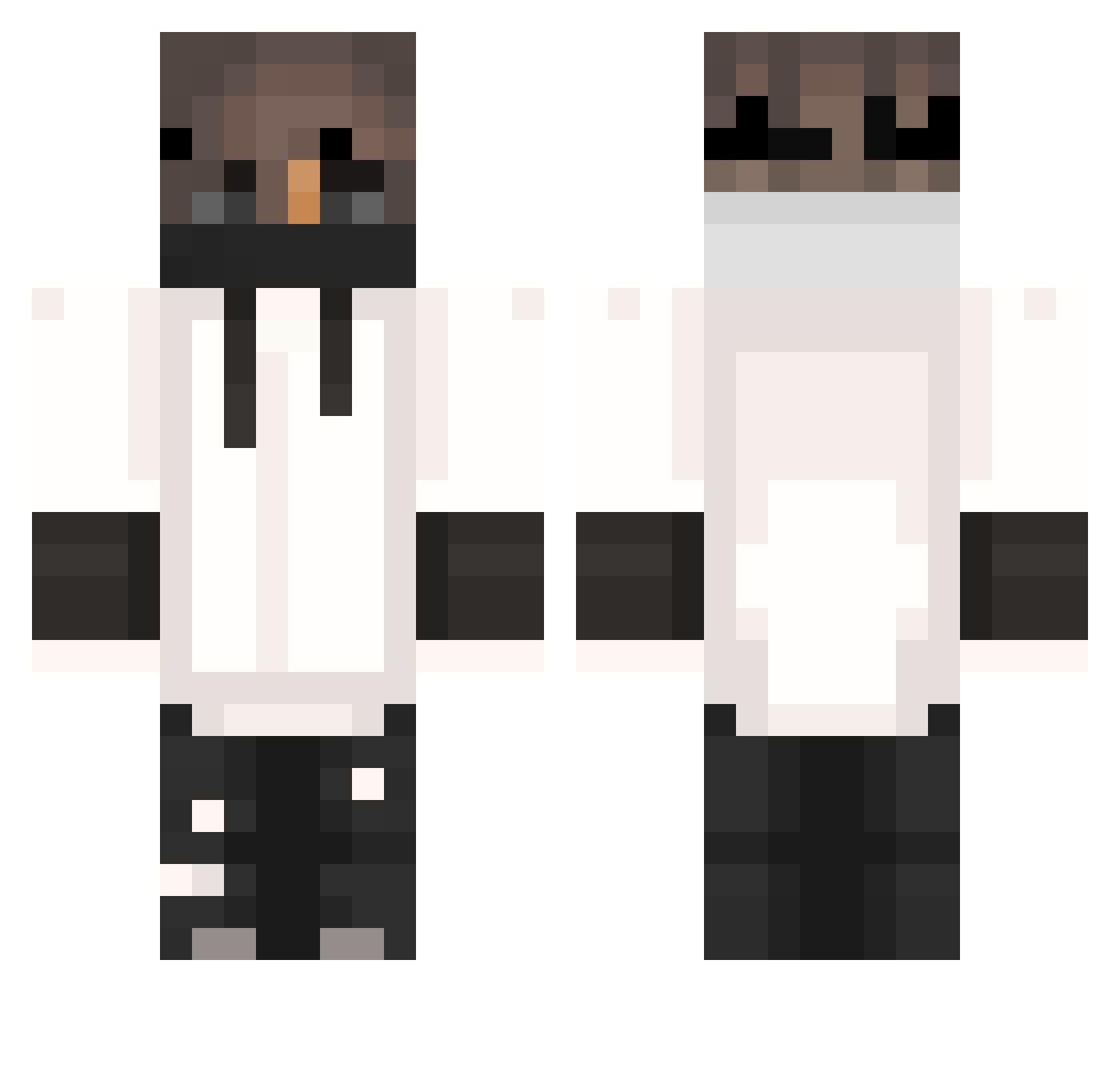
Current Minecraft skin of the player renjpeg, loaded from the official Mojang API. Rotate the 3D model with your mouse or finger, then download the skin as a PNG file and use it in Minecraft: Bedrock Edition or Java Edition for free. When renjpeg changes their skin, this page updates automatically and the old skin stays in the history below.
Other players with this skin (404)
renjpeg was the 138th player we have seen with this skin, first spotted on 05.09.2026. The same skin was seen on these players. Open a nickname to see their current skin and skin history.
 xianihan LIL_Jers Leider1234 MaikonoS Aiendy MDGPL Senoxor L1ch174 MoutaNN Purotekuta1 DeadlyPlains814 Waaaaoooooow XmasN4 M_Fabio_M Vizyyyy DKzin22 Nosx_18 Vibenlol wanaat NecroSolid ItsYelir Mr_Yelmis MAX518 FV2012 StormDrops NoMercyLegend_ _ToastedToast_ 385ms AnuRiX16 Flockiie Salvos90 DarkMops Tjem_n Quanyu_Li _SHOCK___ Anyw4yz AppieJr Blicheq EdTeck britoles Pacman322 Master2630 ArchieADC Navr Kenozen 17rick Davilosnew13 G4S_Mega56 Grandle69 kuwic AffeLOL ITzDanielS10 Cosmin02 xmatysekx Icy_slime benj82 XxQuicksilver8xX beamzaza_one SayTrue_ _Eximius
More Mask Minecraft skins
How to install the renjpeg skin
- Press the Download button above to save the skin as a PNG file.
- Minecraft: Bedrock Edition (PE): open the Dressing Room from the main menu (or tap your character → Edit Character), go to Classic Skins → Owned, press the + (new skin) button, choose the downloaded PNG and pick the Classic (Steve) model. Works on PC and mobile; consoles cannot import custom skins.
- Minecraft: Java Edition: open the Minecraft Launcher, go to the Skins tab, click New Skin, load the PNG, pick the Classic (Steve) model and press Save & Use. You can also upload it at minecraft.net → Profile → Change Skin.
The skin does not show up after import - what should I do?
Restart Minecraft and open the Dressing Room again - imported skins sometimes appear only after a restart. Also make sure you selected the imported skin and picked the Classic (Steve) model.
Which model should I choose, Classic or Slim?
This skin is designed for the Classic (Steve) model. If you pick the wrong model, the arms of the skin will look stretched or squeezed.
Is the skin of renjpeg free to download?
Yes. Press Download, save the PNG file and use it in Minecraft: Bedrock Edition or Java Edition - no payment or registration needed. The skin also works on multiplayer servers and Realms.
More skins
Looking for more? Go back to all Minecraft skins and check the top skins of the week, month and all time, or find any player's skin by nickname.