
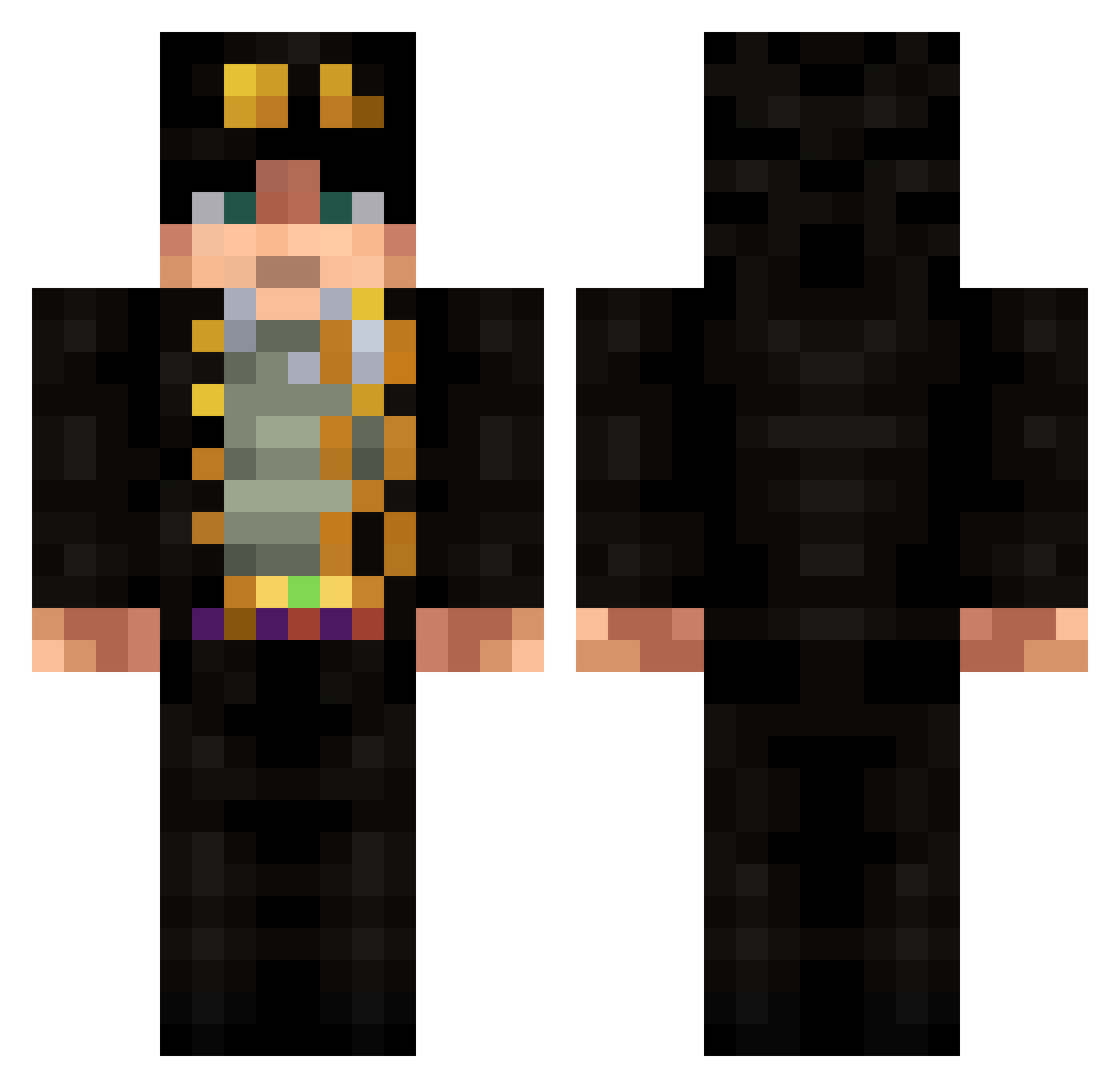
Current Minecraft skin of the player pokeyman10, loaded from the official Mojang API. Rotate the 3D model with your mouse or finger, then download the skin as a PNG file and use it in Minecraft: Bedrock Edition or Java Edition for free. When pokeyman10 changes their skin, this page updates automatically and the old skin stays in the history below.
Other players with this skin (533)
pokeyman10 was the 488th player we have seen with this skin, first spotted on 11.10.2026. The same skin was seen on these players. Open a nickname to see their current skin and skin history.
 Loliconon Methviron guyptm Miguel_TeodoroLP RubyNotFound264 shaftyc celeritasc HowDoIEvenClimb Tajine_ Sigma_klng yuansheng11 IT_WAS_ME_DIO_xD killer_julian3 DeathSiter llllxy GazeH1 GripReapuh Efeklcc05 AK4090 Kikoos Strapping_bnd El_pepeXD TomVity Kissshot999 MECMAS21 BrenoSTF VukoBre ianianho Rethicarus BarrelFox26 FormallyOwned mazeeee ana_nabea Slimmody lowleftcorner DOROJURO Jotaro2495 SuperFS Fenix9411 gravite_ationnel the_slask ERP_10 BoxOfPringles nizoaoj AndritoPlays TheDeathGamer01 Krag3r F3dalles KazuyaHirako froggiemanmcfrog ZaLupin ZakiTn Mylut wigounnet Denril VascoLSN Wish_667 XlordlokiX PoppyDaRed CruzHacha
More Jotaro Kujo Minecraft skins
How to install the pokeyman10 skin
- Press the Download button above to save the skin as a PNG file.
- Minecraft: Bedrock Edition (PE): open the Dressing Room from the main menu (or tap your character → Edit Character), go to Classic Skins → Owned, press the + (new skin) button, choose the downloaded PNG and pick the Classic (Steve) model. Works on PC and mobile; consoles cannot import custom skins.
- Minecraft: Java Edition: open the Minecraft Launcher, go to the Skins tab, click New Skin, load the PNG, pick the Classic (Steve) model and press Save & Use. You can also upload it at minecraft.net → Profile → Change Skin.
The skin does not show up after import - what should I do?
Restart Minecraft and open the Dressing Room again - imported skins sometimes appear only after a restart. Also make sure you selected the imported skin and picked the Classic (Steve) model.
Which model should I choose, Classic or Slim?
This skin is designed for the Classic (Steve) model. If you pick the wrong model, the arms of the skin will look stretched or squeezed.
Is the skin of pokeyman10 free to download?
Yes. Press Download, save the PNG file and use it in Minecraft: Bedrock Edition or Java Edition - no payment or registration needed. The skin also works on multiplayer servers and Realms.
More skins
Looking for more? Go back to all Minecraft skins and check the top skins of the week, month and all time, or find any player's skin by nickname.