
padenn - Minecraft Skins & Skin History
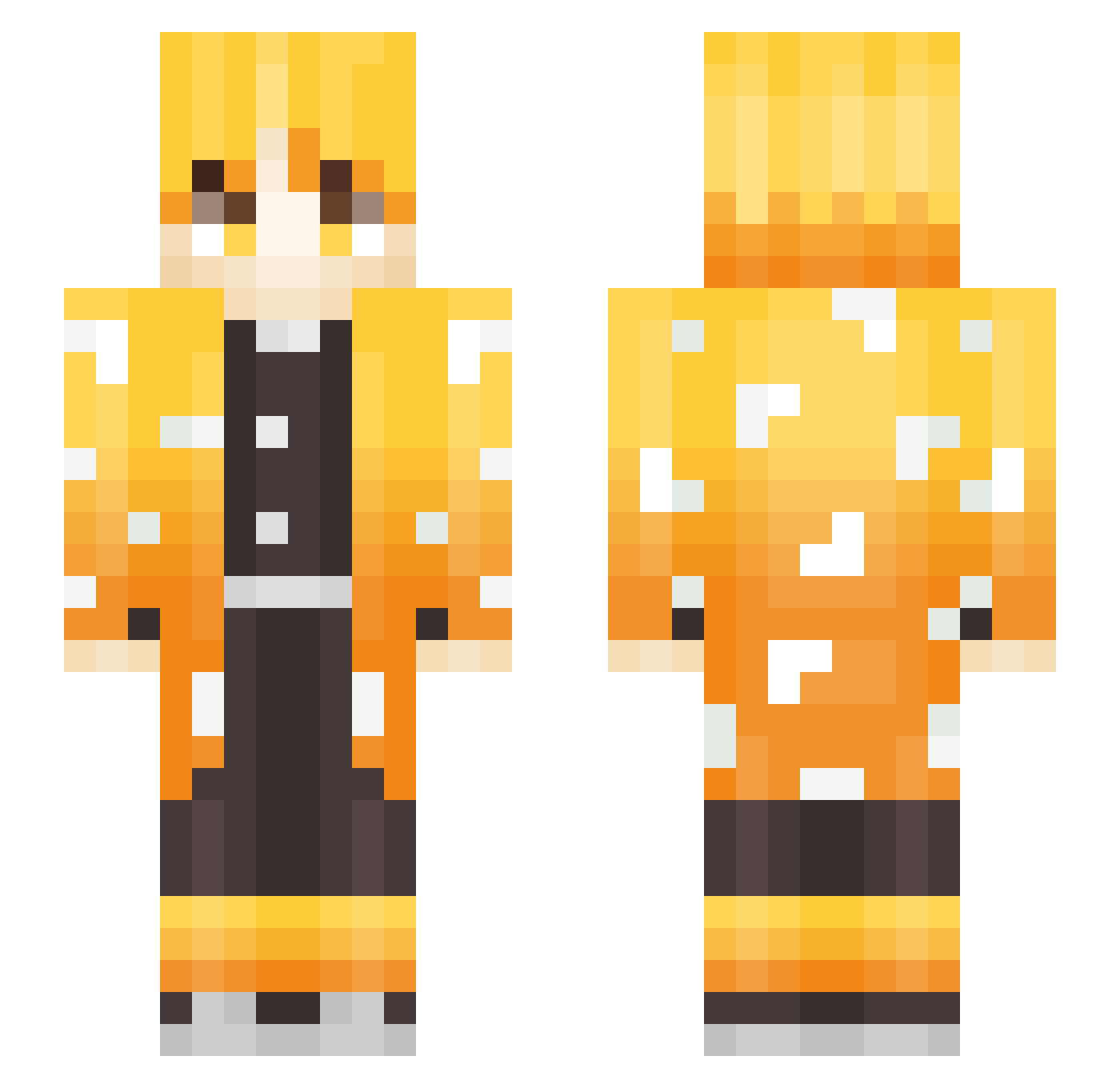
Current Minecraft skin of the player padenn, loaded from the official Mojang API. Rotate the 3D model with your mouse or finger, then download the skin as a PNG file and use it in Minecraft: Bedrock Edition or Java Edition for free. When padenn changes their skin, this page updates automatically and the old skin stays in the history below.
Other players with this skin (267)
padenn was the 54th player we have seen with this skin, first spotted on 14.08.2026. The same skin was seen on these players. Open a nickname to see their current skin and skin history.
 ISkyEchoI MrocznyDaniel56 TyrantGM Maks0n4k Savieg1 dettyok1302 Faker878 Iamdiegod CNez Asbdth nnz0 doho06 LeZebraDonkey Broken_T_REX E_IVANOV_27 simianLxS aboq canho94 Raxyll makmakchu FRXXofficial Horpro_Gaming Greenwood11 Warwick0123 kazumaruo dazshi dame_YoYo suv1n9 Kurokiichi Mattosin ZeniTssUu Alp3x SpiritInk DragonLive123 So__ft K_Lawyer hssmysn LoveNick zJxsper ShineyHP xuyilo Duhpho marcos909 dasung22 Im_Zenitsu Apda197 Blucky359 MrChivi67 KingSaints Brrenda Foockr _Fabez_ ReplicaSensei C_TW0 adumyumyum RVN_WhiteZ Alejo44 benjamin_yyh XxSolarxX ItsBigFish_YT
More Zenitsu Agatsuma Minecraft skins
See all 177 Zenitsu Agatsuma skins
How to install the padenn skin
- Press the Download button above to save the skin as a PNG file.
- Minecraft: Bedrock Edition (PE): open the Dressing Room from the main menu (or tap your character → Edit Character), go to Classic Skins → Owned, press the + (new skin) button, choose the downloaded PNG and pick the Slim (Alex) model. Works on PC and mobile; consoles cannot import custom skins.
- Minecraft: Java Edition: open the Minecraft Launcher, go to the Skins tab, click New Skin, load the PNG, pick the Slim (Alex) model and press Save & Use. You can also upload it at minecraft.net → Profile → Change Skin.
The skin does not show up after import - what should I do?
Restart Minecraft and open the Dressing Room again - imported skins sometimes appear only after a restart. Also make sure you selected the imported skin and picked the Slim (Alex) model.
Which model should I choose, Classic or Slim?
This skin is designed for the Slim (Alex) model. If you pick the wrong model, the arms of the skin will look stretched or squeezed.
Is the skin of padenn free to download?
Yes. Press Download, save the PNG file and use it in Minecraft: Bedrock Edition or Java Edition - no payment or registration needed. The skin also works on multiplayer servers and Realms.
More skins
Looking for more? Go back to all Minecraft skins and check the top skins of the week, month and all time, or find any player's skin by nickname.