
 painnappuru halong0515 UltiGuerilla BeimP Nagge03 BexFro Faucon4736 Alefawn TheProobs zscfortnite Mrhaon Yaninou NiJOoo7 Indh_ Efedlg01 NikkiMester valzzer V4npire_ aleksoui LUMPIK97 Yonahdude KetlerHawk PAULLEPRO1234 h0bos_kz fibermaker michaelspidey LandOfGods2011 DragonHX benyavuz GiorgioMagnifico gabjumper yArthTHEDISK Knight_Krenlor charlemeign antonyiu pepsitraxe TitusChloe Zooport151 SkyPJT lesnoopher YdZ_Melih Byram_ Dudugamer2028 chenthewolf kdaskk Fake_Alex Frixayde Adrianzm14 PingwonPl Lebron_james225 nonomb04 mikaduki175 Pixelprincess135 xJackxBlackx SatukKhan NarutoMKC LeJoliePatou Luis272113 kontroll04 Nordique95
Minecraft skin of CloudKen017. Rotate the 3D model with your mouse or finger to view the skin from every angle, then download it as a PNG file and use it in Minecraft: Bedrock Edition or Java Edition for free. Rate the skin with stars to help other players find the best skins in our collection.
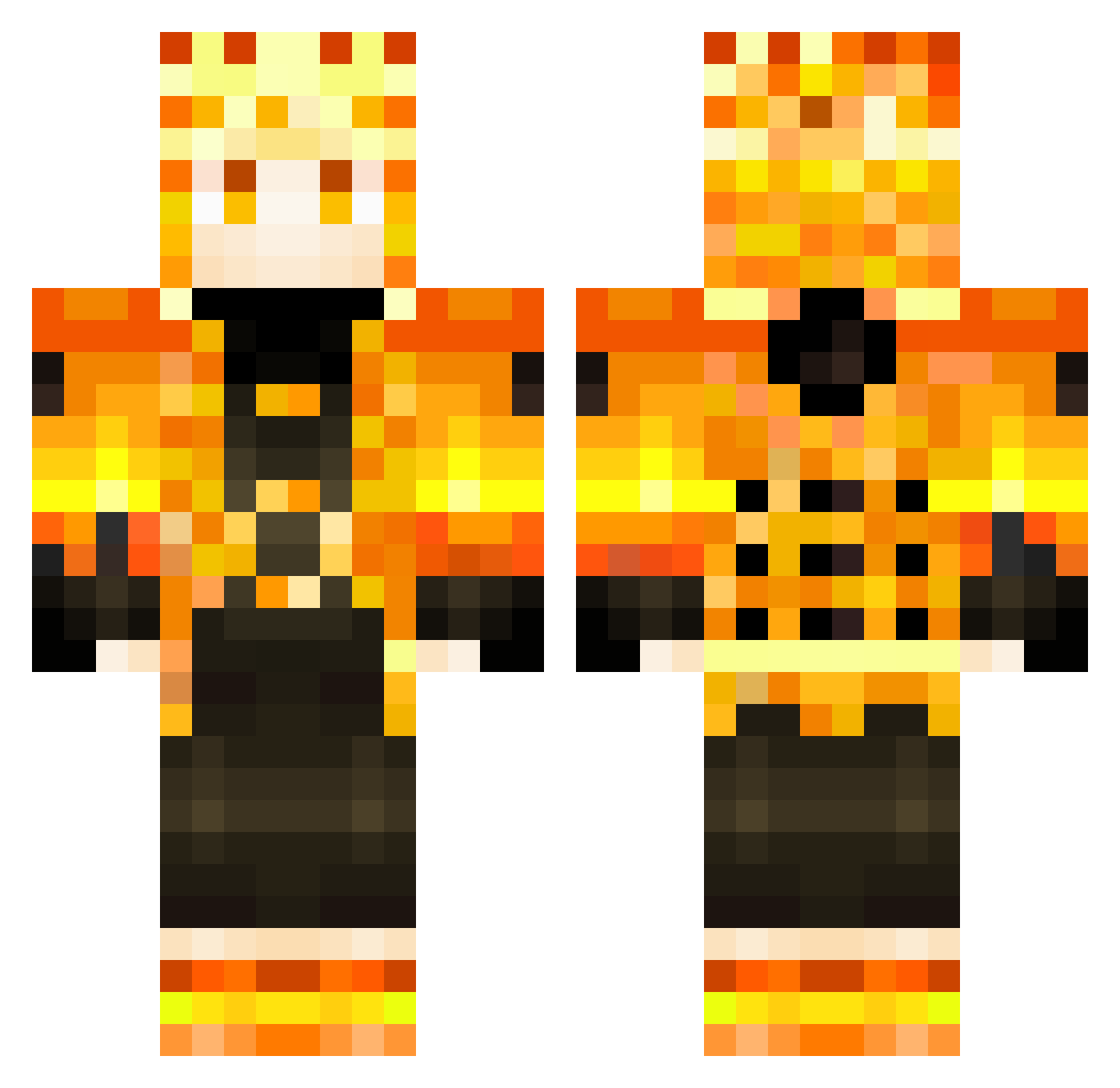
How to install the CloudKen017 skin
- Press the Download button above to save the skin as a PNG file.
- Minecraft: Bedrock Edition (PE): open the Dressing Room from the main menu (or tap your character → Edit Character), go to Classic Skins → Owned, press the + (new skin) button, choose the downloaded PNG and pick the Classic (Steve) model. Works on PC and mobile; consoles cannot import custom skins.
- Minecraft: Java Edition: open the Minecraft Launcher, go to the Skins tab, click New Skin, load the PNG, pick the Classic (Steve) model and press Save & Use. You can also upload it at minecraft.net → Profile → Change Skin.
The skin does not show up after import - what should I do?
Restart Minecraft and open the Dressing Room again - imported skins sometimes appear only after a restart. Also make sure you selected the imported skin and picked the Classic (Steve) model.
Which model should I choose, Classic or Slim?
This skin is designed for the Classic (Steve) model. If you pick the wrong model, the arms of the skin will look stretched or squeezed.
Is this skin free to use?
Yes. Press Download, save the PNG file and use it in Minecraft: Bedrock Edition or Java Edition - no payment or registration needed. The skin also works on multiplayer servers and Realms.
More Zenitsu Agatsuma Minecraft skins
See all 170 Zenitsu Agatsuma skins
More skins
Looking for more? Go back to all Minecraft skins and check the top skins of the week, month and all time, or find any player's skin by nickname.