
Buffturtle6469 - Minecraft Skins & Skin History
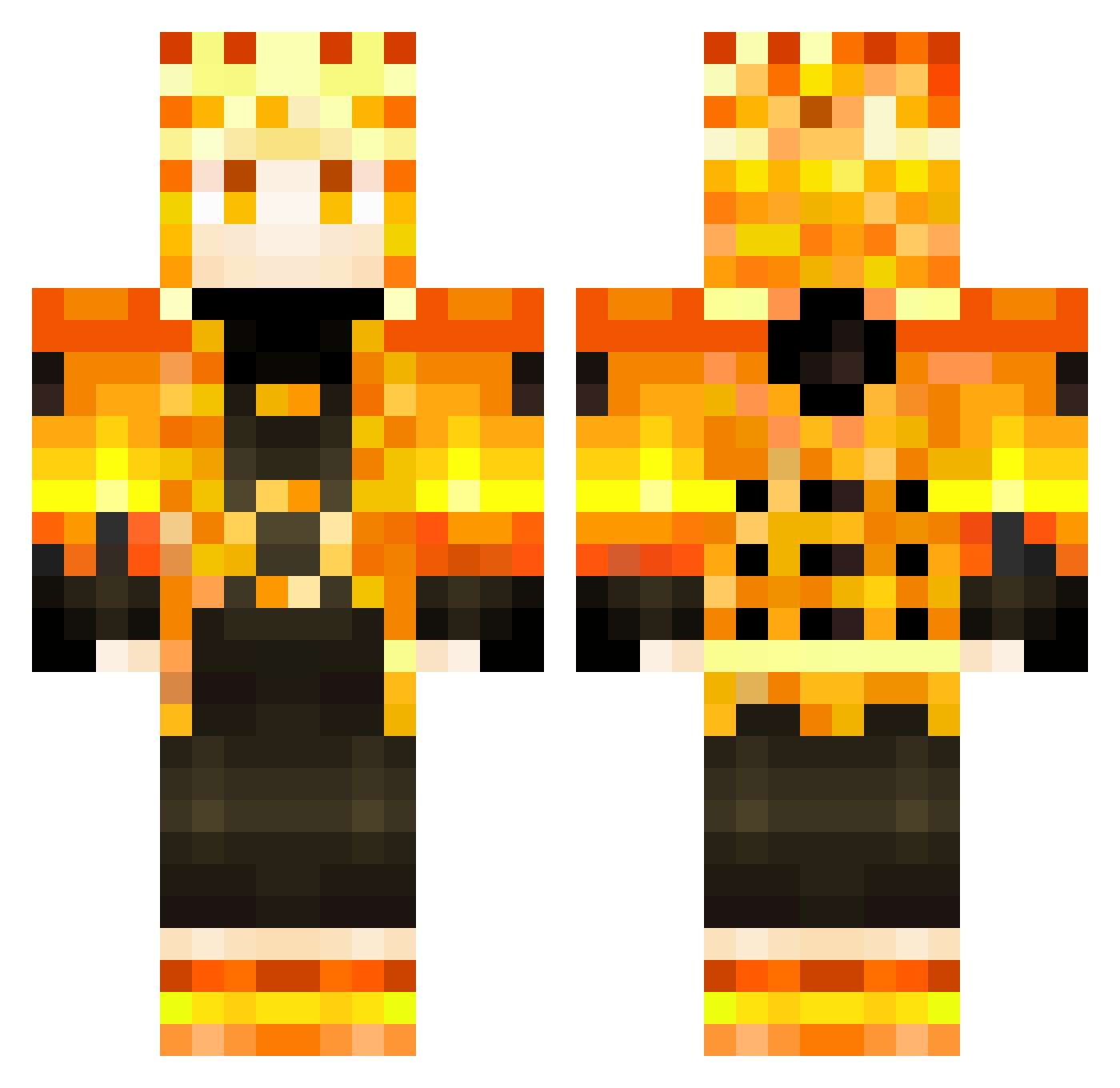
Current Minecraft skin of the player Buffturtle6469, loaded from the official Mojang API. Rotate the 3D model with your mouse or finger, then download the skin as a PNG file and use it in Minecraft: Bedrock Edition or Java Edition for free. When Buffturtle6469 changes their skin, this page updates automatically and the old skin stays in the history below.
Other players with this skin (366)
Buffturtle6469 was the 356th player we have seen with this skin, first spotted on 07.11.2026. The same skin was seen on these players. Open a nickname to see their current skin and skin history.
 OsKaMatt EinSteinNaBad Schematicdrake R21W EternalSenko KnightBill MrCoope WaterCoyote4203 Wyvron1109 bruce1219 yCaioz LazoGnackwatscho Lucas64140 AceKing594 Shinon5G IvanSpiri_Bratva RiSeDuH Machado9 LkZeiN Devansh_Sood Kaos2800 narucris13 Youngjunn Earth__Admin Ganem_fan Zaniniii Architect1729 BennyKe0110 Narutodevil Chavinho_Zika Luminien AtomicArtw0rks Narcis82 RAANDAN polatdu38 the_epic_turtle2 Chazaboy13 milanche3 bloker1299 Billy_gameplays TuuizZ blackshifter ortsacdj lukeHP xKillers Charly_Oz Host973 12GC2Gamer Vapas keshu5398 Glitch0159 MafianASTV Atomite xKasim _FeS1_ LaiKnight238 GABRIEL060508 KingAmaury GAELinho88 Kakouzinn
More Zenitsu Agatsuma Minecraft skins
See all 209 Zenitsu Agatsuma skins
How to install the Buffturtle6469 skin
- Press the Download button above to save the skin as a PNG file.
- Minecraft: Bedrock Edition (PE): open the Dressing Room from the main menu (or tap your character → Edit Character), go to Classic Skins → Owned, press the + (new skin) button, choose the downloaded PNG and pick the Classic (Steve) model. Works on PC and mobile; consoles cannot import custom skins.
- Minecraft: Java Edition: open the Minecraft Launcher, go to the Skins tab, click New Skin, load the PNG, pick the Classic (Steve) model and press Save & Use. You can also upload it at minecraft.net → Profile → Change Skin.
The skin does not show up after import - what should I do?
Restart Minecraft and open the Dressing Room again - imported skins sometimes appear only after a restart. Also make sure you selected the imported skin and picked the Classic (Steve) model.
Which model should I choose, Classic or Slim?
This skin is designed for the Classic (Steve) model. If you pick the wrong model, the arms of the skin will look stretched or squeezed.
Is the skin of Buffturtle6469 free to download?
Yes. Press Download, save the PNG file and use it in Minecraft: Bedrock Edition or Java Edition - no payment or registration needed. The skin also works on multiplayer servers and Realms.
More skins
Looking for more? Go back to all Minecraft skins and check the top skins of the week, month and all time, or find any player's skin by nickname.