
RaJaBa22 - Minecraft Skins & Skin History
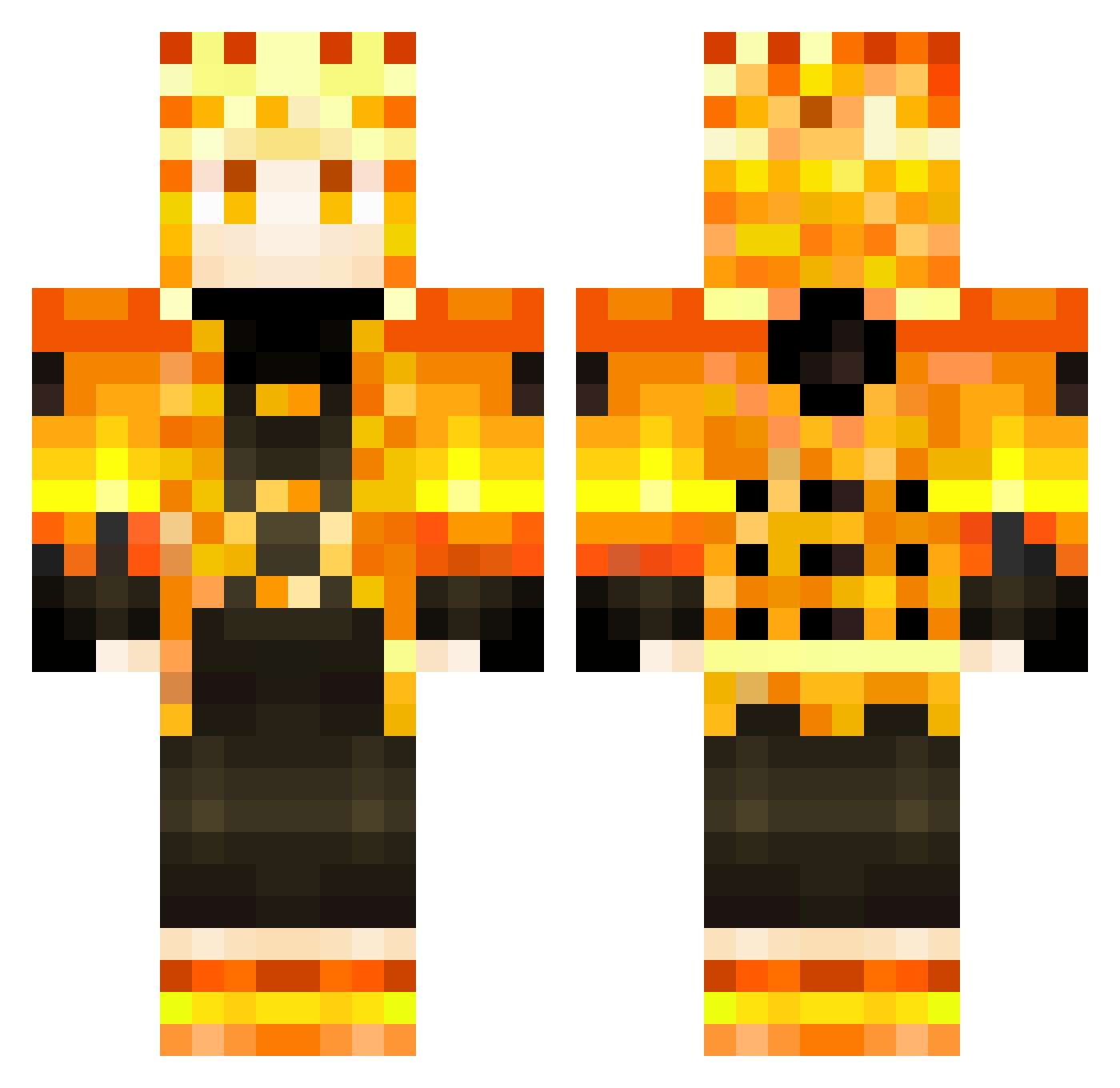
Current Minecraft skin of the player RaJaBa22, loaded from the official Mojang API. Rotate the 3D model with your mouse or finger, then download the skin as a PNG file and use it in Minecraft: Bedrock Edition or Java Edition for free. When RaJaBa22 changes their skin, this page updates automatically and the old skin stays in the history below.
Other players with this skin (412)
RaJaBa22 was the 371st player we have seen with this skin, first spotted on 12.11.2026. The same skin was seen on these players. Open a nickname to see their current skin and skin history.
 yourdadowoowo Saint1770 FlySwift Eme_RV Abraham1996 ggjdtfsh girafacom DawnyZ sworp8 MrFarinha79 CaioLEGENDS Middowitsch KuramaStreams Kaos2800 j0g0s lekikou Dr_Dieec o_Anubis_o GHOST23332 Promagicbox1st IvanSpiri_Bratva OptimalBladez Lucas64140 ferjua007 LazoGnackwatscho yCaioz Wyvron1109 SebasManzana KnightBill Huber1291 Supertakan EternalSenko R21W YOLO54114 Schematicdrake EinSteinNaBad ZeusyBabyBoy marcvier Buffturtle6469 OsKaMatt X_SHXFGW_X xto_ya Merlin_067 nath_belt DruidCZ DevilSamael Tebedoo Trevizan655 Sasuke07q dangeloXD6 Foolkid7 MrCoope WaterCoyote4203 bruce1219 FachriHD ZumakD AceKing594 Shinon5G AbolfazlRsy RiSeDuH
More Zenitsu Agatsuma Minecraft skins
See all 228 Zenitsu Agatsuma skins
How to install the RaJaBa22 skin
- Press the Download button above to save the skin as a PNG file.
- Minecraft: Bedrock Edition (PE): open the Dressing Room from the main menu (or tap your character → Edit Character), go to Classic Skins → Owned, press the + (new skin) button, choose the downloaded PNG and pick the Classic (Steve) model. Works on PC and mobile; consoles cannot import custom skins.
- Minecraft: Java Edition: open the Minecraft Launcher, go to the Skins tab, click New Skin, load the PNG, pick the Classic (Steve) model and press Save & Use. You can also upload it at minecraft.net → Profile → Change Skin.
The skin does not show up after import - what should I do?
Restart Minecraft and open the Dressing Room again - imported skins sometimes appear only after a restart. Also make sure you selected the imported skin and picked the Classic (Steve) model.
Which model should I choose, Classic or Slim?
This skin is designed for the Classic (Steve) model. If you pick the wrong model, the arms of the skin will look stretched or squeezed.
Is the skin of RaJaBa22 free to download?
Yes. Press Download, save the PNG file and use it in Minecraft: Bedrock Edition or Java Edition - no payment or registration needed. The skin also works on multiplayer servers and Realms.
More skins
Looking for more? Go back to all Minecraft skins and check the top skins of the week, month and all time, or find any player's skin by nickname.