
noopjenoop - Minecraft Skins & Skin History
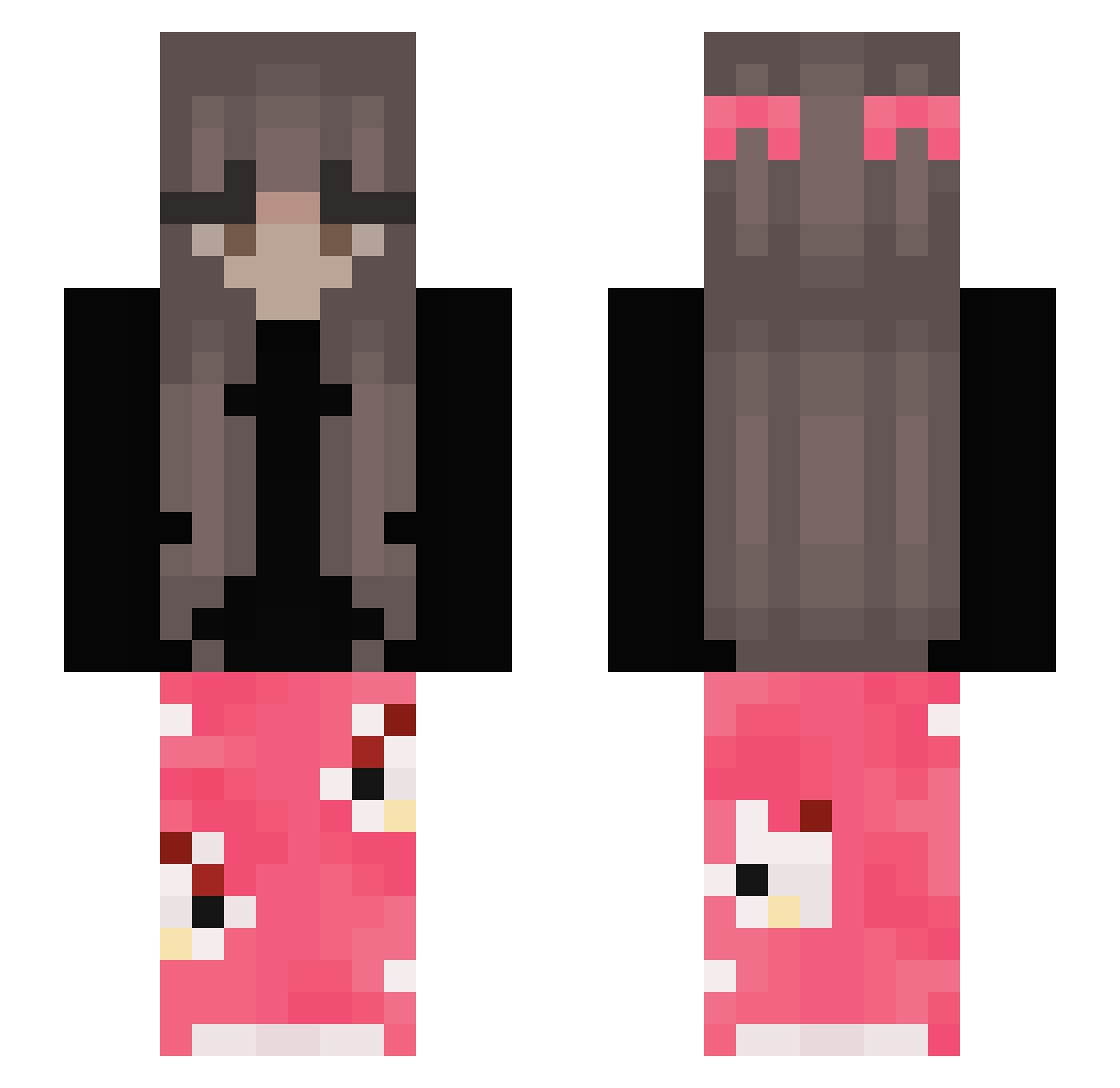
Current Minecraft skin of the player noopjenoop, loaded from the official Mojang API. Rotate the 3D model with your mouse or finger, then download the skin as a PNG file and use it in Minecraft: Bedrock Edition or Java Edition for free. When noopjenoop changes their skin, this page updates automatically and the old skin stays in the history below.
Other players with this skin (317)
noopjenoop was the 91st player we have seen with this skin, first spotted on 22.08.2026. The same skin was seen on these players. Open a nickname to see their current skin and skin history.
 malwx7 xLocxy hannah_savannah KrEdEnSs LILYY555
 Schw7rz Noa_aoN AngelUnicorn45 Ashley43164 princessp077 babaduck666 julifela Cocoawithmarsh30 Zeinacioo SpokoZiomus zofieks ch3zzburger 4Andrea FenixdaLuz paulaxxq vMuzza hxlnn LittleLlama3356 666766 gaietta964 Alkalos
 Rozyczka_ MrsKnister crhvrl Vichoxzz caiyiooo RayRayzZ jxsie22 BatMans0S chelsmany anyway1337 Otrazhenie xqwre Kasuummi madiee89 yukiiixdd awesomeninaa GreedFishSeven Zizina thatilaria JayleneF MIOBI777 xvzq_d Yuummh linda_2 yozznag stefan2211 leoincedo luhvqq kaya23_23 Akviuks CRISS_3004 BoonDau Linch3nn HeyItsBunzie
More Pyjamas Minecraft skins
How to install the noopjenoop skin
- Press the Download button above to save the skin as a PNG file.
- Minecraft: Bedrock Edition (PE): open the Dressing Room from the main menu (or tap your character → Edit Character), go to Classic Skins → Owned, press the + (new skin) button, choose the downloaded PNG and pick the Slim (Alex) model. Works on PC and mobile; consoles cannot import custom skins.
- Minecraft: Java Edition: open the Minecraft Launcher, go to the Skins tab, click New Skin, load the PNG, pick the Slim (Alex) model and press Save & Use. You can also upload it at minecraft.net → Profile → Change Skin.
The skin does not show up after import - what should I do?
Restart Minecraft and open the Dressing Room again - imported skins sometimes appear only after a restart. Also make sure you selected the imported skin and picked the Slim (Alex) model.
Which model should I choose, Classic or Slim?
This skin is designed for the Slim (Alex) model. If you pick the wrong model, the arms of the skin will look stretched or squeezed.
Is the skin of noopjenoop free to download?
Yes. Press Download, save the PNG file and use it in Minecraft: Bedrock Edition or Java Edition - no payment or registration needed. The skin also works on multiplayer servers and Realms.
More skins
Looking for more? Go back to all Minecraft skins and check the top skins of the week, month and all time, or find any player's skin by nickname.