
nieno1 - Minecraft Skins & Skin History
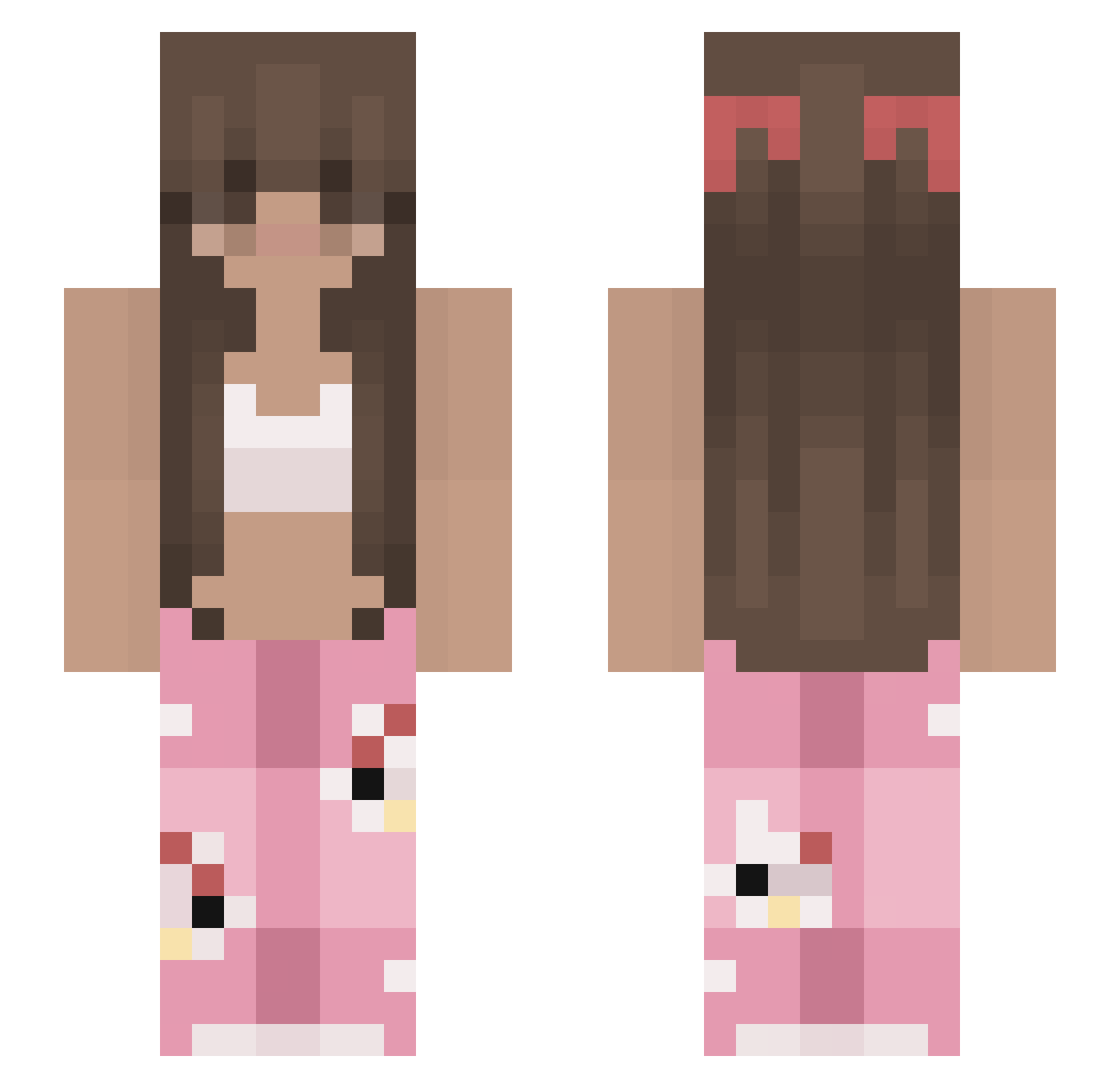
Current Minecraft skin of the player nieno1, loaded from the official Mojang API. Rotate the 3D model with your mouse or finger, then download the skin as a PNG file and use it in Minecraft: Bedrock Edition or Java Edition for free. When nieno1 changes their skin, this page updates automatically and the old skin stays in the history below.
Other players with this skin (221)
nieno1 was the 1st player we have seen with this skin, first spotted on 21.07.2026. The same skin was seen on these players. Open a nickname to see their current skin and skin history.
 herloverMez RIPG0LDY ___Pandass___
 jyS2 plaiboi24 isla3145 jiyeonlook womh FluffyNatas Millie20001 Stonetrouy Atenea_7 Francy7707 chii2021 froggy_girl12 MUMNYANG ImNathalia fwil Shiny_Quack Al1c333 aiiaa ssi4 Enimeo 22alexis13
 Loomblom Levi_Love mackelmore11 Gxdv_iw Bestti richy545 CallMeSpliiff didoune971 AntiTonkas paussj ellieante pip4nik Neko__baka Lavndr103 Majkoni anikaLJ08 kustinho Olikz K_kenzie bozo1934 strwbrmilkie maferlion loviquins eiheisd xSkeezi Maye19 Holly2454 wellingtonwssw Zuzia420 J33nn4 marins_10 Cecy2206 amxnda04 ___Pokory___ ThatForgePlayer x_Jenn_x
More Pyjamas Minecraft skins
How to install the nieno1 skin
- Press the Download button above to save the skin as a PNG file.
- Minecraft: Bedrock Edition (PE): open the Dressing Room from the main menu (or tap your character → Edit Character), go to Classic Skins → Owned, press the + (new skin) button, choose the downloaded PNG and pick the Slim (Alex) model. Works on PC and mobile; consoles cannot import custom skins.
- Minecraft: Java Edition: open the Minecraft Launcher, go to the Skins tab, click New Skin, load the PNG, pick the Slim (Alex) model and press Save & Use. You can also upload it at minecraft.net → Profile → Change Skin.
The skin does not show up after import - what should I do?
Restart Minecraft and open the Dressing Room again - imported skins sometimes appear only after a restart. Also make sure you selected the imported skin and picked the Slim (Alex) model.
Which model should I choose, Classic or Slim?
This skin is designed for the Slim (Alex) model. If you pick the wrong model, the arms of the skin will look stretched or squeezed.
Is the skin of nieno1 free to download?
Yes. Press Download, save the PNG file and use it in Minecraft: Bedrock Edition or Java Edition - no payment or registration needed. The skin also works on multiplayer servers and Realms.
More skins
Looking for more? Go back to all Minecraft skins and check the top skins of the week, month and all time, or find any player's skin by nickname.