
nbor66 - Minecraft Skins & Skin History
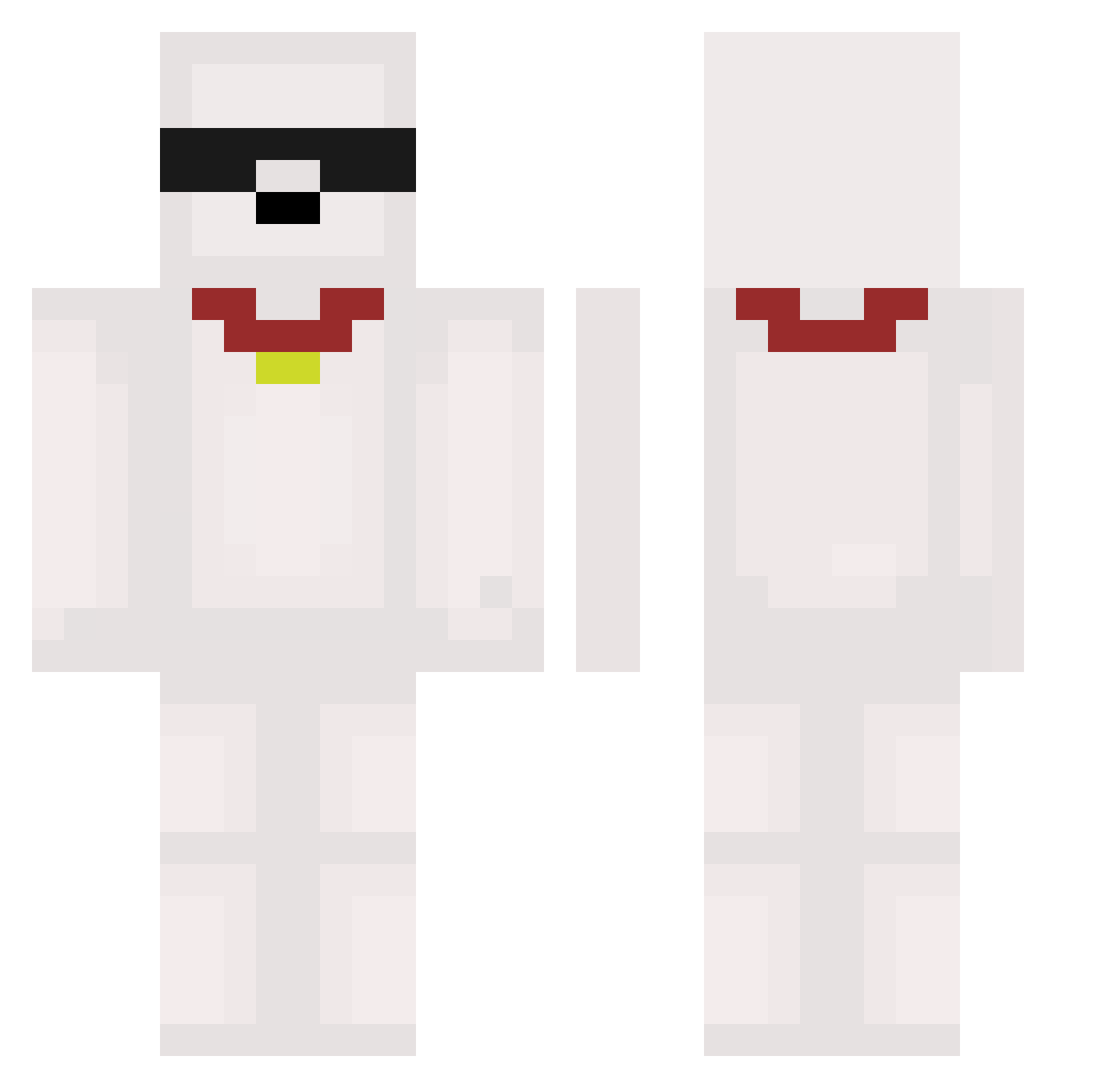
Current Minecraft skin of the player nbor66, loaded from the official Mojang API. Rotate the 3D model with your mouse or finger, then download the skin as a PNG file and use it in Minecraft: Bedrock Edition or Java Edition for free. When nbor66 changes their skin, this page updates automatically and the old skin stays in the history below.
Other players with this skin (473)
nbor66 was the 427th player we have seen with this skin, first spotted on 13.10.2026. The same skin was seen on these players. Open a nickname to see their current skin and skin history.
 yuba77 Capt_Chengy jnyuuk aitorfran Astralbound Meatrelish Carry09 AntiPooping thijsssss7 oh_its_cade uuwenu Mushiow0_ avix221 Altap_ bbanghj NuffleBuffle ShortyRockk dldpshr JP27322 Sqith RowdyTwT omqmister Ryan_1173 Huskky1 Tristanvh13 Leozin1237 hawoond Clyiz esnoops Gogowow1171 Jeebv_ chobat LUKE14827 ariii16 warrior2502T IcePatinhas power8141 Rokuji15 Blzw PerrDzin hyehyang UrnotKEWL Yes__0 la_cabra_pokey HauseMaster2 StGi0 DenSejeGut123 Maelee89 Shadowcaveman Gian544 lao9 Zzes1st_ Mirzoxxx vsopi Ranmi1022 Pqpucel kalebbbbbb betocamisa10 potatoo1123 kktrl
More Collar Minecraft skins
How to install the nbor66 skin
- Press the Download button above to save the skin as a PNG file.
- Minecraft: Bedrock Edition (PE): open the Dressing Room from the main menu (or tap your character → Edit Character), go to Classic Skins → Owned, press the + (new skin) button, choose the downloaded PNG and pick the Classic (Steve) model. Works on PC and mobile; consoles cannot import custom skins.
- Minecraft: Java Edition: open the Minecraft Launcher, go to the Skins tab, click New Skin, load the PNG, pick the Classic (Steve) model and press Save & Use. You can also upload it at minecraft.net → Profile → Change Skin.
The skin does not show up after import - what should I do?
Restart Minecraft and open the Dressing Room again - imported skins sometimes appear only after a restart. Also make sure you selected the imported skin and picked the Classic (Steve) model.
Which model should I choose, Classic or Slim?
This skin is designed for the Classic (Steve) model. If you pick the wrong model, the arms of the skin will look stretched or squeezed.
Is the skin of nbor66 free to download?
Yes. Press Download, save the PNG file and use it in Minecraft: Bedrock Edition or Java Edition - no payment or registration needed. The skin also works on multiplayer servers and Realms.
More skins
Looking for more? Go back to all Minecraft skins and check the top skins of the week, month and all time, or find any player's skin by nickname.