
naronionzockt - Minecraft Skins & Skin History
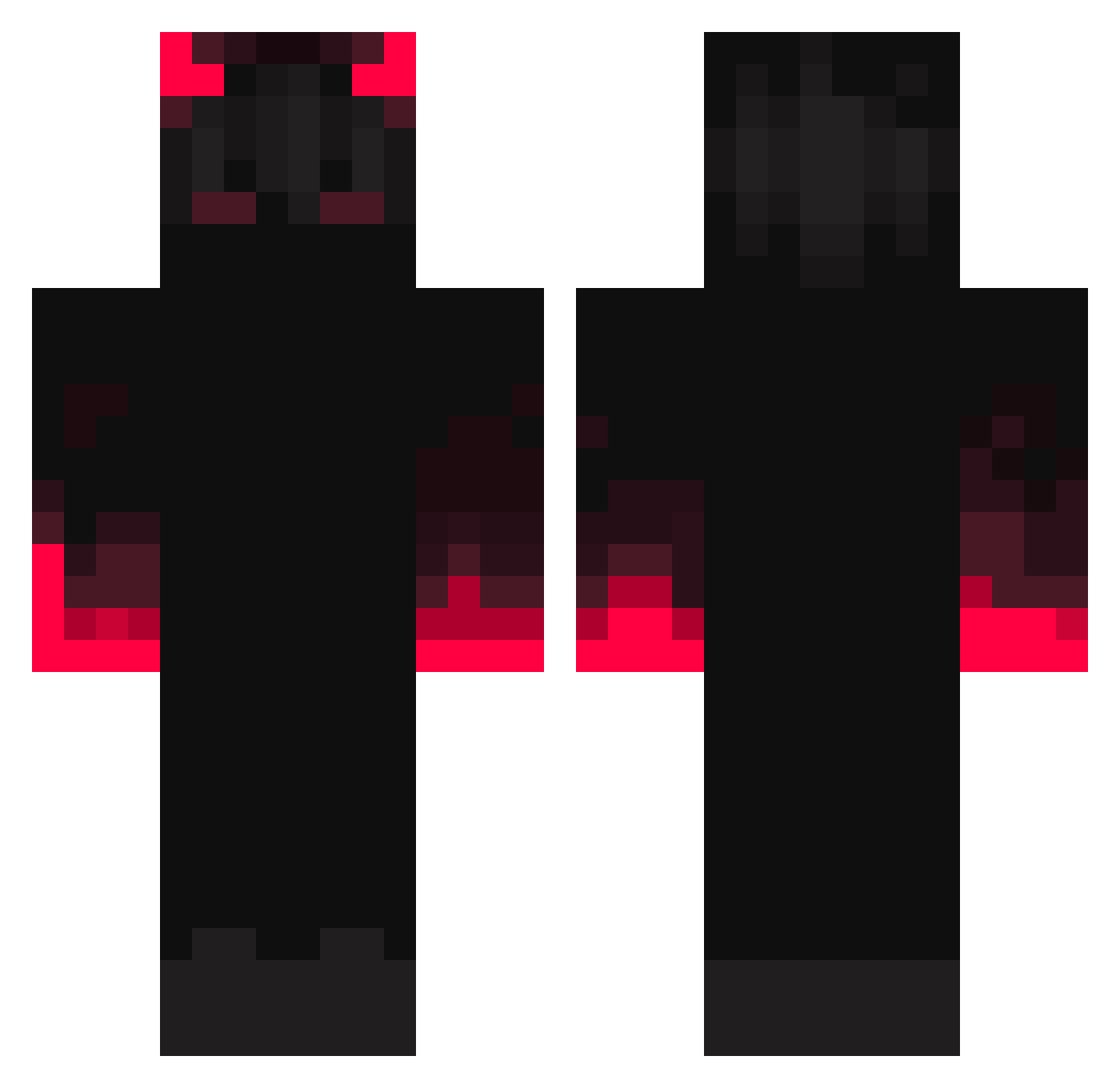
Current Minecraft skin of the player naronionzockt, loaded from the official Mojang API. Rotate the 3D model with your mouse or finger, then download the skin as a PNG file and use it in Minecraft: Bedrock Edition or Java Edition for free. When naronionzockt changes their skin, this page updates automatically and the old skin stays in the history below.
Other players with this skin (354)
naronionzockt was the 110th player we have seen with this skin, first spotted on 28.08.2026. The same skin was seen on these players. Open a nickname to see their current skin and skin history.
 IsRenato misscacolol disxxx Unlimited26 Salocin1804 ofshre SONYX_Y 50ShadesOfBray tekmology Luca4849 ProGo45 idfc_maii NegrillonSteed Dark_Kurb Might_Gai johspil2 Emili0_99 Eniss_ Mikxzu0 vdcalantoc malaniwalsh JMCDW
 ImIvanNow Romeo_Josey Clout045 baoconnor koosh0928 bimark motassim42 Bmoore69 AnanasAlarm3615 ryue07 21kitchensinks Demonic_Mc EmilTooth VoidRegent80 Dudzz777 lebre0878 jim6588 muyi2333 GY3S Sugerarm Bojio Zokswer Taizen Moinmeister066 Skinio Top4ukk Patattack68 Night_xKing AnimeOverdose koogisdownbad TonhaoAdestrador PunyGorilla4954 ems1110 Corbygray528 Falcyon_ xWhisper0 Ringhio_q uvuvwevewvw
More Fire Minecraft skins
How to install the naronionzockt skin
- Press the Download button above to save the skin as a PNG file.
- Minecraft: Bedrock Edition (PE): open the Dressing Room from the main menu (or tap your character → Edit Character), go to Classic Skins → Owned, press the + (new skin) button, choose the downloaded PNG and pick the Classic (Steve) model. Works on PC and mobile; consoles cannot import custom skins.
- Minecraft: Java Edition: open the Minecraft Launcher, go to the Skins tab, click New Skin, load the PNG, pick the Classic (Steve) model and press Save & Use. You can also upload it at minecraft.net → Profile → Change Skin.
The skin does not show up after import - what should I do?
Restart Minecraft and open the Dressing Room again - imported skins sometimes appear only after a restart. Also make sure you selected the imported skin and picked the Classic (Steve) model.
Which model should I choose, Classic or Slim?
This skin is designed for the Classic (Steve) model. If you pick the wrong model, the arms of the skin will look stretched or squeezed.
Is the skin of naronionzockt free to download?
Yes. Press Download, save the PNG file and use it in Minecraft: Bedrock Edition or Java Edition - no payment or registration needed. The skin also works on multiplayer servers and Realms.
More skins
Looking for more? Go back to all Minecraft skins and check the top skins of the week, month and all time, or find any player's skin by nickname.