
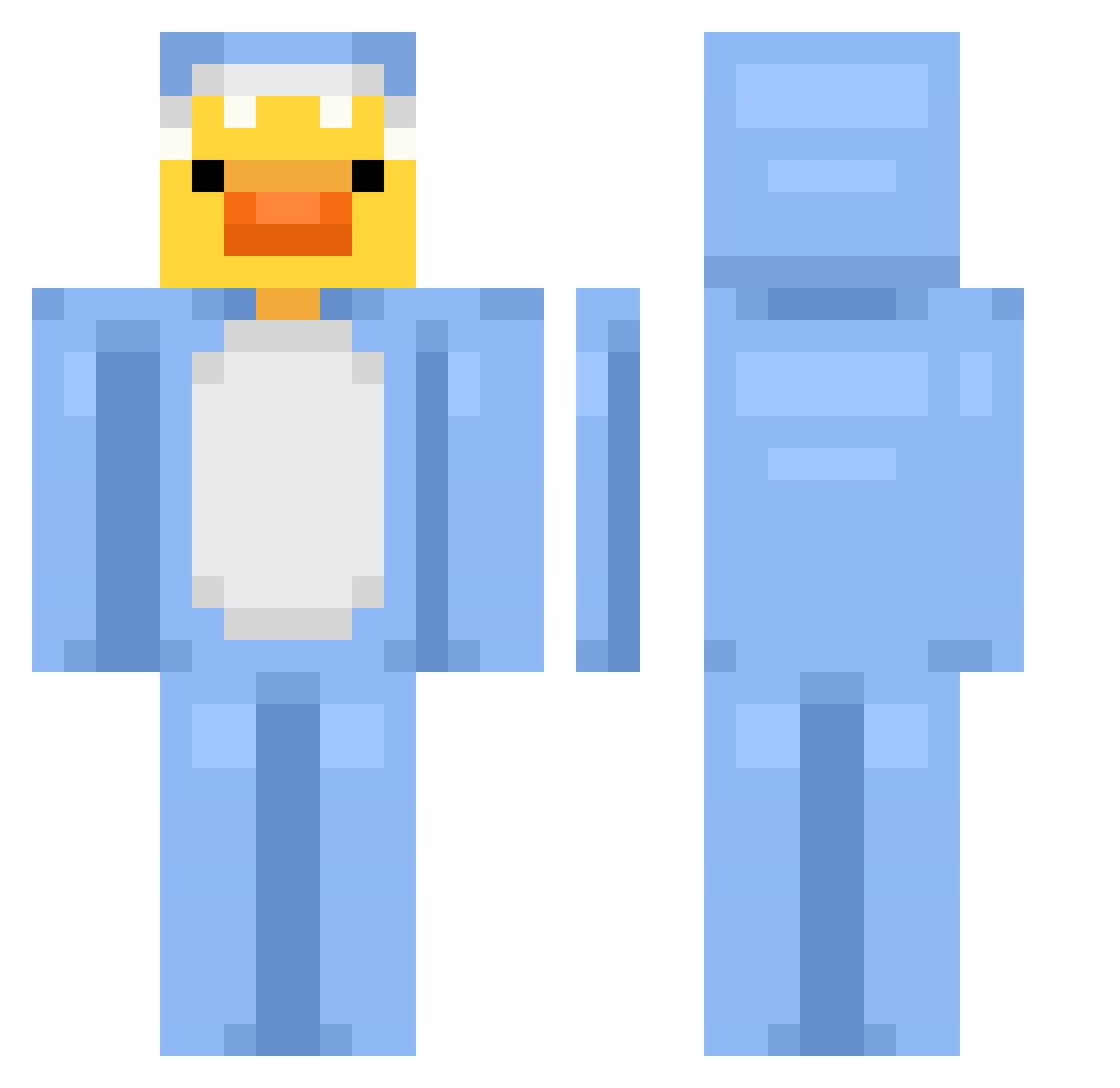
Current Minecraft skin of the player nachigna, loaded from the official Mojang API. Rotate the 3D model with your mouse or finger, then download the skin as a PNG file and use it in Minecraft: Bedrock Edition or Java Edition for free. When nachigna changes their skin, this page updates automatically and the old skin stays in the history below.
Other players with this skin (627)
nachigna was the 446th player we have seen with this skin, first spotted on 25.09.2026. The same skin was seen on these players. Open a nickname to see their current skin and skin history.
 EdaTheS grauhh AnaSuarz burybka WESHLAGALERE nixityisme zelek753 TioLuciTV Schmichii Skinner_Btw shinsinger MakoSharko7 kaczuszka351 chibi_sheep yester_32 applecandy1879 ryx_roses Urke52 Felle_ antonio_jmz MerkyMrk Gusty_arty 4uuu_ PaQu_ halo_spades Sazukaa zhfe10 kokxeo ZenZen442 MatheuX0X lazydaily SIRSaif1 Dev_ming Newai_zfx WafflesOnDemand MILLENNIA22 sztywny_szczurek Law_wai Mat1cly leledino Qdjun Thistle_Thatch KillerHappy19 DuckFacee cloudlee_exe guanixduhund EnteMitSchwert Juanka_230 Wuffy2 Bella2131 Drekavellir nana_73 sassybreath34 whosada Xavye6 marcelpronin Evekimu_ DualFangIgarashi xbbll L3R077
More Onesie Minecraft skins
How to install the nachigna skin
- Press the Download button above to save the skin as a PNG file.
- Minecraft: Bedrock Edition (PE): open the Dressing Room from the main menu (or tap your character → Edit Character), go to Classic Skins → Owned, press the + (new skin) button, choose the downloaded PNG and pick the Classic (Steve) model. Works on PC and mobile; consoles cannot import custom skins.
- Minecraft: Java Edition: open the Minecraft Launcher, go to the Skins tab, click New Skin, load the PNG, pick the Classic (Steve) model and press Save & Use. You can also upload it at minecraft.net → Profile → Change Skin.
The skin does not show up after import - what should I do?
Restart Minecraft and open the Dressing Room again - imported skins sometimes appear only after a restart. Also make sure you selected the imported skin and picked the Classic (Steve) model.
Which model should I choose, Classic or Slim?
This skin is designed for the Classic (Steve) model. If you pick the wrong model, the arms of the skin will look stretched or squeezed.
Is the skin of nachigna free to download?
Yes. Press Download, save the PNG file and use it in Minecraft: Bedrock Edition or Java Edition - no payment or registration needed. The skin also works on multiplayer servers and Realms.
More skins
Looking for more? Go back to all Minecraft skins and check the top skins of the week, month and all time, or find any player's skin by nickname.