
mrnein_08 - Minecraft Skins & Skin History
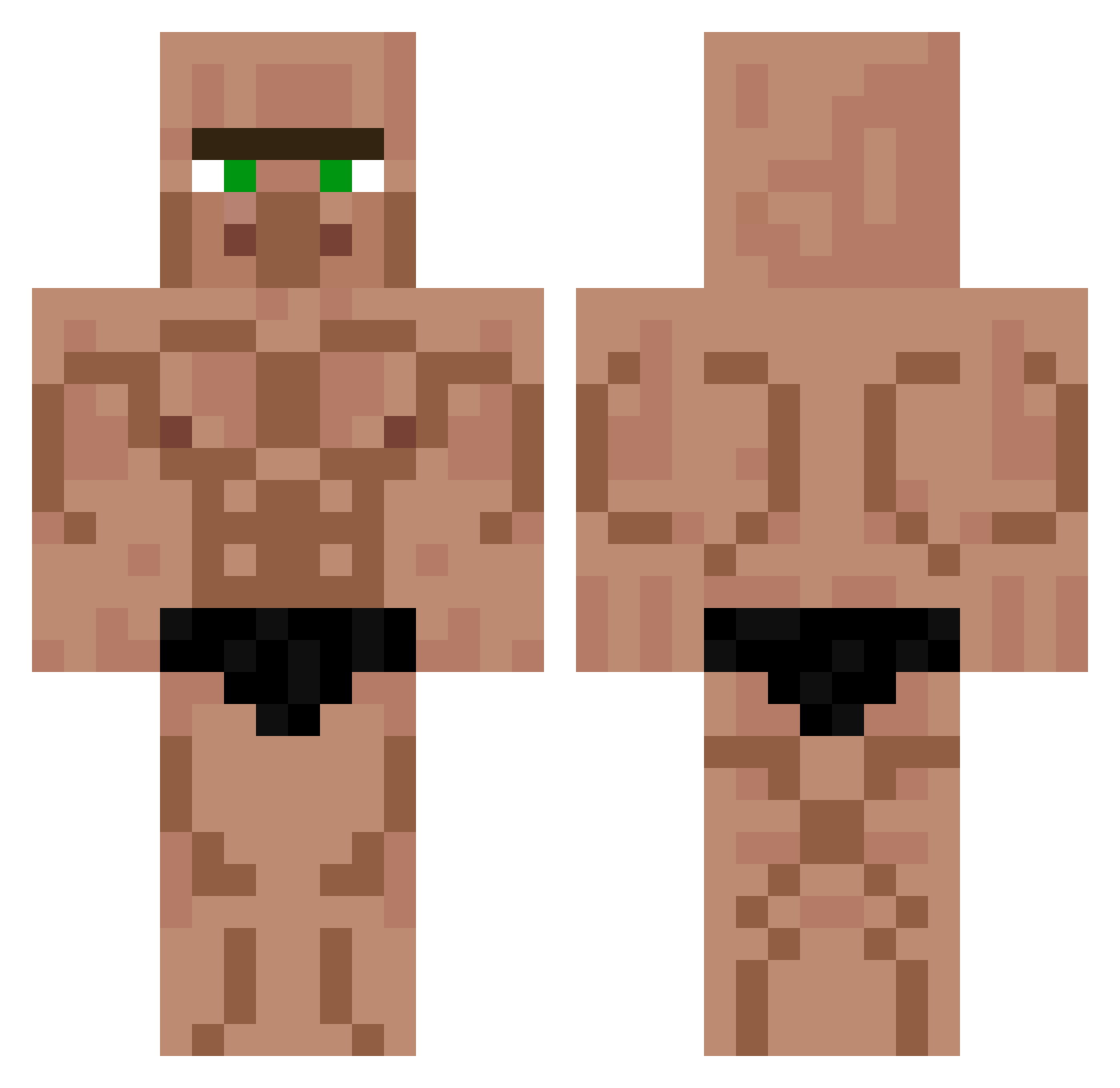
Current Minecraft skin of the player mrnein_08, loaded from the official Mojang API. Rotate the 3D model with your mouse or finger, then download the skin as a PNG file and use it in Minecraft: Bedrock Edition or Java Edition for free. When mrnein_08 changes their skin, this page updates automatically and the old skin stays in the history below.
Other players with this skin (453)
mrnein_08 was the 54th player we have seen with this skin, first spotted on 08.08.2026. The same skin was seen on these players. Open a nickname to see their current skin and skin history.
 Tamsolane Axvence NooitNormaal Johnvdberk Otto2460 wSH4Z teveltika BERKAYC0077 mizlork BRDKILLR dlstjdcks Charo0912ki Der_Skyfox
 MattiaD07 Fyreeen ArabObama guillaume5731 JeffTheKillerv2 MaitreDesOmbres mongoloidj Lizarddayhein
 Bedrock_Cream PANELA12345 ToxicNebulaa Dark55_ AbiroManE ruikingo StepaanCZ Wildgamer726 alexmaboi iCesarGG loutronx DooDesch CultLeader96 Hubabubba ElCriCri21 Ghirahim78 Leg0las22 ThWOdin LordMango_ nicotor1 Balada21 turboD2010 MGK_LoNyxX ajmccall28 Hamed171 Marcin951 Atez_12 Paulst1705 baileyisgod pendragon21 ZooMW96 metmetsas boar7542 vencxz Xinny2k KarrimmeBenzehma Alihanci lolkekowicz YunusSelim
More Buff Minecraft skins
How to install the mrnein_08 skin
- Press the Download button above to save the skin as a PNG file.
- Minecraft: Bedrock Edition (PE): open the Dressing Room from the main menu (or tap your character → Edit Character), go to Classic Skins → Owned, press the + (new skin) button, choose the downloaded PNG and pick the Classic (Steve) model. Works on PC and mobile; consoles cannot import custom skins.
- Minecraft: Java Edition: open the Minecraft Launcher, go to the Skins tab, click New Skin, load the PNG, pick the Classic (Steve) model and press Save & Use. You can also upload it at minecraft.net → Profile → Change Skin.
The skin does not show up after import - what should I do?
Restart Minecraft and open the Dressing Room again - imported skins sometimes appear only after a restart. Also make sure you selected the imported skin and picked the Classic (Steve) model.
Which model should I choose, Classic or Slim?
This skin is designed for the Classic (Steve) model. If you pick the wrong model, the arms of the skin will look stretched or squeezed.
Is the skin of mrnein_08 free to download?
Yes. Press Download, save the PNG file and use it in Minecraft: Bedrock Edition or Java Edition - no payment or registration needed. The skin also works on multiplayer servers and Realms.
More skins
Looking for more? Go back to all Minecraft skins and check the top skins of the week, month and all time, or find any player's skin by nickname.