
monkcal - Minecraft Skins & Skin History
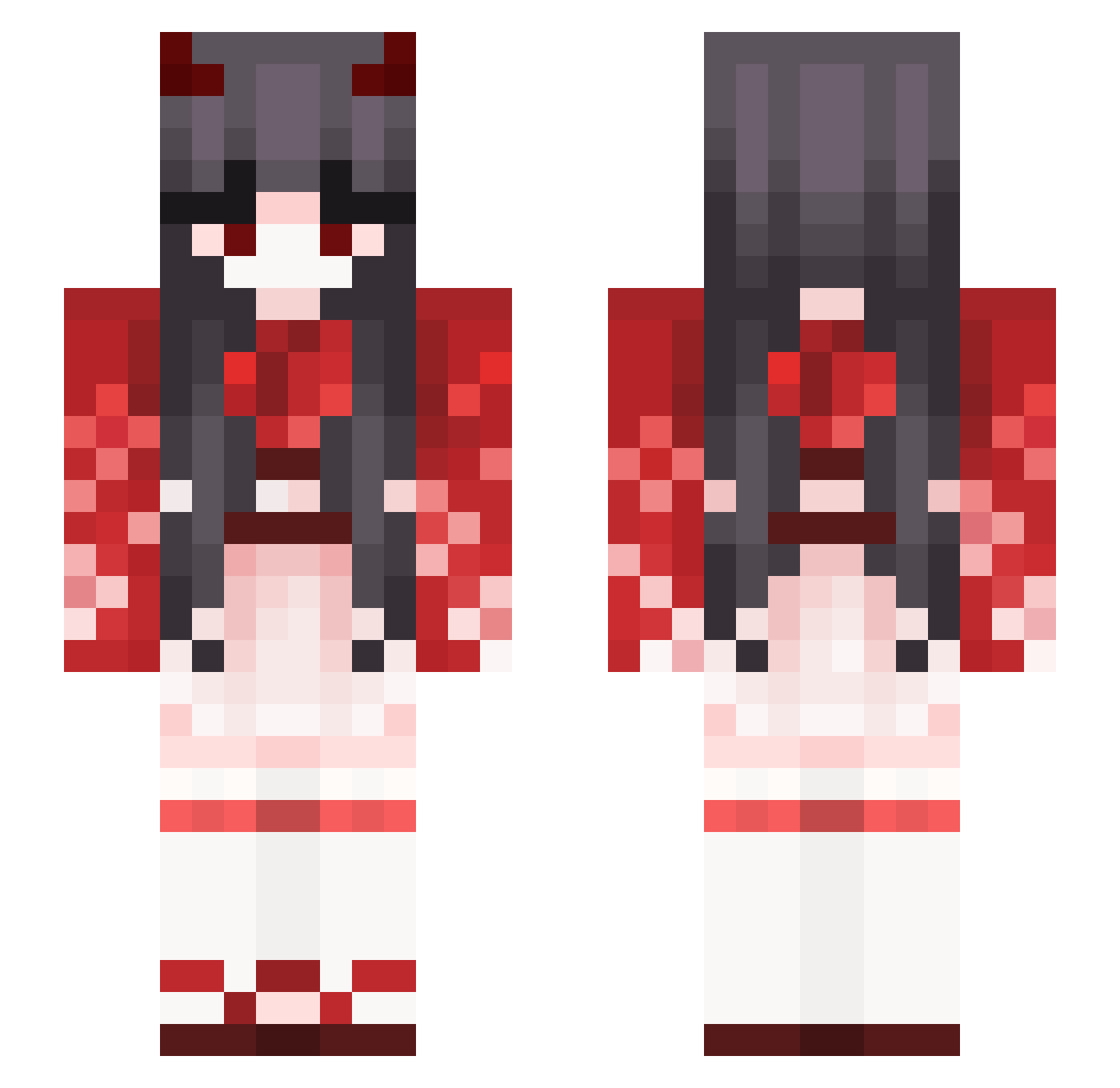
Current Minecraft skin of the player monkcal, loaded from the official Mojang API. Rotate the 3D model with your mouse or finger, then download the skin as a PNG file and use it in Minecraft: Bedrock Edition or Java Edition for free. When monkcal changes their skin, this page updates automatically and the old skin stays in the history below.
Other players with this skin (392)
monkcal was the 278th player we have seen with this skin, first spotted on 12.10.2026. The same skin was seen on these players. Open a nickname to see their current skin and skin history.
 _Xatra_ _Bo7 lunanstella Nana0Nana Kitsuneko019 AnHexxx Manayo xanshiru SmallMoon104 SafaCastro Brown1998 SR522 MuseLynx pipi5 X1ao_R MaddoExe honeyhotcake KoiComet Vanity_Fiend PerfectTiming GXCL beni2 kimjinaaa MeowHackz SoleKnight Gasshrod210 HaruNaoki WANLIN0929 niconeko8998 Misti staticRelay Derci_ XUYEYYDS purpleturtle1748 meeznoi wikibro12 Apheea Kit_Kat2019 HiHi134659 violettn BunnyBuno3o Vincyxz Kiolaz Ludykuma AoHaru_Eien Cognon Eternity51 moonix19 Bum_ComeingDown miaprolol MeeMeeSheep loipoam AmberAstral EnricoPang Jeyniii bZop alfred_llll Niku667 Sraoh Bamnun_
More Demon Minecraft skins
How to install the monkcal skin
- Press the Download button above to save the skin as a PNG file.
- Minecraft: Bedrock Edition (PE): open the Dressing Room from the main menu (or tap your character → Edit Character), go to Classic Skins → Owned, press the + (new skin) button, choose the downloaded PNG and pick the Slim (Alex) model. Works on PC and mobile; consoles cannot import custom skins.
- Minecraft: Java Edition: open the Minecraft Launcher, go to the Skins tab, click New Skin, load the PNG, pick the Slim (Alex) model and press Save & Use. You can also upload it at minecraft.net → Profile → Change Skin.
The skin does not show up after import - what should I do?
Restart Minecraft and open the Dressing Room again - imported skins sometimes appear only after a restart. Also make sure you selected the imported skin and picked the Slim (Alex) model.
Which model should I choose, Classic or Slim?
This skin is designed for the Slim (Alex) model. If you pick the wrong model, the arms of the skin will look stretched or squeezed.
Is the skin of monkcal free to download?
Yes. Press Download, save the PNG file and use it in Minecraft: Bedrock Edition or Java Edition - no payment or registration needed. The skin also works on multiplayer servers and Realms.
More skins
Looking for more? Go back to all Minecraft skins and check the top skins of the week, month and all time, or find any player's skin by nickname.