
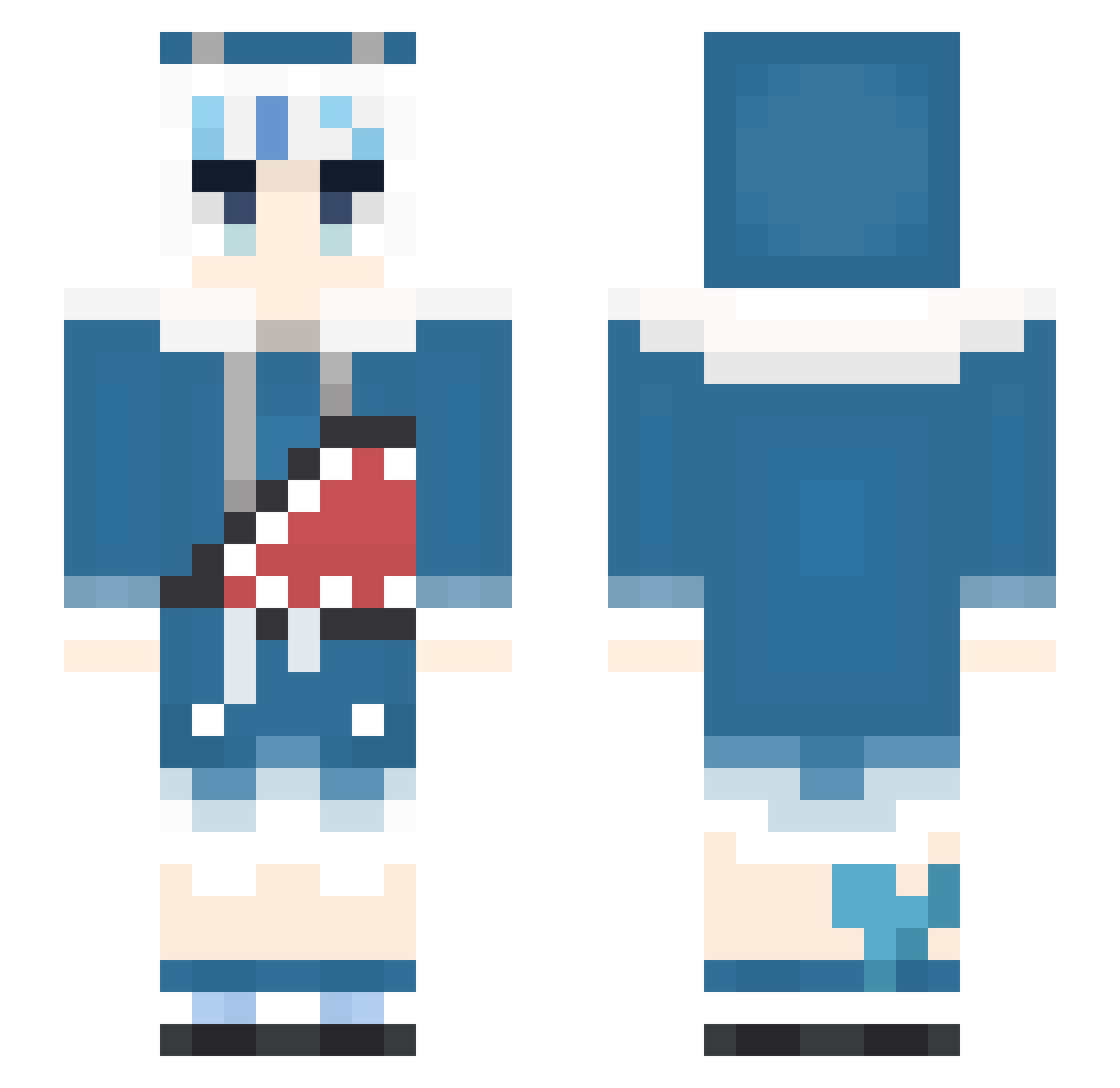
Current Minecraft skin of the player mojojojo_shun, loaded from the official Mojang API. Rotate the 3D model with your mouse or finger, then download the skin as a PNG file and use it in Minecraft: Bedrock Edition or Java Edition for free. When mojojojo_shun changes their skin, this page updates automatically and the old skin stays in the history below.
Other players with this skin (351)
mojojojo_shun was the 72nd player we have seen with this skin, first spotted on 12.08.2026. The same skin was seen on these players. Open a nickname to see their current skin and skin history.
 AxQuestion Gura_Rushia Ashvin12 Seonya97 0106star viciogamer_xd ms_puiyi_ kevin1945 Akakaminari SOYSAUCESOUP BarryJeems Davi283 Apple_Pi_Man etrondeJong
 Shark040112 kanajunn OTTO0122 Gpopeme Taakodachi Shiroko_UwU Darkcirro GawrGura1207 RayMonds24 Liliya_Olenyeva NaniThePho Gurasaba8 o_Orange_ Mewaw_ Olyakotiks Fukou_Da monaka8189 Half_Cat2 Au_owo StreaAlice bluestar90726 Vincristine98 hakei_ag eiichiiiii Ghust4 Cyun091 Gurasaba7 pain_0228 b_tuany jiro_kun Destruction_Ball pei0105 Saphinia IrohaLee Xylosha Baileyxoxo Sabagura Avossk Nosebleeds69 Oddball_Akiyama Zen_jya RULYCURIOUS RIRIKOKO SaYa06 Dinwu Andy8812
More Gawr Gura Minecraft skins
How to install the mojojojo_shun skin
- Press the Download button above to save the skin as a PNG file.
- Minecraft: Bedrock Edition (PE): open the Dressing Room from the main menu (or tap your character → Edit Character), go to Classic Skins → Owned, press the + (new skin) button, choose the downloaded PNG and pick the Slim (Alex) model. Works on PC and mobile; consoles cannot import custom skins.
- Minecraft: Java Edition: open the Minecraft Launcher, go to the Skins tab, click New Skin, load the PNG, pick the Slim (Alex) model and press Save & Use. You can also upload it at minecraft.net → Profile → Change Skin.
The skin does not show up after import - what should I do?
Restart Minecraft and open the Dressing Room again - imported skins sometimes appear only after a restart. Also make sure you selected the imported skin and picked the Slim (Alex) model.
Which model should I choose, Classic or Slim?
This skin is designed for the Slim (Alex) model. If you pick the wrong model, the arms of the skin will look stretched or squeezed.
Is the skin of mojojojo_shun free to download?
Yes. Press Download, save the PNG file and use it in Minecraft: Bedrock Edition or Java Edition - no payment or registration needed. The skin also works on multiplayer servers and Realms.
More skins
Looking for more? Go back to all Minecraft skins and check the top skins of the week, month and all time, or find any player's skin by nickname.