
mmonkeyx - Minecraft Skins & Skin History
Current Minecraft skin of the player mmonkeyx, loaded from the official Mojang API. Rotate the 3D model with your mouse or finger, then download the skin as a PNG file and use it in Minecraft: Bedrock Edition or Java Edition for free. When mmonkeyx changes their skin, this page updates automatically and the old skin stays in the history below.
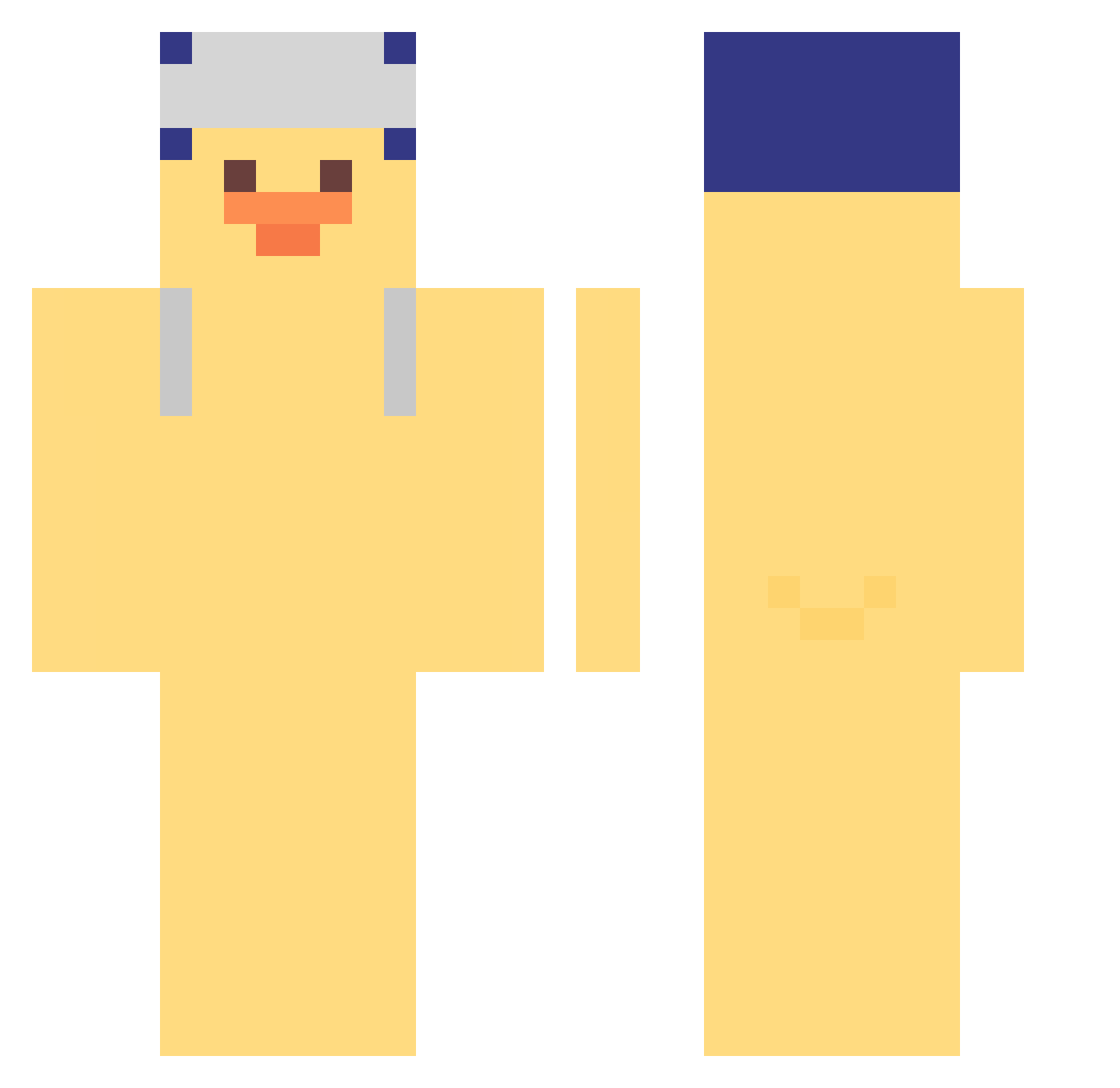
Other players with this skin (308)
mmonkeyx was the 33rd player we have seen with this skin, first spotted on 02.08.2026. The same skin was seen on these players. Open a nickname to see their current skin and skin history.
 goldenduck0503 Nememi SMIKA98 duck0525 Binbear__ MROMPIKIEE bananalpa entitiy Slademaster Haxrt java24k ElSrJay ABCsn LeBellikeu jackexiong Beluga813 jjumiii Kurczaczek345 softsuger Misplicity littMins Rainbowdan sky878 Kedura Oliverano leafreed Akerdies Tampop0 Projex_01 Cowleo john_wicktr 5eshy wpom Honunu TiseHe leez0402 NIMYO6974
 RetairyScrab5 liggener ILoveFreshSMP WoFnp LakakaDz YoonSung_ xzzbxz uranozsu imsuckgoo Lu__1 Ecatepec_Hiram Derek_mii Nitek7 kawprod Tectonn FailingSplash97 Kaurinho
 xingyingru1 Fysshh miaoyuchen
 mangu1050 WANI_INAW Isaac520
More Duck Minecraft skins
How to install the mmonkeyx skin
- Press the Download button above to save the skin as a PNG file.
- Minecraft: Bedrock Edition (PE): open the Dressing Room from the main menu (or tap your character → Edit Character), go to Classic Skins → Owned, press the + (new skin) button, choose the downloaded PNG and pick the Classic (Steve) model. Works on PC and mobile; consoles cannot import custom skins.
- Minecraft: Java Edition: open the Minecraft Launcher, go to the Skins tab, click New Skin, load the PNG, pick the Classic (Steve) model and press Save & Use. You can also upload it at minecraft.net → Profile → Change Skin.
The skin does not show up after import - what should I do?
Restart Minecraft and open the Dressing Room again - imported skins sometimes appear only after a restart. Also make sure you selected the imported skin and picked the Classic (Steve) model.
Which model should I choose, Classic or Slim?
This skin is designed for the Classic (Steve) model. If you pick the wrong model, the arms of the skin will look stretched or squeezed.
Is the skin of mmonkeyx free to download?
Yes. Press Download, save the PNG file and use it in Minecraft: Bedrock Edition or Java Edition - no payment or registration needed. The skin also works on multiplayer servers and Realms.
More skins
Looking for more? Go back to all Minecraft skins and check the top skins of the week, month and all time, or find any player's skin by nickname.