
misterxman - Minecraft Skins & Skin History
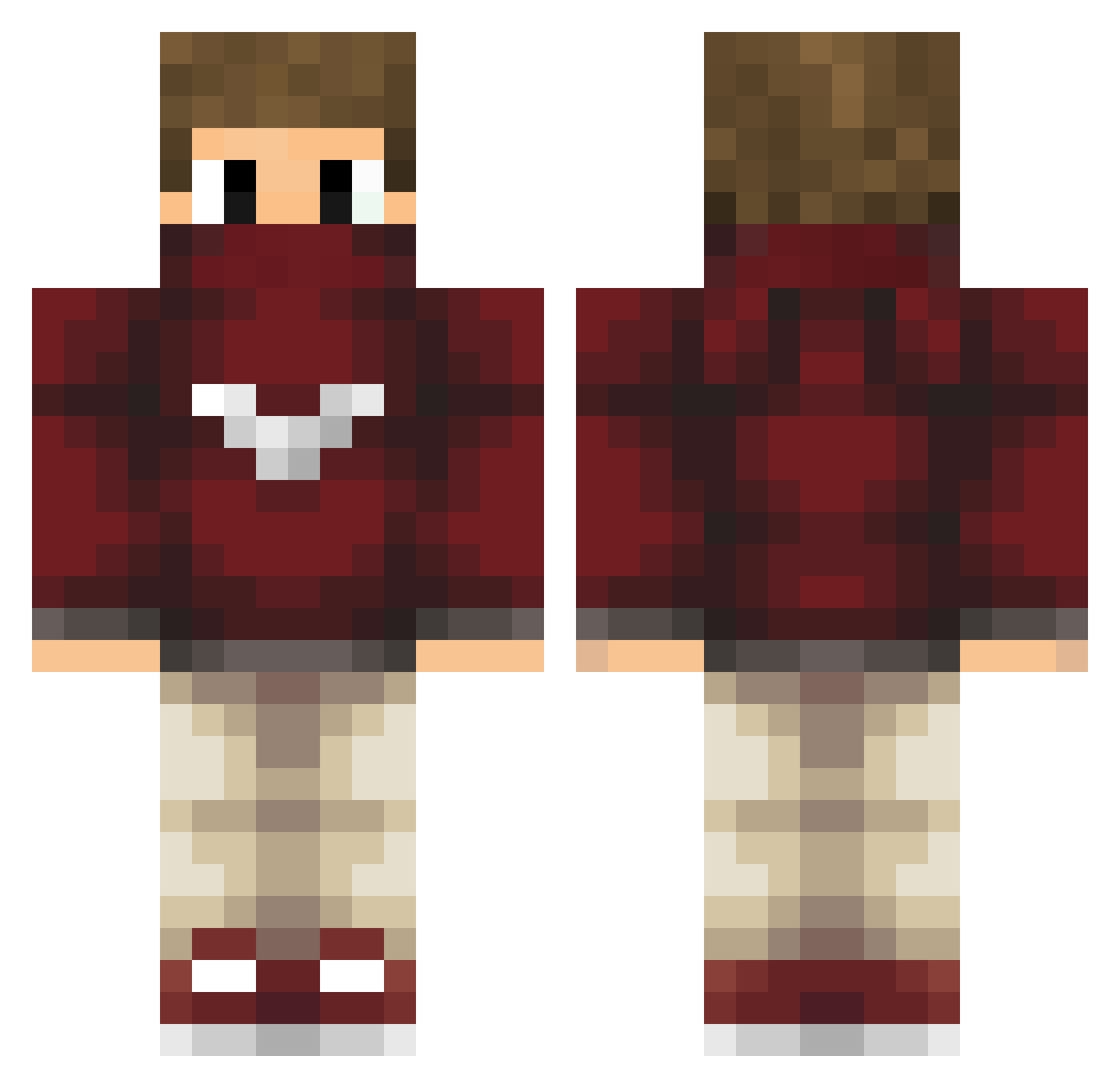
Current Minecraft skin of the player misterxman, loaded from the official Mojang API. Rotate the 3D model with your mouse or finger, then download the skin as a PNG file and use it in Minecraft: Bedrock Edition or Java Edition for free. When misterxman changes their skin, this page updates automatically and the old skin stays in the history below.
Other players with this skin (208)
misterxman was the 121st player we have seen with this skin, first spotted on 16.09.2026. The same skin was seen on these players. Open a nickname to see their current skin and skin history.
 InLava57 M1xzaZzZ Math_189 Fodase_PT Dhienerson TH3JOK3R_YT Akmed225 Majonestomten EdoChannel94 meliodasdu94 Sangokuu_San dieserenrico TaTou_ AlchyriK matthewlines YYTA RajkoHackerFTW SeverinMitJ vT_Crucial WazazitoYs JulianTitus YOSUSHI7 renyesOf ItzNikola Hyvorla phbeloto Nervosius JustexHD SeekTheGames leaderlambda1 Jul_PvP_25 HDGAMES1_000 HighJonas zKamikazehPvP zombiesberapinng DreamersArt AleksaPetar_PvP T_TonY_T ComboMadeInSpain nats5 Ahmeet PROgifter Jeromeken zBademantel weeblord101 a7med_1590 DeimosPobos LaPichaTraketera TakA_Up ToggelPvP Abdalaziz_Q Scorchingirony Josefe1975 NooLaGGz Axel__ Draakee MERT_SARIALP aurel38490 Lazuki RollinSmokin
More Mask Minecraft skins
How to install the misterxman skin
- Press the Download button above to save the skin as a PNG file.
- Minecraft: Bedrock Edition (PE): open the Dressing Room from the main menu (or tap your character → Edit Character), go to Classic Skins → Owned, press the + (new skin) button, choose the downloaded PNG and pick the Classic (Steve) model. Works on PC and mobile; consoles cannot import custom skins.
- Minecraft: Java Edition: open the Minecraft Launcher, go to the Skins tab, click New Skin, load the PNG, pick the Classic (Steve) model and press Save & Use. You can also upload it at minecraft.net → Profile → Change Skin.
The skin does not show up after import - what should I do?
Restart Minecraft and open the Dressing Room again - imported skins sometimes appear only after a restart. Also make sure you selected the imported skin and picked the Classic (Steve) model.
Which model should I choose, Classic or Slim?
This skin is designed for the Classic (Steve) model. If you pick the wrong model, the arms of the skin will look stretched or squeezed.
Is the skin of misterxman free to download?
Yes. Press Download, save the PNG file and use it in Minecraft: Bedrock Edition or Java Edition - no payment or registration needed. The skin also works on multiplayer servers and Realms.
More skins
Looking for more? Go back to all Minecraft skins and check the top skins of the week, month and all time, or find any player's skin by nickname.