
meli_iz_cute - Minecraft Skins & Skin History
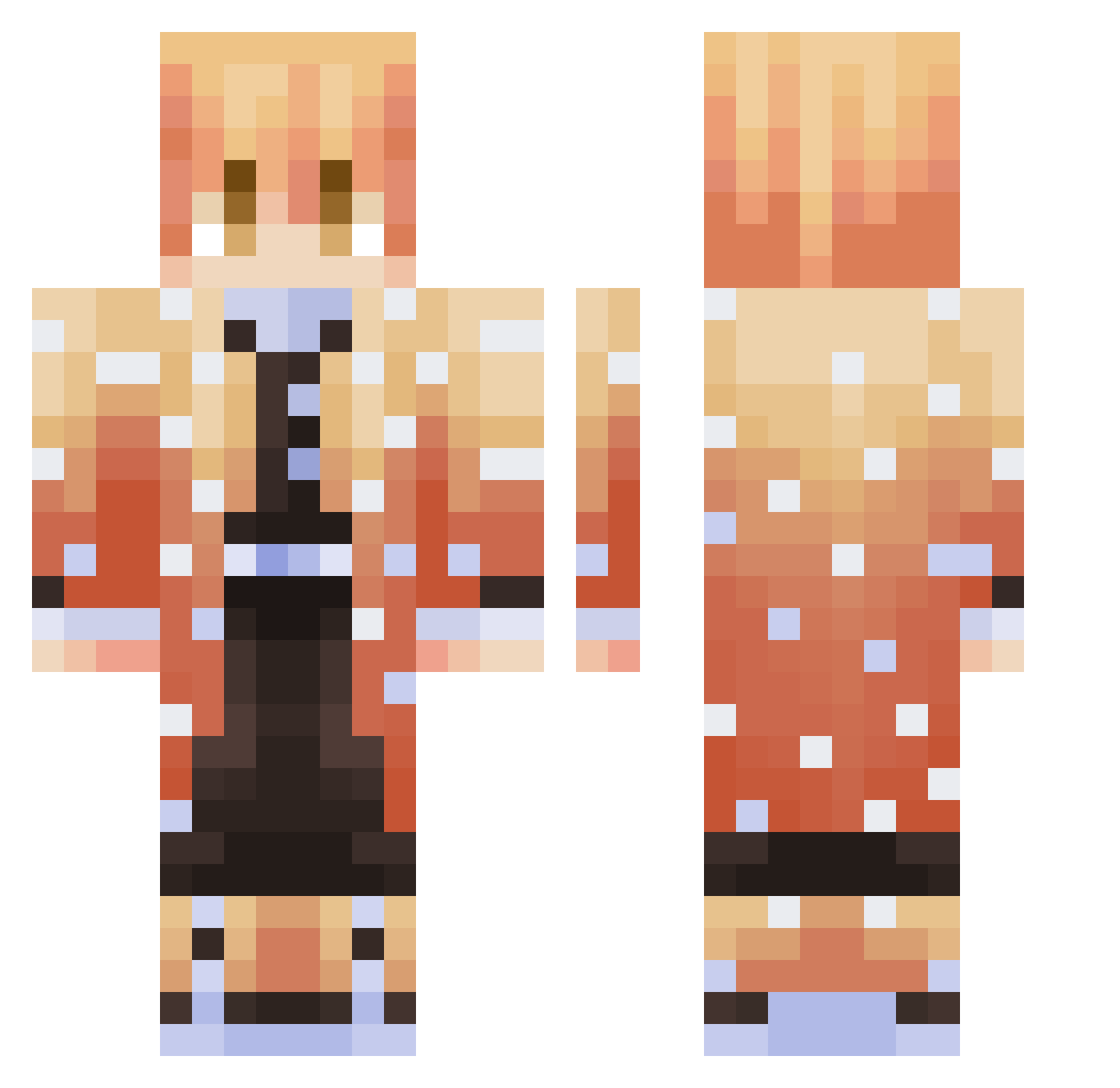
Current Minecraft skin of the player meli_iz_cute, loaded from the official Mojang API. Rotate the 3D model with your mouse or finger, then download the skin as a PNG file and use it in Minecraft: Bedrock Edition or Java Edition for free. When meli_iz_cute changes their skin, this page updates automatically and the old skin stays in the history below.
Other players with this skin (294)
meli_iz_cute was the 42nd player we have seen with this skin, first spotted on 05.08.2026. The same skin was seen on these players. Open a nickname to see their current skin and skin history.
 __log_ jackfr333 Sea_cucumberrr Liichtt UnluckyViper Ircey TojiFushiguru Kayak1806 imuwuttae Kalouty Krabukaz LazyPaperTowel webitocatsun BANZKZZ Lupitomc INF0RM4L exdlite GibletPaws Brolicious covideeznut decoy4ik dott302 SargeantSeagull EyelessBalam Tibawt Turtleneck73 BakaBubu KroosFear DreamyNutria454 naxome CozChan zStrax mt_elou 0PDIEGO
 Wallyx42 Youki270 Kota_XDD JeTeGry Lucifare6 Kauczuk23 Snorkilz bmadruga07 SHAMI_OuO Prevandox Sztajger2137 billytrp LautyZom Dezoxxx MCD_Flame Arcxwur GochuJjamJjiMin darkoverlordgir kanti_kun ZeNida Innina leafgale MINSEOK5520 JRReKt DeepNeet Giantmelon999
More Zenitsu Agatsuma Minecraft skins
See all 175 Zenitsu Agatsuma skins
How to install the meli_iz_cute skin
- Press the Download button above to save the skin as a PNG file.
- Minecraft: Bedrock Edition (PE): open the Dressing Room from the main menu (or tap your character → Edit Character), go to Classic Skins → Owned, press the + (new skin) button, choose the downloaded PNG and pick the Classic (Steve) model. Works on PC and mobile; consoles cannot import custom skins.
- Minecraft: Java Edition: open the Minecraft Launcher, go to the Skins tab, click New Skin, load the PNG, pick the Classic (Steve) model and press Save & Use. You can also upload it at minecraft.net → Profile → Change Skin.
The skin does not show up after import - what should I do?
Restart Minecraft and open the Dressing Room again - imported skins sometimes appear only after a restart. Also make sure you selected the imported skin and picked the Classic (Steve) model.
Which model should I choose, Classic or Slim?
This skin is designed for the Classic (Steve) model. If you pick the wrong model, the arms of the skin will look stretched or squeezed.
Is the skin of meli_iz_cute free to download?
Yes. Press Download, save the PNG file and use it in Minecraft: Bedrock Edition or Java Edition - no payment or registration needed. The skin also works on multiplayer servers and Realms.
More skins
Looking for more? Go back to all Minecraft skins and check the top skins of the week, month and all time, or find any player's skin by nickname.