
liltabea - Minecraft Skins & Skin History
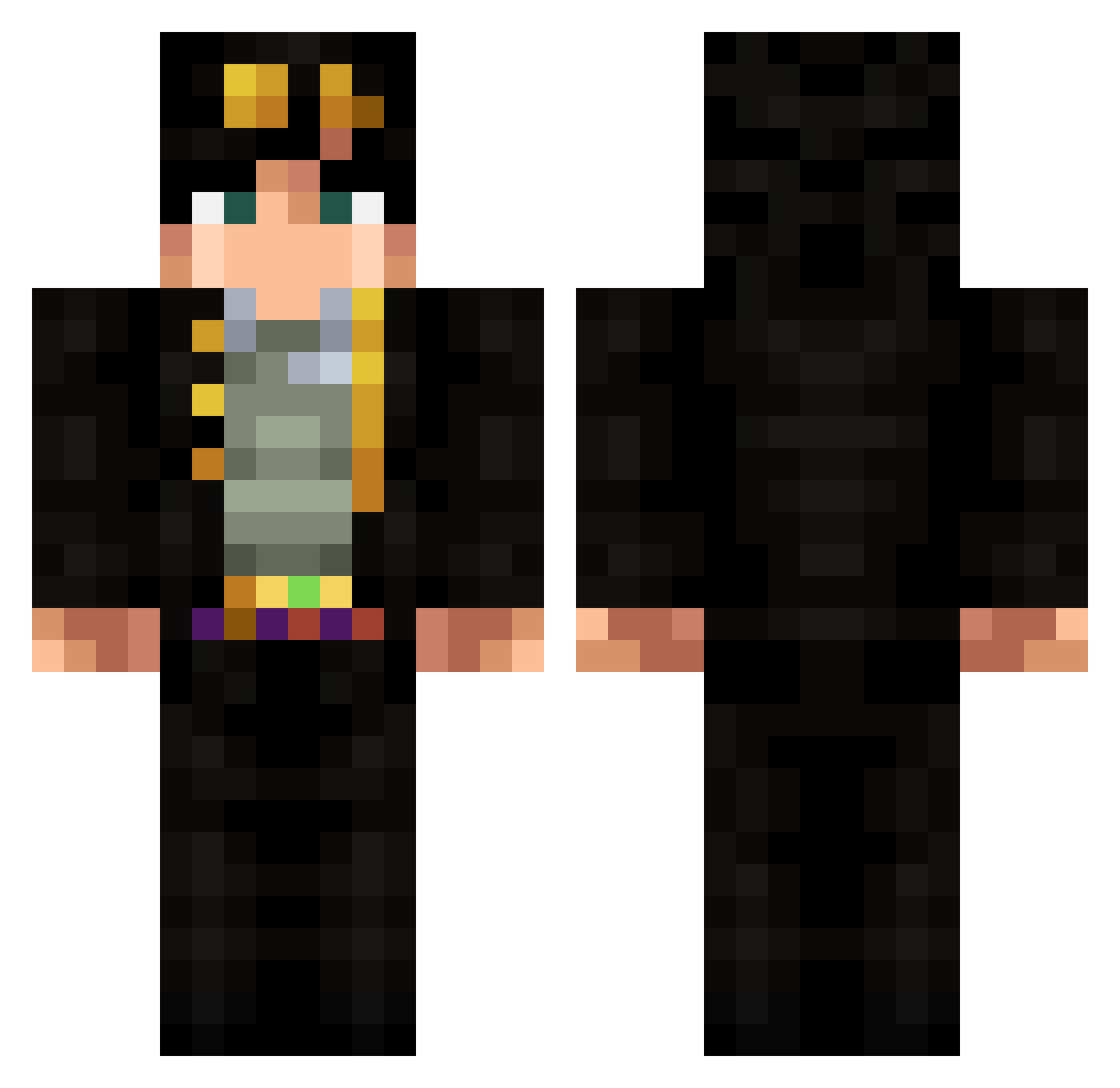
Current Minecraft skin of the player liltabea, loaded from the official Mojang API. Rotate the 3D model with your mouse or finger, then download the skin as a PNG file and use it in Minecraft: Bedrock Edition or Java Edition for free. When liltabea changes their skin, this page updates automatically and the old skin stays in the history below.
Other players with this skin (318)
liltabea was the 178th player we have seen with this skin, first spotted on 22.09.2026. The same skin was seen on these players. Open a nickname to see their current skin and skin history.
 Jojo_69x luzhi Txnderx Interceptor01 ohhayguise adriendanjou Abeser26 Lucasa2626 Graaaa KoJotaro ETERNALJM2_XD Gocob Duazi Marzipa baijinzhixingwor HornyGeno Aksalt xxsikopatxx Rafe_Nyes cGull_69 1Ggos1 MassiveLegend83 Sollanum seecos SenseySyf MasterEnd00 Onyyyx kzm4444 Pro_Jason lasu323 Jotaro_Chan Titizzz 47chromodome focco10 benjaminlor Desuion CarnageUnknown AlexAC95 Finnvick N_P_K Nut_K1ng_Call DarkGrids 5v0Lt ViniMasotti Feannoroth Jomerr03 jinnnd ogonerchec Yomaheoo R0cketjump Obviously_BaLaM Bichouley TakuyaEndo Idiot_stick TV_Xander Nezzart AwesomePinoy Shadozini CaptSpookerson kevsoto
More Jotaro Kujo Minecraft skins
How to install the liltabea skin
- Press the Download button above to save the skin as a PNG file.
- Minecraft: Bedrock Edition (PE): open the Dressing Room from the main menu (or tap your character → Edit Character), go to Classic Skins → Owned, press the + (new skin) button, choose the downloaded PNG and pick the Classic (Steve) model. Works on PC and mobile; consoles cannot import custom skins.
- Minecraft: Java Edition: open the Minecraft Launcher, go to the Skins tab, click New Skin, load the PNG, pick the Classic (Steve) model and press Save & Use. You can also upload it at minecraft.net → Profile → Change Skin.
The skin does not show up after import - what should I do?
Restart Minecraft and open the Dressing Room again - imported skins sometimes appear only after a restart. Also make sure you selected the imported skin and picked the Classic (Steve) model.
Which model should I choose, Classic or Slim?
This skin is designed for the Classic (Steve) model. If you pick the wrong model, the arms of the skin will look stretched or squeezed.
Is the skin of liltabea free to download?
Yes. Press Download, save the PNG file and use it in Minecraft: Bedrock Edition or Java Edition - no payment or registration needed. The skin also works on multiplayer servers and Realms.
More skins
Looking for more? Go back to all Minecraft skins and check the top skins of the week, month and all time, or find any player's skin by nickname.