
lightskie - Minecraft Skins & Skin History
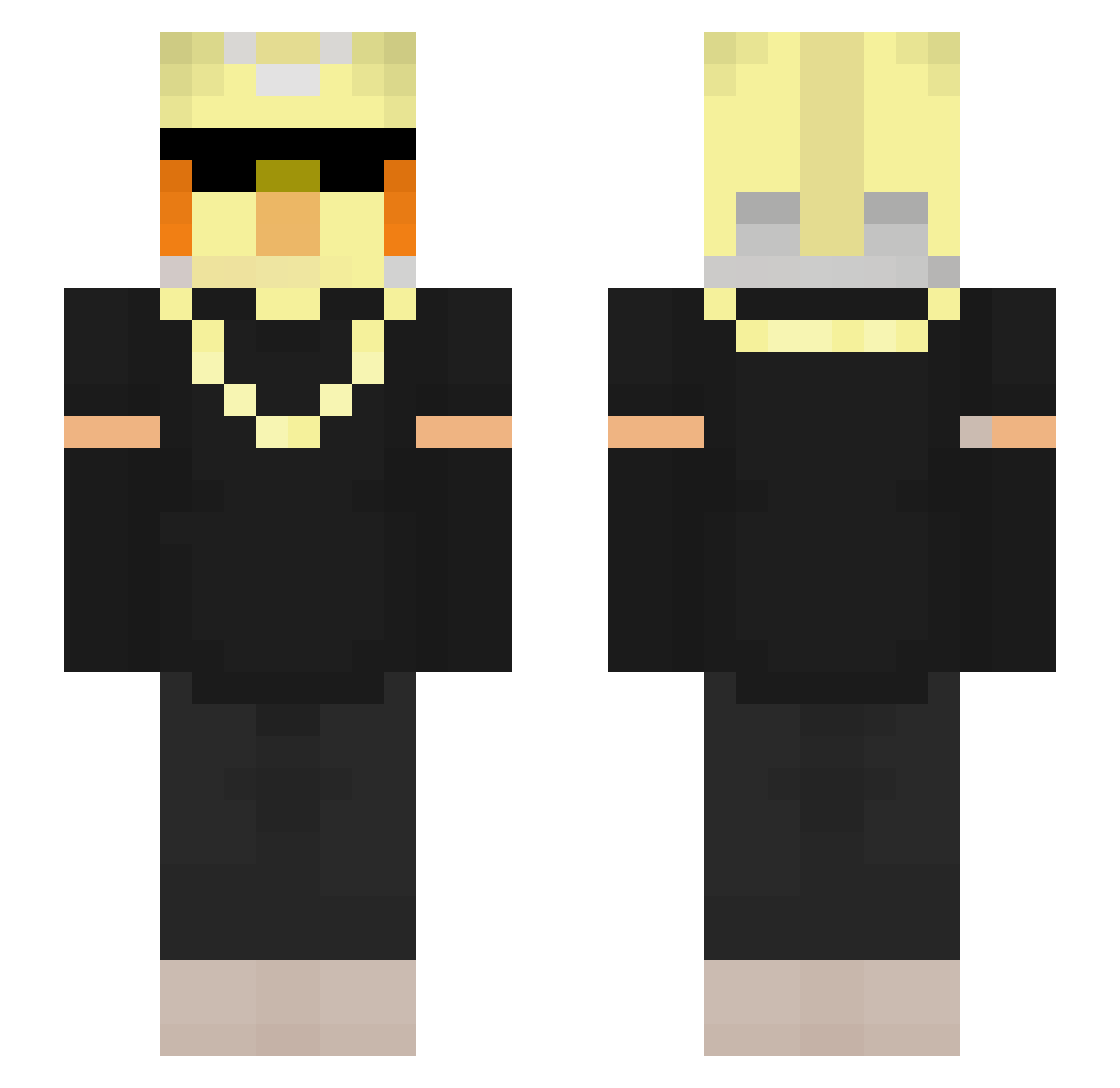
Current Minecraft skin of the player lightskie, loaded from the official Mojang API. Rotate the 3D model with your mouse or finger, then download the skin as a PNG file and use it in Minecraft: Bedrock Edition or Java Edition for free. When lightskie changes their skin, this page updates automatically and the old skin stays in the history below.
Other players with this skin (109)
lightskie was the 19th player we have seen with this skin, first spotted on 10.08.2026. The same skin was seen on these players. Open a nickname to see their current skin and skin history.
 noksu12 Chrystler Julion245 VProGamerz IMetra_ Golem_Destroyer1 noamra DREAM_AS_112233 ProStars802 TTV_Happytimy2 Abbra121 Dr_Coconut02 Nenni_Gaming MYOO_ Bladx91
 Ashton____ Mr_laxmak chanceyishere Senseju5 KC_KRZS ninjaparty12 VLiveee JimbooMc SzymonSadlak
 DrReaper7 tordis5776
 Cycrid JNemec Ilovecapybara123 DiabloTheLurker SpeedChampion32 ANANASKINGXD ItsVilho mabustein Felix18073 Knorke_Hamster Clutchyontop Fsl01 ScrambL4r isitasmallworld jojoker69 DuckOnQuackk_ Rushlr volt2x KurumiMC1 mutaxx SomPRO KartoffelTorben gheryu FNFziteng Emroy_No_Kami clash_clooshy BanIoI eaeyt TheoBaldTheGird Jalambo1 darkwing_10 SeedLord Frostwing3613 RyanChan_
Previous skins of lightskie
Skins that lightskie wore before, newest first. Click a skin to open its page and download it.
More Bird Minecraft skins
How to install the lightskie skin
- Press the Download button above to save the skin as a PNG file.
- Minecraft: Bedrock Edition (PE): open the Dressing Room from the main menu (or tap your character → Edit Character), go to Classic Skins → Owned, press the + (new skin) button, choose the downloaded PNG and pick the Slim (Alex) model. Works on PC and mobile; consoles cannot import custom skins.
- Minecraft: Java Edition: open the Minecraft Launcher, go to the Skins tab, click New Skin, load the PNG, pick the Slim (Alex) model and press Save & Use. You can also upload it at minecraft.net → Profile → Change Skin.
The skin does not show up after import - what should I do?
Restart Minecraft and open the Dressing Room again - imported skins sometimes appear only after a restart. Also make sure you selected the imported skin and picked the Slim (Alex) model.
Which model should I choose, Classic or Slim?
This skin is designed for the Slim (Alex) model. If you pick the wrong model, the arms of the skin will look stretched or squeezed.
Is the skin of lightskie free to download?
Yes. Press Download, save the PNG file and use it in Minecraft: Bedrock Edition or Java Edition - no payment or registration needed. The skin also works on multiplayer servers and Realms.
More skins
Looking for more? Go back to all Minecraft skins and check the top skins of the week, month and all time, or find any player's skin by nickname.