
lboulter05 - Minecraft Skins & Skin History
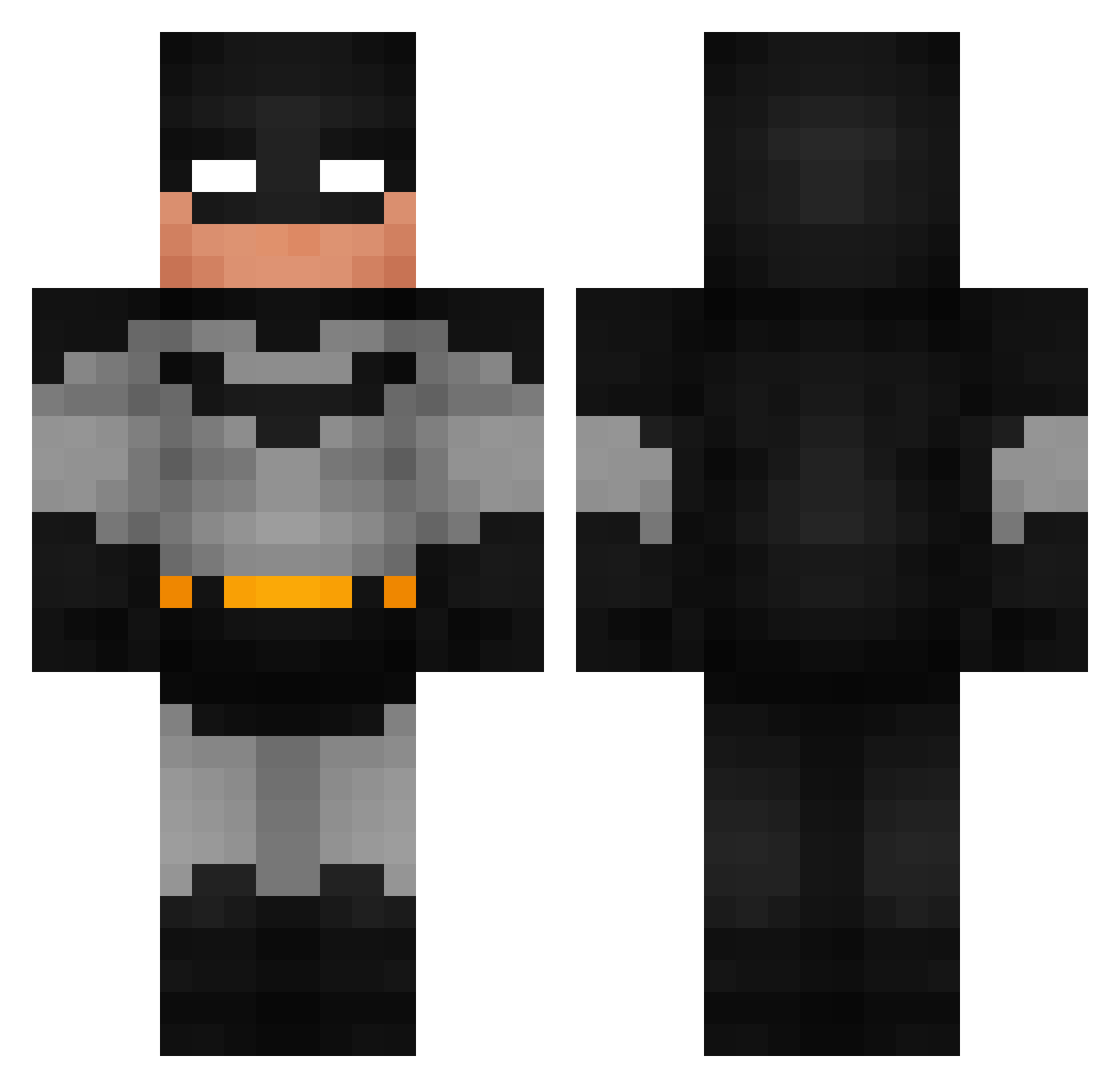
Current Minecraft skin of the player lboulter05, loaded from the official Mojang API. Rotate the 3D model with your mouse or finger, then download the skin as a PNG file and use it in Minecraft: Bedrock Edition or Java Edition for free. When lboulter05 changes their skin, this page updates automatically and the old skin stays in the history below.
Other players with this skin (794)
lboulter05 was the 569th player we have seen with this skin, first spotted on 01.10.2026. The same skin was seen on these players. Open a nickname to see their current skin and skin history.
 Reaper_Sterben fahem187 Anabolicmen AlexGamboa620 L4vnn WiggleyP LeoExiled r4ywrs tr1p23 TwilightReZero iiLaw tuszyciel fufuchu98 Nicolaibl10 Hiztia crJstz Lawk666 Coso32 burntchicken12 EssekSeven21 EliteClancy charlottelynch LankyLizard56 LHR__ HarunL1508 MRM4A1 DavidPrenen zombizou71 GorgPaul cartersherwood12 Airwikk_ MarkoV6 Booste356 BatmanSilva11 dmgy10 xuexue223 Tobi_835 J4ck7425 scubasteve3882 Siwybajerant lowkenuinly qixck ElRikys BigGyattFella Lebkuchenzug Batmax_raven JimmytheGreat11 BadMisse_Kat_420 sejkur UNKE4869 Meloncholyollie Mattheew17 Feuchte_Berta Manipatu milo1__ SillyLegos CG_200 BiinS3d TheRealA1ex FreakyFsy
More Batman Minecraft skins
How to install the lboulter05 skin
- Press the Download button above to save the skin as a PNG file.
- Minecraft: Bedrock Edition (PE): open the Dressing Room from the main menu (or tap your character → Edit Character), go to Classic Skins → Owned, press the + (new skin) button, choose the downloaded PNG and pick the Classic (Steve) model. Works on PC and mobile; consoles cannot import custom skins.
- Minecraft: Java Edition: open the Minecraft Launcher, go to the Skins tab, click New Skin, load the PNG, pick the Classic (Steve) model and press Save & Use. You can also upload it at minecraft.net → Profile → Change Skin.
The skin does not show up after import - what should I do?
Restart Minecraft and open the Dressing Room again - imported skins sometimes appear only after a restart. Also make sure you selected the imported skin and picked the Classic (Steve) model.
Which model should I choose, Classic or Slim?
This skin is designed for the Classic (Steve) model. If you pick the wrong model, the arms of the skin will look stretched or squeezed.
Is the skin of lboulter05 free to download?
Yes. Press Download, save the PNG file and use it in Minecraft: Bedrock Edition or Java Edition - no payment or registration needed. The skin also works on multiplayer servers and Realms.
More skins
Looking for more? Go back to all Minecraft skins and check the top skins of the week, month and all time, or find any player's skin by nickname.