
kousukety2007 - Minecraft Skins & Skin History
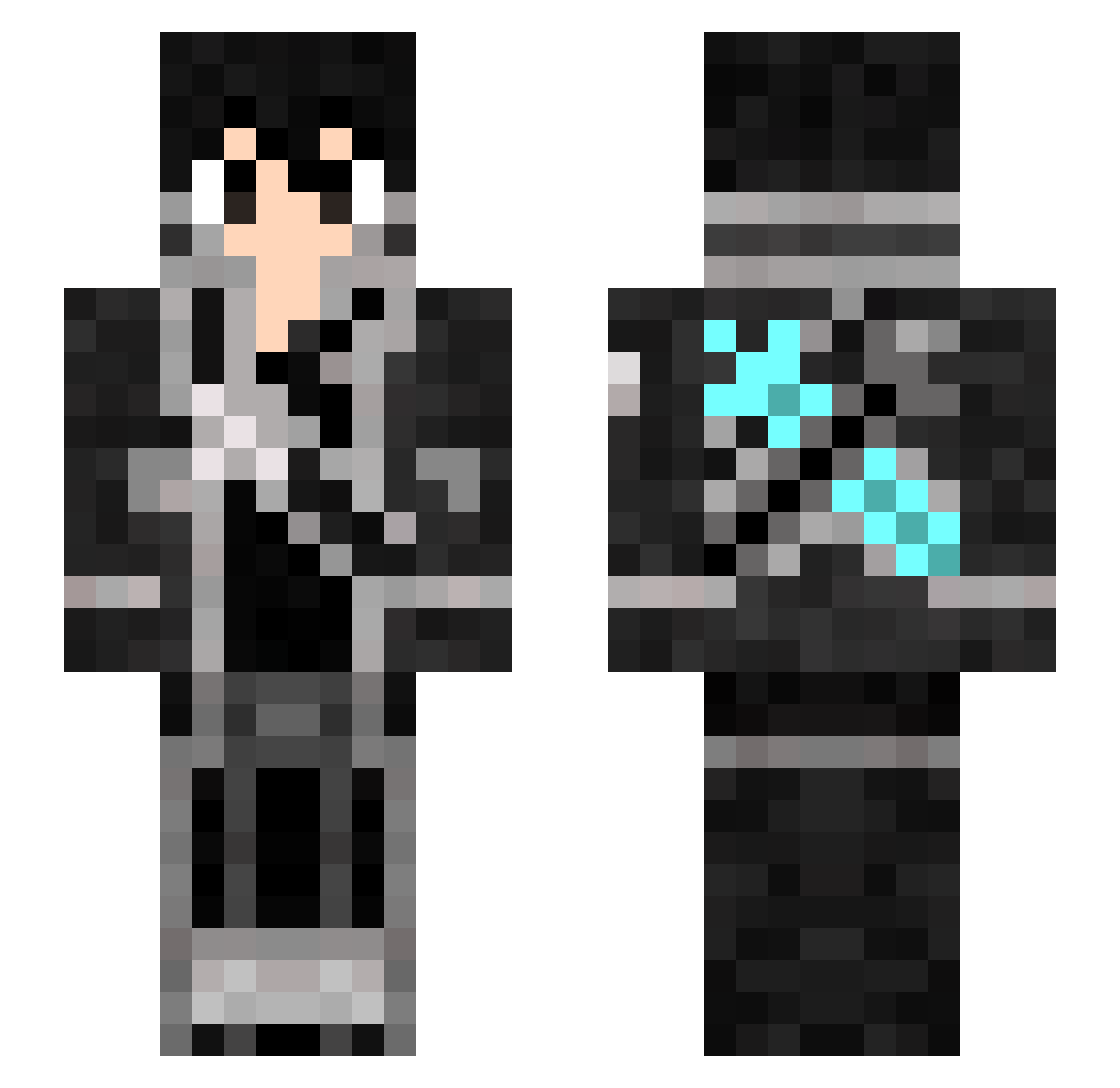
Current Minecraft skin of the player kousukety2007, loaded from the official Mojang API. Rotate the 3D model with your mouse or finger, then download the skin as a PNG file and use it in Minecraft: Bedrock Edition or Java Edition for free. When kousukety2007 changes their skin, this page updates automatically and the old skin stays in the history below.
Other players with this skin (317)
kousukety2007 was the 119th player we have seen with this skin, first spotted on 05.09.2026. The same skin was seen on these players. Open a nickname to see their current skin and skin history.
 ElucidatorACP MOONvenator miyamoto120504 DotQom Nhekko KiritoxAsunaa FlyerRome syunbowDX keitaninjin lHRDZl xTAKERUx Troz59242 Presens RescueADa oONablaOo kuronokennsi Einzbern_0203 Cherishdevil Decliin PolanPL Kopika Epriel 7luca7 Gsn0610 JaidynC _Innes_ Dekob Mintek1234 alminv KiritoPP gr8kou Marz2906 Mr_Gamers KiristoBR Bartimeo88 BOB_KIRITO HaruTy0227 XxLikexX yutaka369 _Xx__kirito_xX_ paschancex69 saborigami Lspartan _HyperSpace KEETASAO Senpai__Kirito Lordwask CrisDarkZ7 Azorin73 Z3YDR4X Snorti3 maple_113 TkzZ Nogaty UMR0210 WorldBuster0606 hairuuuu RhapsodyFire ryuperyton Rainkun2525
More Kirito Minecraft skins
How to install the kousukety2007 skin
- Press the Download button above to save the skin as a PNG file.
- Minecraft: Bedrock Edition (PE): open the Dressing Room from the main menu (or tap your character → Edit Character), go to Classic Skins → Owned, press the + (new skin) button, choose the downloaded PNG and pick the Slim (Alex) model. Works on PC and mobile; consoles cannot import custom skins.
- Minecraft: Java Edition: open the Minecraft Launcher, go to the Skins tab, click New Skin, load the PNG, pick the Slim (Alex) model and press Save & Use. You can also upload it at minecraft.net → Profile → Change Skin.
The skin does not show up after import - what should I do?
Restart Minecraft and open the Dressing Room again - imported skins sometimes appear only after a restart. Also make sure you selected the imported skin and picked the Slim (Alex) model.
Which model should I choose, Classic or Slim?
This skin is designed for the Slim (Alex) model. If you pick the wrong model, the arms of the skin will look stretched or squeezed.
Is the skin of kousukety2007 free to download?
Yes. Press Download, save the PNG file and use it in Minecraft: Bedrock Edition or Java Edition - no payment or registration needed. The skin also works on multiplayer servers and Realms.
More skins
Looking for more? Go back to all Minecraft skins and check the top skins of the week, month and all time, or find any player's skin by nickname.