
kaleo217 - Minecraft Skins & Skin History
Current Minecraft skin of the player kaleo217, loaded from the official Mojang API. Rotate the 3D model with your mouse or finger, then download the skin as a PNG file and use it in Minecraft: Bedrock Edition or Java Edition for free. When kaleo217 changes their skin, this page updates automatically and the old skin stays in the history below.
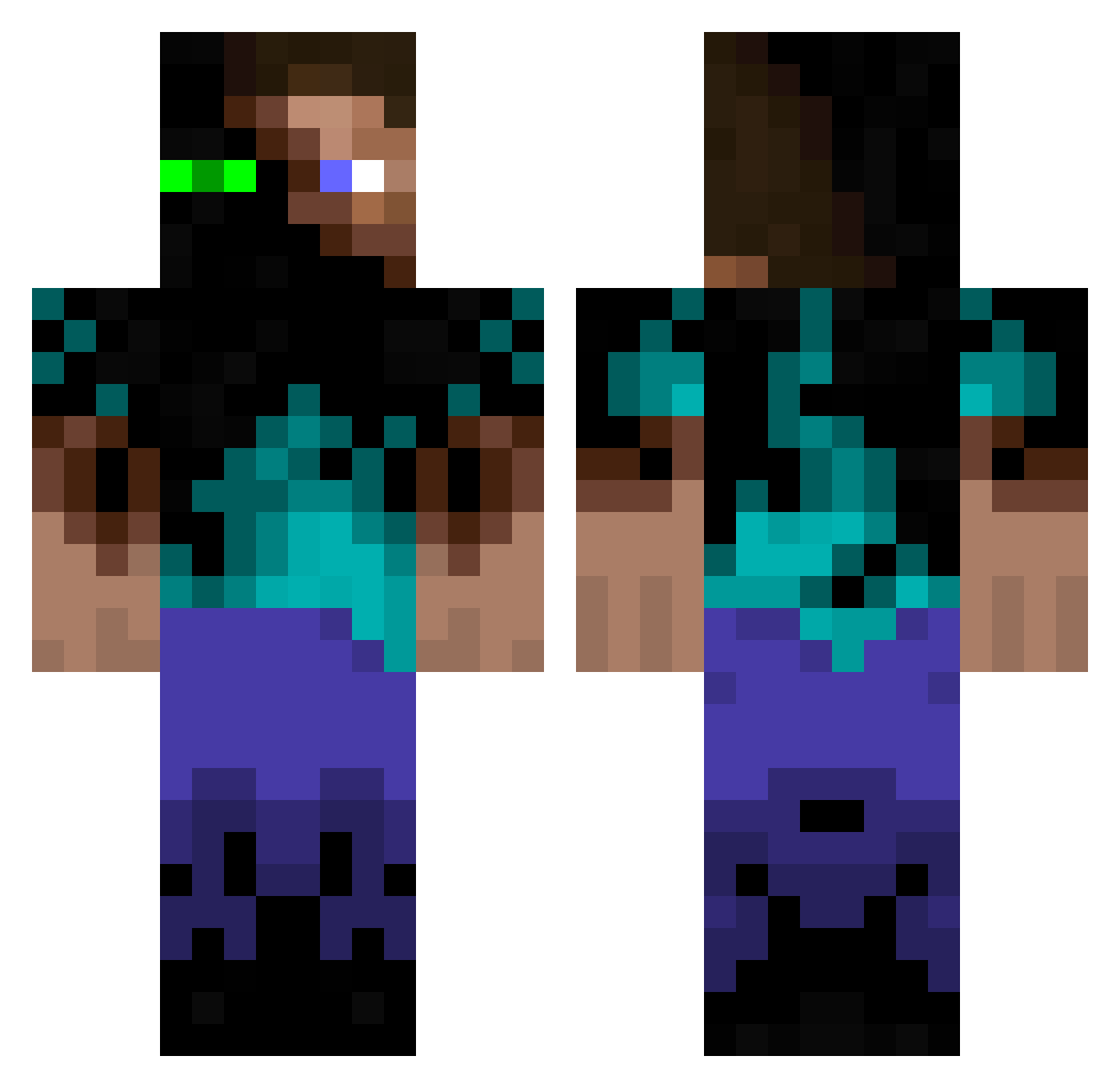
Other players with this skin (942)
kaleo217 was the 775th player we have seen with this skin, first spotted on 06.10.2026. The same skin was seen on these players. Open a nickname to see their current skin and skin history.
 victorguerra j0306 Tedmine xINecroZ sodokachi SquatchBait Knut85 Nephilim_Fallen Kuvira15 d3d4you LETHALxGORRILA Ki7hy remcraft_50 monteiro02 Owenonfire Jager610 shintorai Generak Nomadgreg itsrogier839 LeadersName taxi_a EmrikCringeAF l16russell IMaizaH MinerManTom muppluffarn lenno2000 Viggeb Nitroblaster99 BLADE231298 iancaldwell ErfuFane Songa2005 Matuse5 SteveBiscuit atomtompa TOMANIZOR Pezafiable Whackamoleman Clonezila IgotsthatJuicee SquidOnMyHead D0bbleD hiimted LightSidedHD TheLillyKid HippiiixD tp002 jak00001 Hete_06 BEDMAN95 VKRIZMA EDragonfev matteocraft33 Mr_Kibb Spicy_Sammich AJN22 skillsmasher Kronir
More Glowing Eyes Minecraft skins
See all 2316 Glowing Eyes skins
How to install the kaleo217 skin
- Press the Download button above to save the skin as a PNG file.
- Minecraft: Bedrock Edition (PE): open the Dressing Room from the main menu (or tap your character → Edit Character), go to Classic Skins → Owned, press the + (new skin) button, choose the downloaded PNG and pick the Classic (Steve) model. Works on PC and mobile; consoles cannot import custom skins.
- Minecraft: Java Edition: open the Minecraft Launcher, go to the Skins tab, click New Skin, load the PNG, pick the Classic (Steve) model and press Save & Use. You can also upload it at minecraft.net → Profile → Change Skin.
The skin does not show up after import - what should I do?
Restart Minecraft and open the Dressing Room again - imported skins sometimes appear only after a restart. Also make sure you selected the imported skin and picked the Classic (Steve) model.
Which model should I choose, Classic or Slim?
This skin is designed for the Classic (Steve) model. If you pick the wrong model, the arms of the skin will look stretched or squeezed.
Is the skin of kaleo217 free to download?
Yes. Press Download, save the PNG file and use it in Minecraft: Bedrock Edition or Java Edition - no payment or registration needed. The skin also works on multiplayer servers and Realms.
More skins
Looking for more? Go back to all Minecraft skins and check the top skins of the week, month and all time, or find any player's skin by nickname.