
jsk1708gamer - Minecraft Skins & Skin History
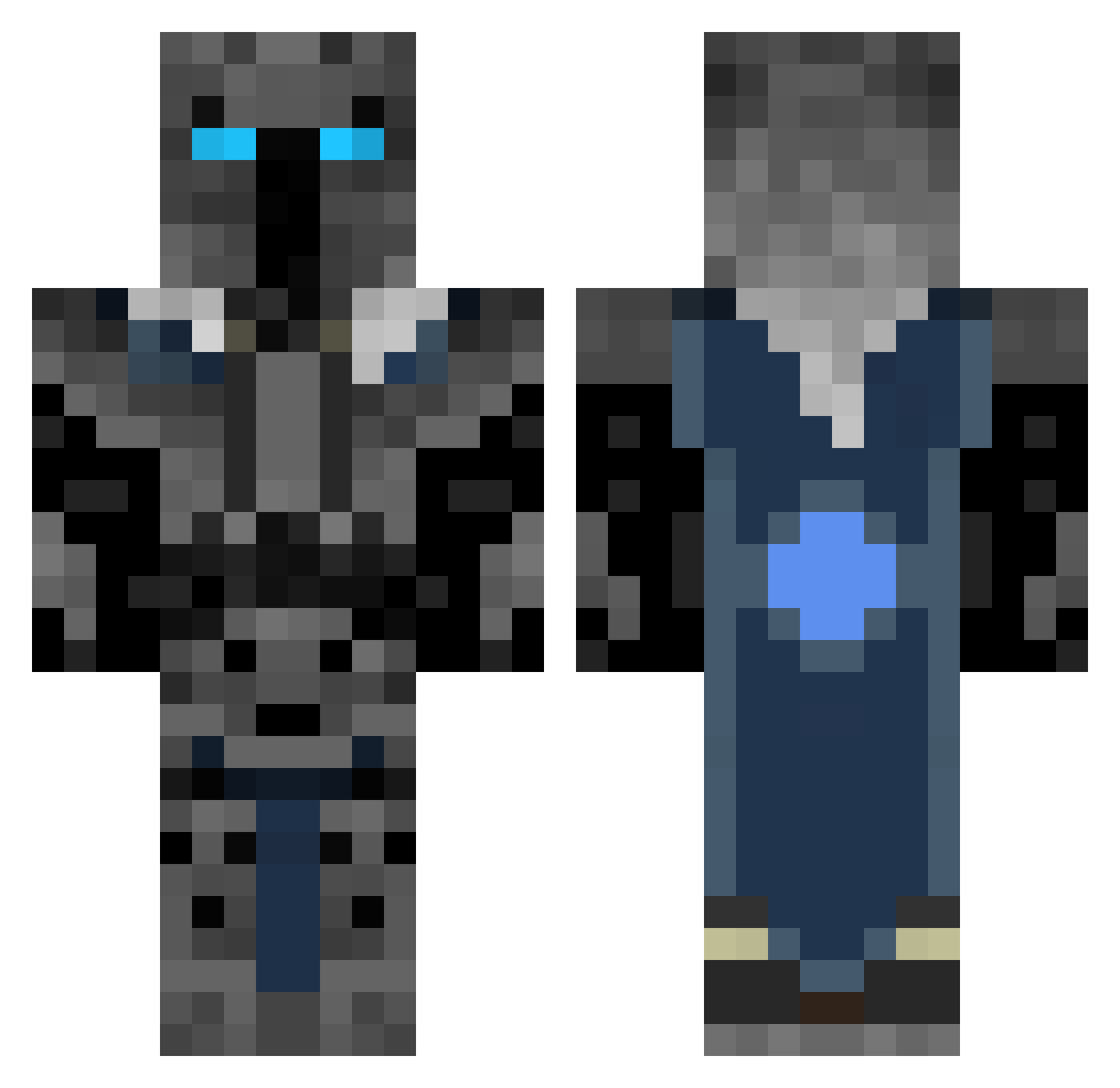
Current Minecraft skin of the player jsk1708gamer, loaded from the official Mojang API. Rotate the 3D model with your mouse or finger, then download the skin as a PNG file and use it in Minecraft: Bedrock Edition or Java Edition for free. When jsk1708gamer changes their skin, this page updates automatically and the old skin stays in the history below.
Other players with this skin (74)
jsk1708gamer was the 12th player we have seen with this skin, first spotted on 06.08.2026. The same skin was seen on these players. Open a nickname to see their current skin and skin history.
 REDRACECAR123 GLMMOnster Targhar75 tungboi74 Hawker_125 Aoi75Z FuriousVader go_away_jame
 cash121345 baconboy611 jordyishere DrinksHijinks Spunkyk JustForFlips StrayedCatz KhalidR0M10 Zalxiuh TyBrant AzraelsBlade Casteru Coolchilly TreySmith555 ammillas TheLichKing arcyi jorge34us Erick11400 YTBblackmask Crefeoid AXBlade3264 TheDestroyer19 ICbubba Karu227 RafiBaned Shinobi_Hei Commins96 clay64E DrabSand7338322 FryTheGenius Pogromca123 Li0nheartXL RalphOfficial Nandoras Labsso TheSavageBroski Jake_9761 sploooozy Valentinod Scrugs norland2310 JetRocka4 Ashtroblaster132 Cystar007 Pekojima EightOh AJS201018 DogInTheBog OkButWhyTho Chupette admxc
More Glowing Eyes Minecraft skins
See all 2811 Glowing Eyes skins
How to install the jsk1708gamer skin
- Press the Download button above to save the skin as a PNG file.
- Minecraft: Bedrock Edition (PE): open the Dressing Room from the main menu (or tap your character → Edit Character), go to Classic Skins → Owned, press the + (new skin) button, choose the downloaded PNG and pick the Classic (Steve) model. Works on PC and mobile; consoles cannot import custom skins.
- Minecraft: Java Edition: open the Minecraft Launcher, go to the Skins tab, click New Skin, load the PNG, pick the Classic (Steve) model and press Save & Use. You can also upload it at minecraft.net → Profile → Change Skin.
The skin does not show up after import - what should I do?
Restart Minecraft and open the Dressing Room again - imported skins sometimes appear only after a restart. Also make sure you selected the imported skin and picked the Classic (Steve) model.
Which model should I choose, Classic or Slim?
This skin is designed for the Classic (Steve) model. If you pick the wrong model, the arms of the skin will look stretched or squeezed.
Is the skin of jsk1708gamer free to download?
Yes. Press Download, save the PNG file and use it in Minecraft: Bedrock Edition or Java Edition - no payment or registration needed. The skin also works on multiplayer servers and Realms.
More skins
Looking for more? Go back to all Minecraft skins and check the top skins of the week, month and all time, or find any player's skin by nickname.