
ikissmums - Minecraft Skins & Skin History
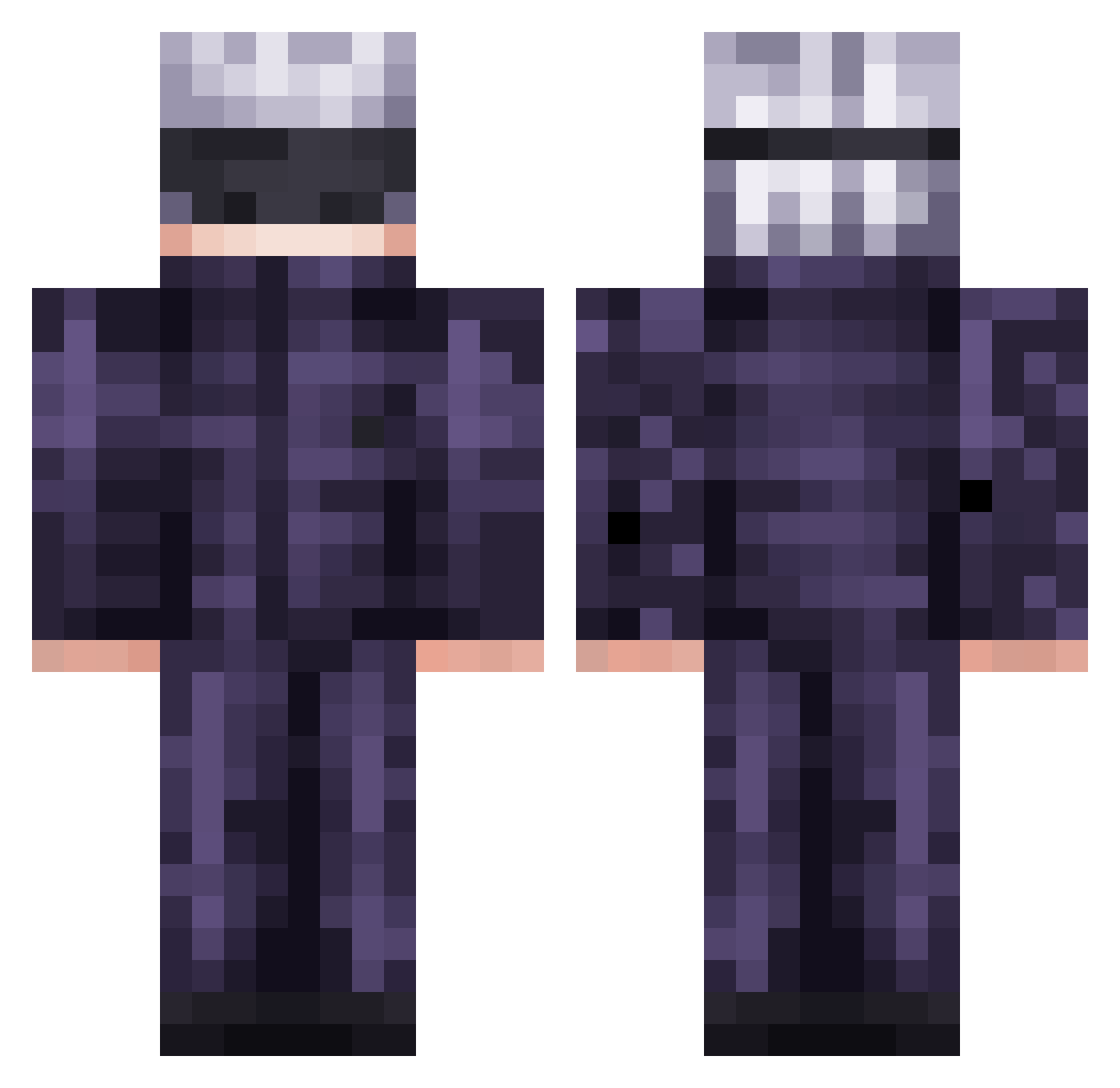
Current Minecraft skin of the player ikissmums, loaded from the official Mojang API. Rotate the 3D model with your mouse or finger, then download the skin as a PNG file and use it in Minecraft: Bedrock Edition or Java Edition for free. When ikissmums changes their skin, this page updates automatically and the old skin stays in the history below.
Other players with this skin (475)
ikissmums was the 243rd player we have seen with this skin, first spotted on 13.09.2026. The same skin was seen on these players. Open a nickname to see their current skin and skin history.
 Yanterii ARIES4025 notraincloud Jeppon Calderaan69 Tukerad rdf2002 Jammysammich LIAbasse YAGIGOT Cinm1124 HollowSteep KatieHas DobleSpeed IndoraptorFang BENJI31742 Daymo22 Jtro22 Subawuwu JeSuisShrek Professorweezyy CNCbKN JesseFruits Dark_alexis Leopetri MuryoPvP brokage17 Weverton91 Unniss Shadow_Marine10 Just_Devilz ShadowDeltha Idra442 C3lebr1mb0r7019 OlaoMendez WasAbhi1 justinxiao21 OneFan967 fepogordao Pancake222223 spotsuperior giemiel Satoruu61 Daked03 Psuke612 salzig2 Midas7230 Watashiwall DamS_DR1 EightMika kzmw glemillion3 Krates238 46VIPER Tutimaxi kaic07395 EmperorPyrox S1phyr notkatzdip MattBig66
More Satoru Gojo Minecraft skins
See all 1222 Satoru Gojo skins
How to install the ikissmums skin
- Press the Download button above to save the skin as a PNG file.
- Minecraft: Bedrock Edition (PE): open the Dressing Room from the main menu (or tap your character → Edit Character), go to Classic Skins → Owned, press the + (new skin) button, choose the downloaded PNG and pick the Classic (Steve) model. Works on PC and mobile; consoles cannot import custom skins.
- Minecraft: Java Edition: open the Minecraft Launcher, go to the Skins tab, click New Skin, load the PNG, pick the Classic (Steve) model and press Save & Use. You can also upload it at minecraft.net → Profile → Change Skin.
The skin does not show up after import - what should I do?
Restart Minecraft and open the Dressing Room again - imported skins sometimes appear only after a restart. Also make sure you selected the imported skin and picked the Classic (Steve) model.
Which model should I choose, Classic or Slim?
This skin is designed for the Classic (Steve) model. If you pick the wrong model, the arms of the skin will look stretched or squeezed.
Is the skin of ikissmums free to download?
Yes. Press Download, save the PNG file and use it in Minecraft: Bedrock Edition or Java Edition - no payment or registration needed. The skin also works on multiplayer servers and Realms.
More skins
Looking for more? Go back to all Minecraft skins and check the top skins of the week, month and all time, or find any player's skin by nickname.