
MattBig66 - Minecraft Skins & Skin History
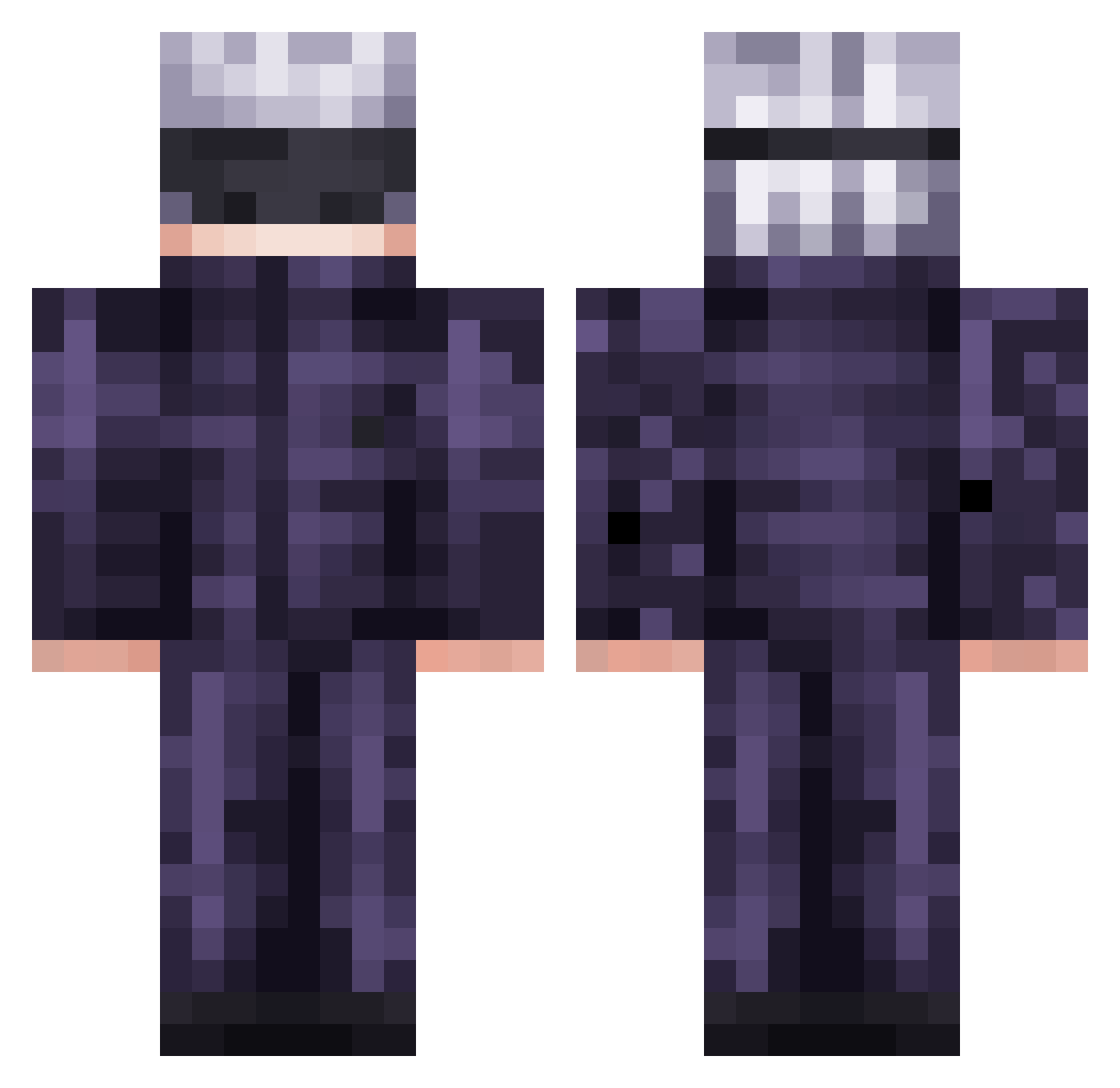
Current Minecraft skin of the player MattBig66, loaded from the official Mojang API. Rotate the 3D model with your mouse or finger, then download the skin as a PNG file and use it in Minecraft: Bedrock Edition or Java Edition for free. When MattBig66 changes their skin, this page updates automatically and the old skin stays in the history below.
Other players with this skin (474)
MattBig66 was the 221st player we have seen with this skin, first spotted on 05.09.2026. The same skin was seen on these players. Open a nickname to see their current skin and skin history.
 notkatzdip Tutimaxi NeqRized glemillion3 KIRBO2317 narutogames140 EightMika Relevant_Knight Gojo_Satoru8_ PutsEddy KILLERPANDA165 Satoruu61 cypking1337 TheSmokah builay nvnpokupuok IceWork DeniOP0212312 Minty01010 NotTass Crazy_Jordan631
 PRATADON417_ fepogordao Dimarad justinxiao21 C3___ someone193_ WasAbhi1 ChaBoba Wafle2008 OlaoMendez ShadowDeltha CorangeCanta121 yvescheng RosesSin Shadow_Marine10 zouuun Leamwsh axearn agnesta JesseFruits Abyssau LeWt999 TutyFruty1 Professorweezyy Subawuwu WOOLZY64 Daymo22 timmywu12 IndoraptorFang Hongkongdoll924 ___Satoru___ DobleSpeed hachicarrot Aaron26631 Sensenboy HollowSteep LIAbasse Tukerad Calderaan69
More Satoru Gojo Minecraft skins
See all 1222 Satoru Gojo skins
How to install the MattBig66 skin
- Press the Download button above to save the skin as a PNG file.
- Minecraft: Bedrock Edition (PE): open the Dressing Room from the main menu (or tap your character → Edit Character), go to Classic Skins → Owned, press the + (new skin) button, choose the downloaded PNG and pick the Classic (Steve) model. Works on PC and mobile; consoles cannot import custom skins.
- Minecraft: Java Edition: open the Minecraft Launcher, go to the Skins tab, click New Skin, load the PNG, pick the Classic (Steve) model and press Save & Use. You can also upload it at minecraft.net → Profile → Change Skin.
The skin does not show up after import - what should I do?
Restart Minecraft and open the Dressing Room again - imported skins sometimes appear only after a restart. Also make sure you selected the imported skin and picked the Classic (Steve) model.
Which model should I choose, Classic or Slim?
This skin is designed for the Classic (Steve) model. If you pick the wrong model, the arms of the skin will look stretched or squeezed.
Is the skin of MattBig66 free to download?
Yes. Press Download, save the PNG file and use it in Minecraft: Bedrock Edition or Java Edition - no payment or registration needed. The skin also works on multiplayer servers and Realms.
More skins
Looking for more? Go back to all Minecraft skins and check the top skins of the week, month and all time, or find any player's skin by nickname.