
Max_Maximos - Minecraft Skins & Skin History
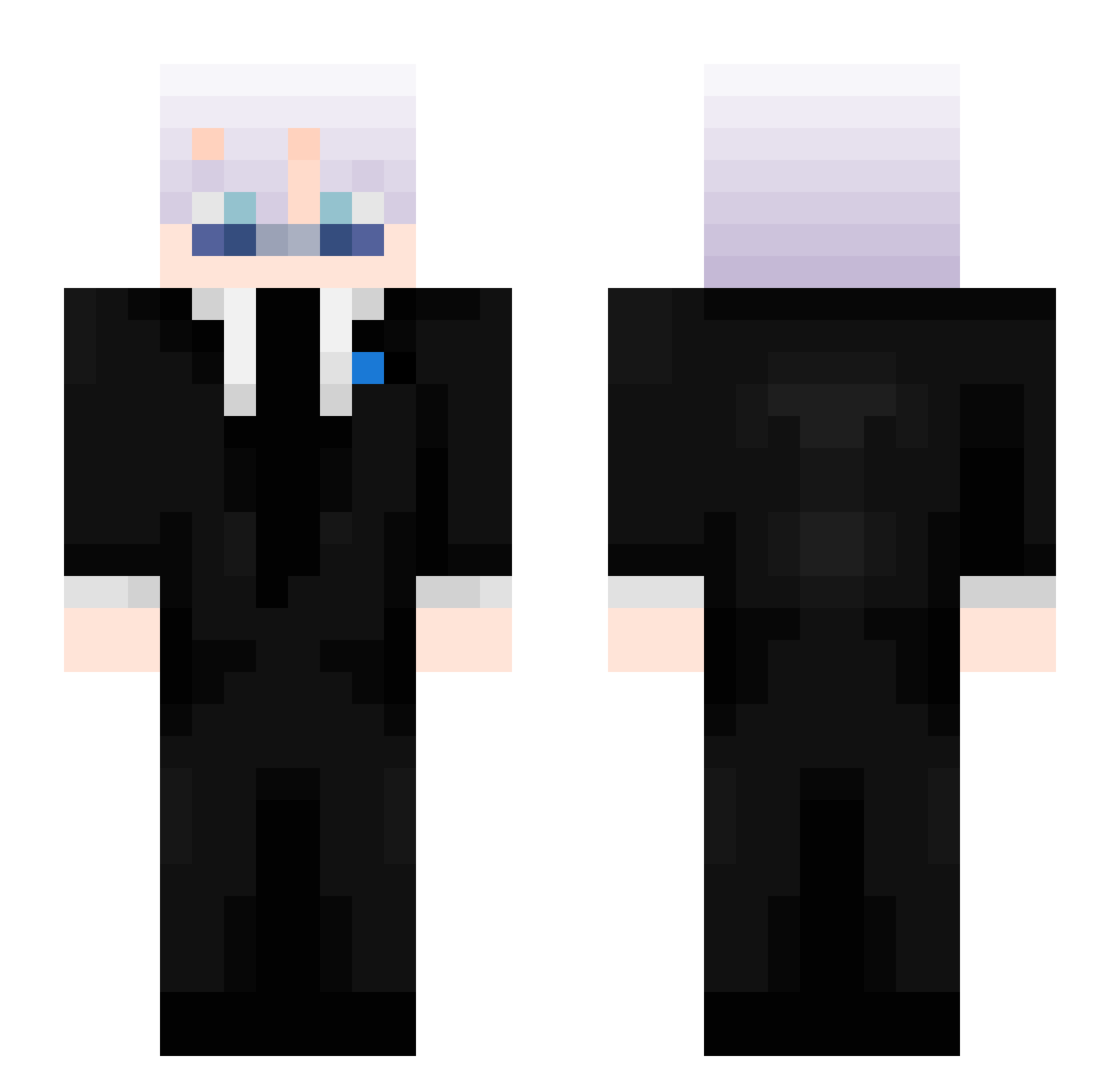
Current Minecraft skin of the player Max_Maximos, loaded from the official Mojang API. Rotate the 3D model with your mouse or finger, then download the skin as a PNG file and use it in Minecraft: Bedrock Edition or Java Edition for free. When Max_Maximos changes their skin, this page updates automatically and the old skin stays in the history below.
Other players with this skin (405)
Max_Maximos was the 1st player we have seen with this skin, first spotted on 20.07.2026. The same skin was seen on these players. Open a nickname to see their current skin and skin history.
 tomeea
 OALKR
OALKR NARONG1234 MinhTriz mazesama KsyzIsChefxPSFW Reimbow_bull
 Reggie_playz IMeanBuisness
 GamerXD_YT OLino1001
 strawmaple45448
 LowfullCheese
 LukasOnMoo BlvkWovlf daddyVT5 FabZot Scraehains 3AMrayanuknow Voidlessed _Swight Crimzxn_z wypeobo
 Wisiek Zephralith Sharrows_ RubenLi21 voxerismRHauE Rodrigo47962 xfsteals 511I Calamatin ImGayYouTo JakobEhr BlakeCraftLe
 RamenMCD
 shadow_zzzz Purif13d randakiki Rryz_ hussein_saad432 Sw1ght__ 2dsn Swyth087
 mantaray1649 Jacob21T PotatoPie69420 Teaho1ic 123evna gabhru xspide JobYz skyezka BruhMoment2012 TECHNOMYS
 SargeShadow starswipe lol_0VVxA_1104 Swight2015 Arckiel
More Satoru Gojo Minecraft skins
See all 1208 Satoru Gojo skins
How to install the Max_Maximos skin
- Press the Download button above to save the skin as a PNG file.
- Minecraft: Bedrock Edition (PE): open the Dressing Room from the main menu (or tap your character → Edit Character), go to Classic Skins → Owned, press the + (new skin) button, choose the downloaded PNG and pick the Slim (Alex) model. Works on PC and mobile; consoles cannot import custom skins.
- Minecraft: Java Edition: open the Minecraft Launcher, go to the Skins tab, click New Skin, load the PNG, pick the Slim (Alex) model and press Save & Use. You can also upload it at minecraft.net → Profile → Change Skin.
The skin does not show up after import - what should I do?
Restart Minecraft and open the Dressing Room again - imported skins sometimes appear only after a restart. Also make sure you selected the imported skin and picked the Slim (Alex) model.
Which model should I choose, Classic or Slim?
This skin is designed for the Slim (Alex) model. If you pick the wrong model, the arms of the skin will look stretched or squeezed.
Is the skin of Max_Maximos free to download?
Yes. Press Download, save the PNG file and use it in Minecraft: Bedrock Edition or Java Edition - no payment or registration needed. The skin also works on multiplayer servers and Realms.
More skins
Looking for more? Go back to all Minecraft skins and check the top skins of the week, month and all time, or find any player's skin by nickname.