
46VIPER - Minecraft Skins & Skin History
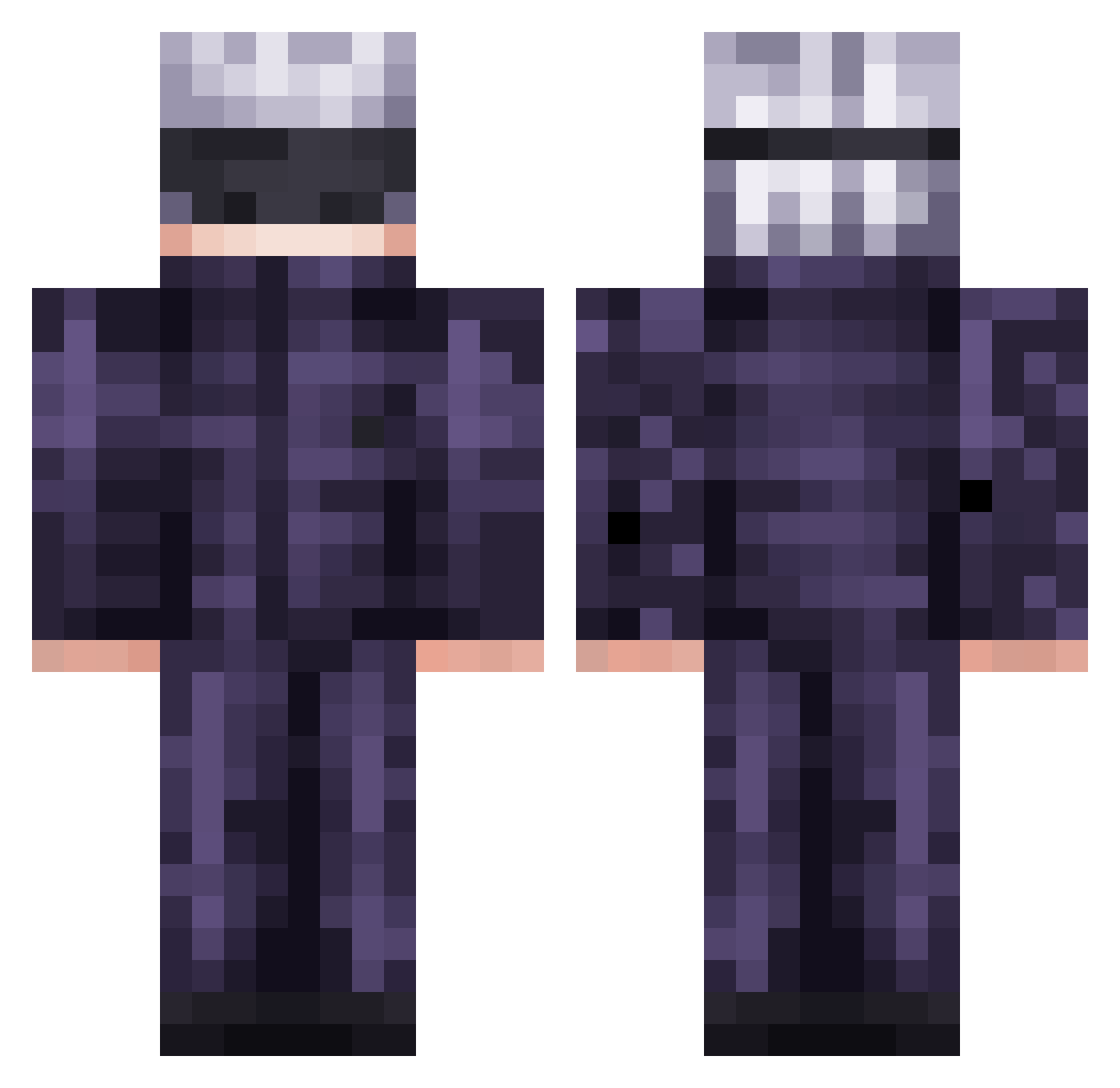
Current Minecraft skin of the player 46VIPER, loaded from the official Mojang API. Rotate the 3D model with your mouse or finger, then download the skin as a PNG file and use it in Minecraft: Bedrock Edition or Java Edition for free. When 46VIPER changes their skin, this page updates automatically and the old skin stays in the history below.
Other players with this skin (474)
46VIPER was the 278th player we have seen with this skin, first spotted on 20.09.2026. The same skin was seen on these players. Open a nickname to see their current skin and skin history.
 Krates238 kzmw kaic07395 EmperorPyrox S1phyr DamS_DR1 Watashiwall Midas7230 Filextor54 Mopy6000 victoriamss AnthonyBR007 salzig2 Psuke612 Battle_Tendency IDoggz tylerturtlehead Miguel7w7_X Daked03 TysonMaeda giemiel Unkn0wnGG Aliyah055 spotsuperior 80erOxn Tocci1 ZeussDark nah_id_winn teambro___ Killz12x Pancake222223 I_WHM OneFan967 HulkPS Mustafarah Stamele patynha littlerorro Pady2009 C3lebr1mb0r7019 Idra442 Just_Devilz 00val Unniss Basilsunny11 SFlakko Weverton91 brokage17 MuryoPvP Leopetri Dark_alexis CNCbKN entoni__ Nuclear222 Jamlexx JeSuisShrek EnviousMud gojosatoruuuu Jtro22 Dry_Markini
More Satoru Gojo Minecraft skins
See all 1222 Satoru Gojo skins
How to install the 46VIPER skin
- Press the Download button above to save the skin as a PNG file.
- Minecraft: Bedrock Edition (PE): open the Dressing Room from the main menu (or tap your character → Edit Character), go to Classic Skins → Owned, press the + (new skin) button, choose the downloaded PNG and pick the Classic (Steve) model. Works on PC and mobile; consoles cannot import custom skins.
- Minecraft: Java Edition: open the Minecraft Launcher, go to the Skins tab, click New Skin, load the PNG, pick the Classic (Steve) model and press Save & Use. You can also upload it at minecraft.net → Profile → Change Skin.
The skin does not show up after import - what should I do?
Restart Minecraft and open the Dressing Room again - imported skins sometimes appear only after a restart. Also make sure you selected the imported skin and picked the Classic (Steve) model.
Which model should I choose, Classic or Slim?
This skin is designed for the Classic (Steve) model. If you pick the wrong model, the arms of the skin will look stretched or squeezed.
Is the skin of 46VIPER free to download?
Yes. Press Download, save the PNG file and use it in Minecraft: Bedrock Edition or Java Edition - no payment or registration needed. The skin also works on multiplayer servers and Realms.
More skins
Looking for more? Go back to all Minecraft skins and check the top skins of the week, month and all time, or find any player's skin by nickname.