
iamogulcan1 - Minecraft Skins & Skin History
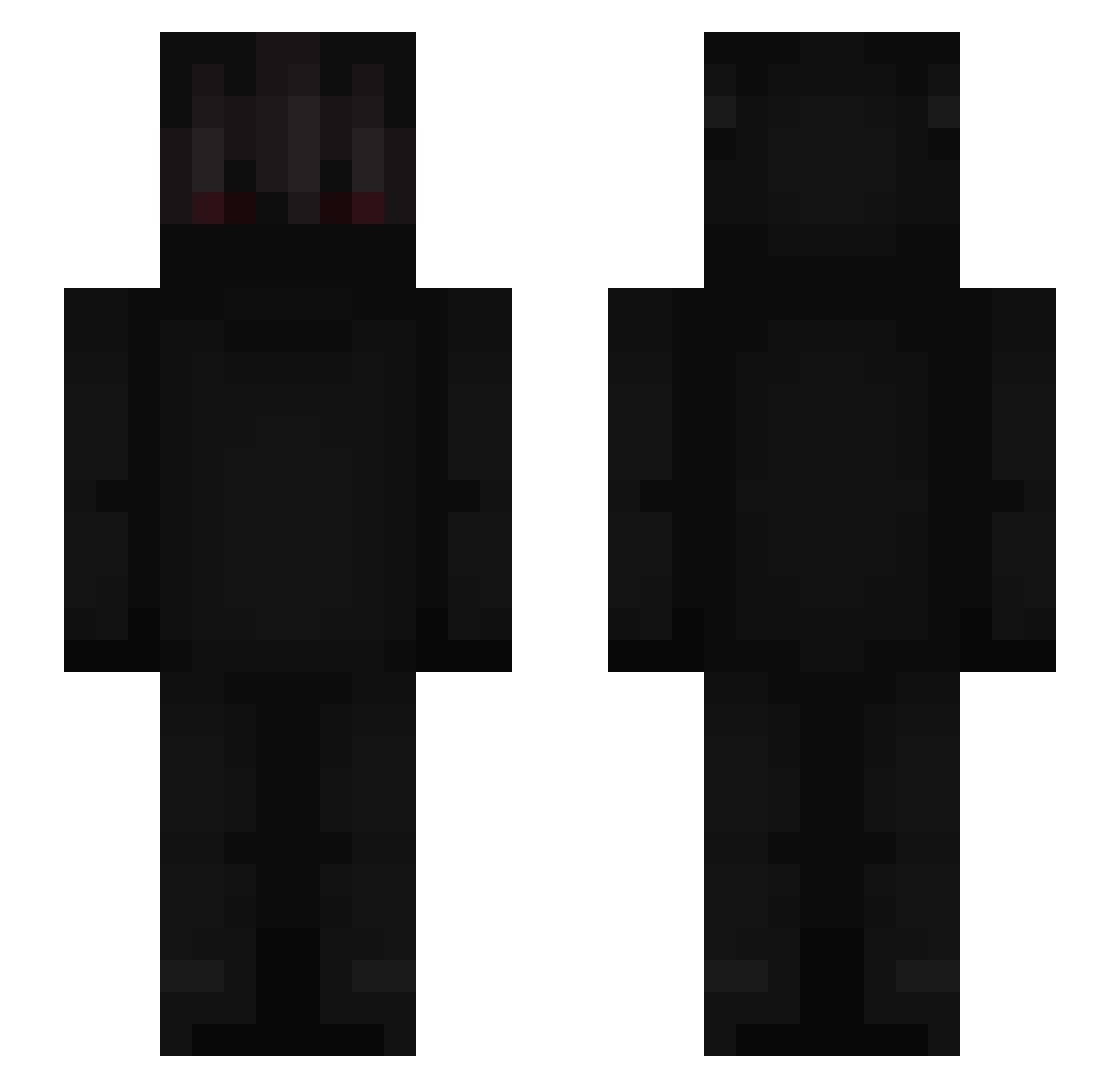
Current Minecraft skin of the player iamogulcan1, loaded from the official Mojang API. Rotate the 3D model with your mouse or finger, then download the skin as a PNG file and use it in Minecraft: Bedrock Edition or Java Edition for free. When iamogulcan1 changes their skin, this page updates automatically and the old skin stays in the history below.
Other players with this skin (666)
iamogulcan1 was the 39th player we have seen with this skin, first spotted on 30.07.2026. The same skin was seen on these players. Open a nickname to see their current skin and skin history.
 theend19 Sombrezz Romanskaaaaa Kevin121111 Krizzy_ Drackhy Dusten_ Yaw0 Reapz____ GeneralAccount _Phyton_ l6l3l3l5l Soupen_L Alphamaster9 KikisCze Bd07bd Crokker Auuuguust j_diaz007 coffeeecup DerSuperKeks Mr_A3dam AL_R3B zTheAlobal Mlody1 xMAAT FIyxx JoelSheeesh robochar1 C1utches Kyoutsu makavelix2 YezzyHank fat7e_lok7y xelexon WhoIsBlak kirikiri0323 EvilCrayber KazerOrient cheapPnfor1gett gommesucks JCordoba34 _DONnadie_ kalicay L053ING crazyanimaI kpss1337 carryxd f_gomez Quizy Skathage
 AlasPlayss neXus_svk ByQuster
 zewux3 youlin1202 Tros28 N1koxd99
 kumpelfifi fabian987
More Shadow Minecraft skins
How to install the iamogulcan1 skin
- Press the Download button above to save the skin as a PNG file.
- Minecraft: Bedrock Edition (PE): open the Dressing Room from the main menu (or tap your character → Edit Character), go to Classic Skins → Owned, press the + (new skin) button, choose the downloaded PNG and pick the Slim (Alex) model. Works on PC and mobile; consoles cannot import custom skins.
- Minecraft: Java Edition: open the Minecraft Launcher, go to the Skins tab, click New Skin, load the PNG, pick the Slim (Alex) model and press Save & Use. You can also upload it at minecraft.net → Profile → Change Skin.
The skin does not show up after import - what should I do?
Restart Minecraft and open the Dressing Room again - imported skins sometimes appear only after a restart. Also make sure you selected the imported skin and picked the Slim (Alex) model.
Which model should I choose, Classic or Slim?
This skin is designed for the Slim (Alex) model. If you pick the wrong model, the arms of the skin will look stretched or squeezed.
Is the skin of iamogulcan1 free to download?
Yes. Press Download, save the PNG file and use it in Minecraft: Bedrock Edition or Java Edition - no payment or registration needed. The skin also works on multiplayer servers and Realms.
More skins
Looking for more? Go back to all Minecraft skins and check the top skins of the week, month and all time, or find any player's skin by nickname.