
hydrone10 - Minecraft Skins & Skin History
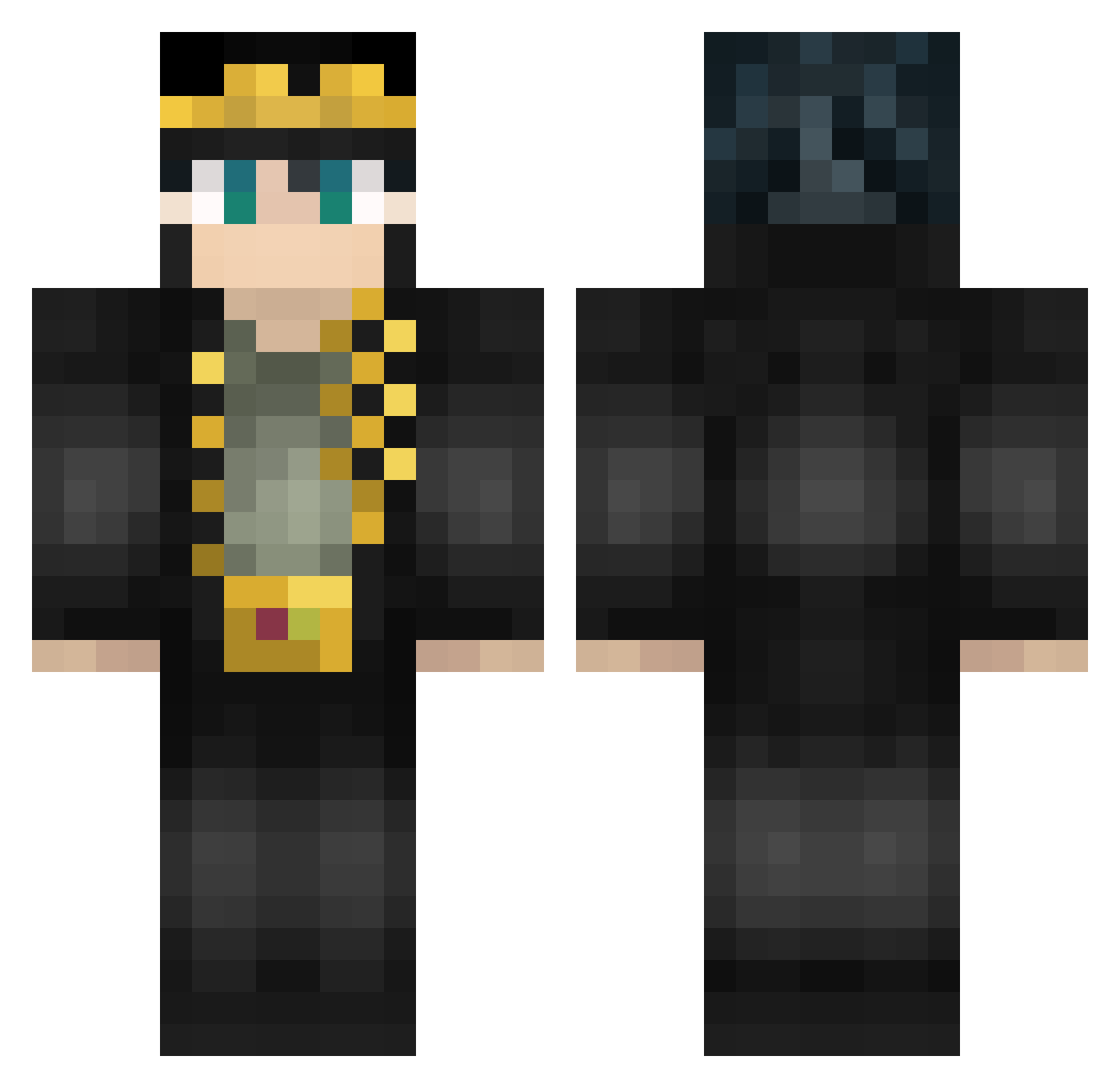
Current Minecraft skin of the player hydrone10, loaded from the official Mojang API. Rotate the 3D model with your mouse or finger, then download the skin as a PNG file and use it in Minecraft: Bedrock Edition or Java Edition for free. When hydrone10 changes their skin, this page updates automatically and the old skin stays in the history below.
Other players with this skin (462)
hydrone10 was the 393rd player we have seen with this skin, first spotted on 07.10.2026. The same skin was seen on these players. Open a nickname to see their current skin and skin history.
 Weroki2 jrx0527 Weel1407 Gnemegorl lianting jatal123 MarshallEco Virei_Astronauta bogoss_du13 NecoEar takagi08 flametubexz _HansWurst_ TheRealKori Gwynborne8 jaybork Caramouga twojmotywator can_canoo1103 Dodo_of_Hell LordOfClover LukeT7 S4TT3EN m4elstrom NaNO_Yuki Midatri zkdr52 Lil_Moan Goross NatMinster04 KeithKeizer leekiro Pellemise Chaoticftw06 bloesos DrLilou GigaLynx3 sekiganx J0tar0_Kydjo Gaya_23 Jarface99 gabrielsp2 Hi_Hi_9487 WLeM990 Gui2158 harambelovedu KS_baifeng666 A658732 Bedniy WhiteDews _InsomniacBear Frappatlas Yakumozo Teymix FiNiTi Rxther baron124 Noct_Noctal NoelKohaku DrazoxDZ
More Jotaro Kujo Minecraft skins
How to install the hydrone10 skin
- Press the Download button above to save the skin as a PNG file.
- Minecraft: Bedrock Edition (PE): open the Dressing Room from the main menu (or tap your character → Edit Character), go to Classic Skins → Owned, press the + (new skin) button, choose the downloaded PNG and pick the Classic (Steve) model. Works on PC and mobile; consoles cannot import custom skins.
- Minecraft: Java Edition: open the Minecraft Launcher, go to the Skins tab, click New Skin, load the PNG, pick the Classic (Steve) model and press Save & Use. You can also upload it at minecraft.net → Profile → Change Skin.
The skin does not show up after import - what should I do?
Restart Minecraft and open the Dressing Room again - imported skins sometimes appear only after a restart. Also make sure you selected the imported skin and picked the Classic (Steve) model.
Which model should I choose, Classic or Slim?
This skin is designed for the Classic (Steve) model. If you pick the wrong model, the arms of the skin will look stretched or squeezed.
Is the skin of hydrone10 free to download?
Yes. Press Download, save the PNG file and use it in Minecraft: Bedrock Edition or Java Edition - no payment or registration needed. The skin also works on multiplayer servers and Realms.
More skins
Looking for more? Go back to all Minecraft skins and check the top skins of the week, month and all time, or find any player's skin by nickname.