
himothy1231 - Minecraft Skins & Skin History
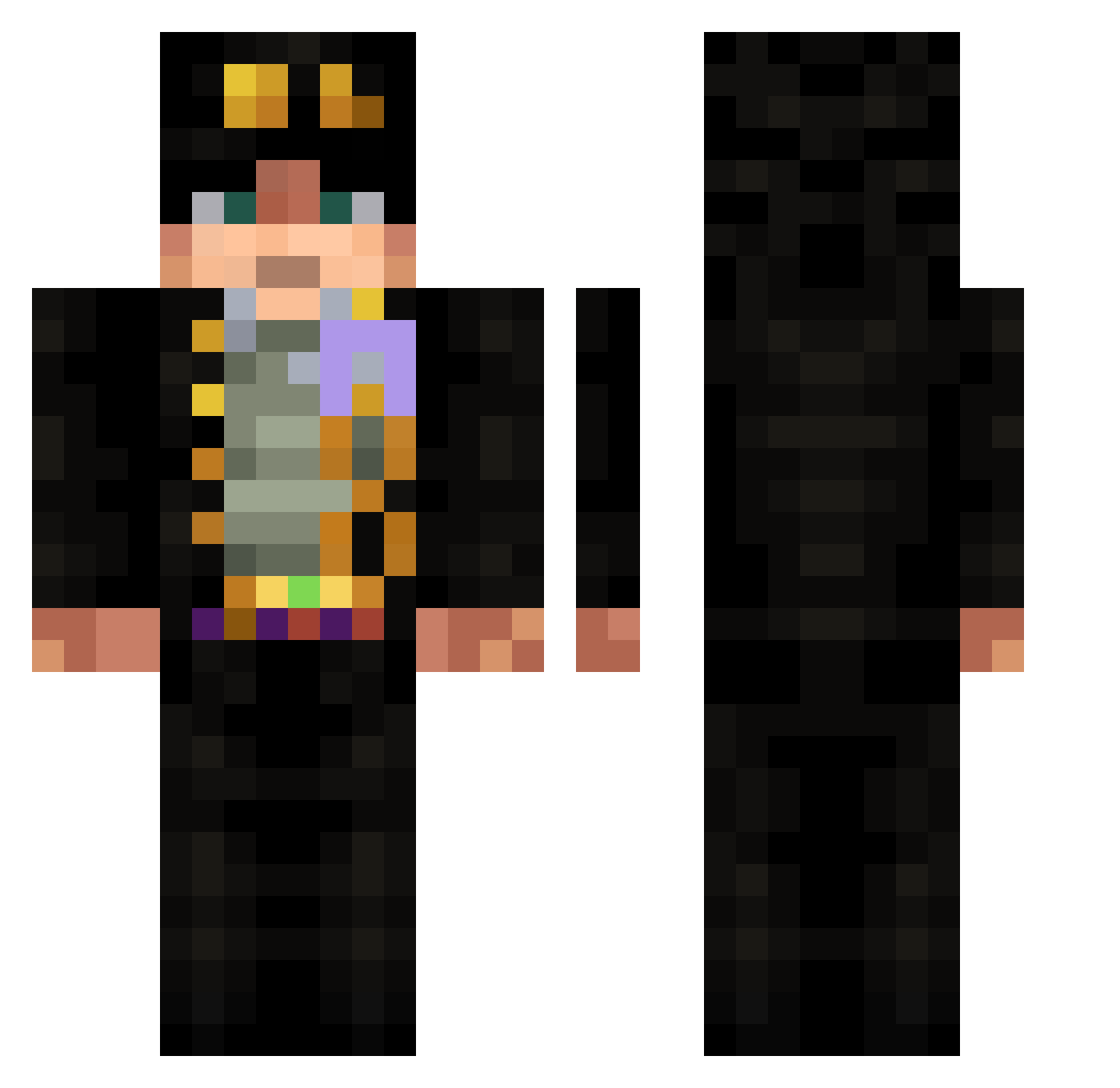
Current Minecraft skin of the player himothy1231, loaded from the official Mojang API. Rotate the 3D model with your mouse or finger, then download the skin as a PNG file and use it in Minecraft: Bedrock Edition or Java Edition for free. When himothy1231 changes their skin, this page updates automatically and the old skin stays in the history below.
Other players with this skin (532)
himothy1231 was the 510th player we have seen with this skin, first spotted on 15.10.2026. The same skin was seen on these players. Open a nickname to see their current skin and skin history.
 VaubanDT Gippertonik Shang_06Dec FLee666 iHoubyOF jotaro0495 ImLegitShutUp Glupi_pies Hurraisin fyezs Guerraquio 08kayra123 beybiliboo XxFatherGarciaxX RazzorKing Xbxo succssful koroyugo vinnyvine13 zhang228 ZIEEM lylattss1234 cooperwaddo mejow the_tigglerman alexlesc23 Pulpance pizzadeliverykev risksfinger PoyrazTG SeaCactus89_YT Tarn777 Baby_Shark_05 Mr1ee LilArnied qjroJoestar DrFonk Fis_l50 Roccoco Phillipyourmana skirun Marcone2000 tamponnie shuku022472 XXxmryoloxXX saluh16 certifiedyan Higoomba Profuseta BLOODYMONSTER89 Poutsu Anxelu Bebop518 Doomsdaydrb UnChatPitre Elescudero007 Tangzipei Lucky_Shadow_ LightningBoom1 ieArun
More Jotaro Kujo Minecraft skins
How to install the himothy1231 skin
- Press the Download button above to save the skin as a PNG file.
- Minecraft: Bedrock Edition (PE): open the Dressing Room from the main menu (or tap your character → Edit Character), go to Classic Skins → Owned, press the + (new skin) button, choose the downloaded PNG and pick the Classic (Steve) model. Works on PC and mobile; consoles cannot import custom skins.
- Minecraft: Java Edition: open the Minecraft Launcher, go to the Skins tab, click New Skin, load the PNG, pick the Classic (Steve) model and press Save & Use. You can also upload it at minecraft.net → Profile → Change Skin.
The skin does not show up after import - what should I do?
Restart Minecraft and open the Dressing Room again - imported skins sometimes appear only after a restart. Also make sure you selected the imported skin and picked the Classic (Steve) model.
Which model should I choose, Classic or Slim?
This skin is designed for the Classic (Steve) model. If you pick the wrong model, the arms of the skin will look stretched or squeezed.
Is the skin of himothy1231 free to download?
Yes. Press Download, save the PNG file and use it in Minecraft: Bedrock Edition or Java Edition - no payment or registration needed. The skin also works on multiplayer servers and Realms.
More skins
Looking for more? Go back to all Minecraft skins and check the top skins of the week, month and all time, or find any player's skin by nickname.