
hellowgc - Minecraft Skins & Skin History
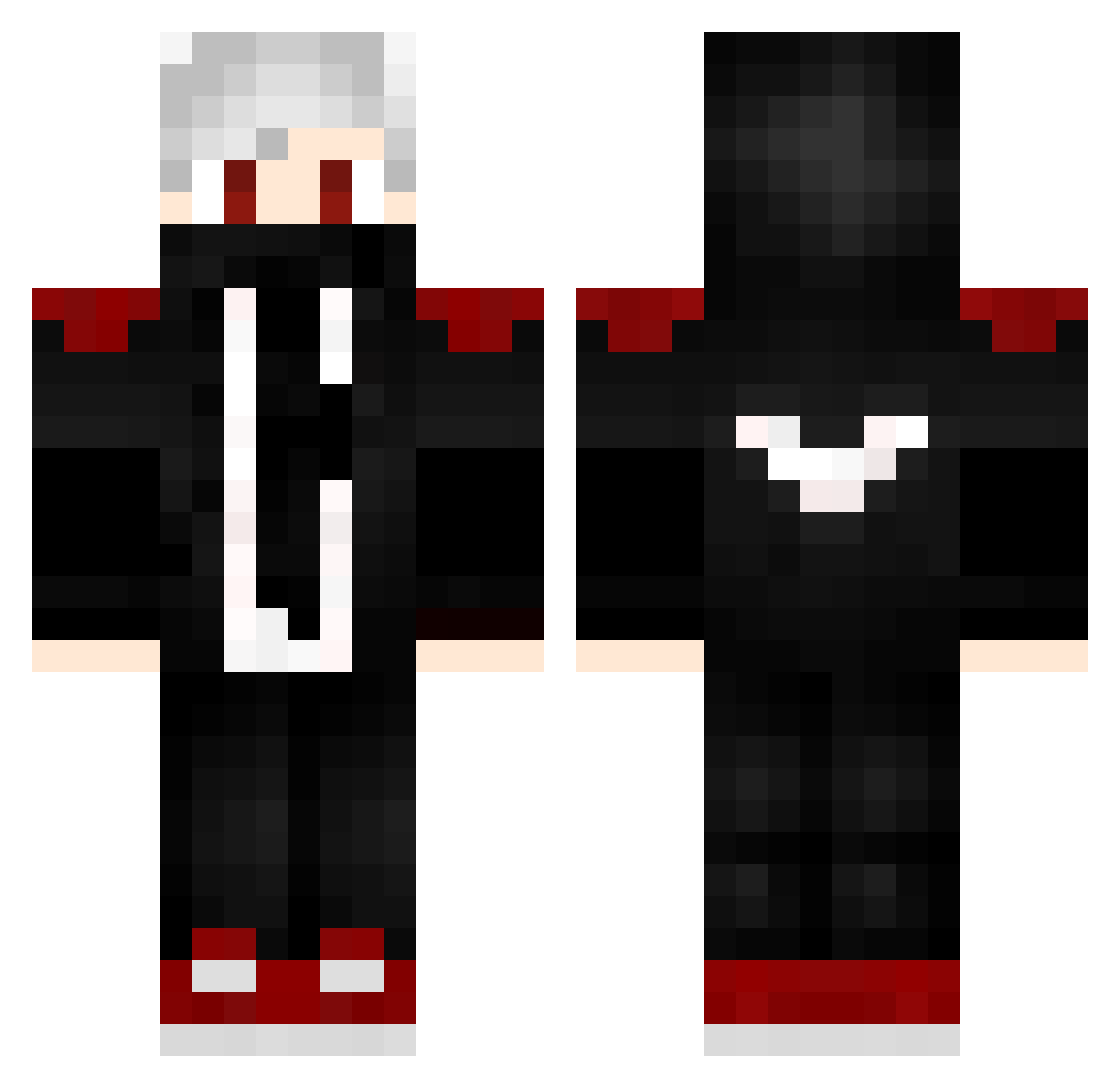
Current Minecraft skin of the player hellowgc, loaded from the official Mojang API. Rotate the 3D model with your mouse or finger, then download the skin as a PNG file and use it in Minecraft: Bedrock Edition or Java Edition for free. When hellowgc changes their skin, this page updates automatically and the old skin stays in the history below.
Other players with this skin (232)
hellowgc was the 122nd player we have seen with this skin, first spotted on 29.09.2026. The same skin was seen on these players. Open a nickname to see their current skin and skin history.
 FictionPipe Black_reaperxi VaderMasterCZ _MWST_ Iripbuttholes RewisMutter Melle2kk2 madi0521 Bradders911 Destiny54 Dawidoorka LukasRaguet iConzGuy kasimo100 ng43 misterj89 NoGsky Wapss Grytyx_Fade chopkal26 xXMiikaXx myagoma 0_Ksusha_0 Vicious1025 Superryco Monlapist BadLio uyutot KobayashiInc guiqs XxBlackxX14 crystalle628 Sanzzsxx rafael9090 T_Natsu_T aLactatingLemur dragonluca12 Luxioos KUTE__ _bill_gates_ Cridis11 Corruption0013 mamysh BADER11 Nschwenne Infinity_qc_69 Takajimo DeClouby K1kstand WellingtonBR850 XShaden12 FurQanD_61 GodBears DexterParadise iKira__ Stulgulf Quariss Dark_wolfHD77 luge233 oB1ackStormo
More Mask Minecraft skins
How to install the hellowgc skin
- Press the Download button above to save the skin as a PNG file.
- Minecraft: Bedrock Edition (PE): open the Dressing Room from the main menu (or tap your character → Edit Character), go to Classic Skins → Owned, press the + (new skin) button, choose the downloaded PNG and pick the Classic (Steve) model. Works on PC and mobile; consoles cannot import custom skins.
- Minecraft: Java Edition: open the Minecraft Launcher, go to the Skins tab, click New Skin, load the PNG, pick the Classic (Steve) model and press Save & Use. You can also upload it at minecraft.net → Profile → Change Skin.
The skin does not show up after import - what should I do?
Restart Minecraft and open the Dressing Room again - imported skins sometimes appear only after a restart. Also make sure you selected the imported skin and picked the Classic (Steve) model.
Which model should I choose, Classic or Slim?
This skin is designed for the Classic (Steve) model. If you pick the wrong model, the arms of the skin will look stretched or squeezed.
Is the skin of hellowgc free to download?
Yes. Press Download, save the PNG file and use it in Minecraft: Bedrock Edition or Java Edition - no payment or registration needed. The skin also works on multiplayer servers and Realms.
More skins
Looking for more? Go back to all Minecraft skins and check the top skins of the week, month and all time, or find any player's skin by nickname.