
 Symetrum IDROXX74 XDestina Yelloweekk RealFlakeS05 __ForeveR_ Rudium AnimalLover12103 ClonedBabyTikTok NormaBates Gaseer black0904 Adriel03 BayMBK zRenanBr_ _sky_64 OfficialForgx AvalancheCS SykeFareal Expert8 Nxcxas Az0T3 HungD99 GigadelWhat Camjet_06 Syuna_o hugo_098 SpeedyHunter777 crafty76000 D0enixik Axlyneo1 Xakonin KhadaBtimmer dz_dhia CorZyy UmutDAGLI Blackmoonlight00 BrendanKP SuperrQiff IMFDooM ISyrew sakuya_0922 fly666666 CerealIsland858 Zyzz32 _Panda_P wendrenanzinho RxDnz_ lhoszn Dc_Binii Blockninja_ DevTapOne Stego743 Sir_SourySan Momo163 S_Mischi_S Merto_123 LucaPSD yummyyyy tiomthywildmann
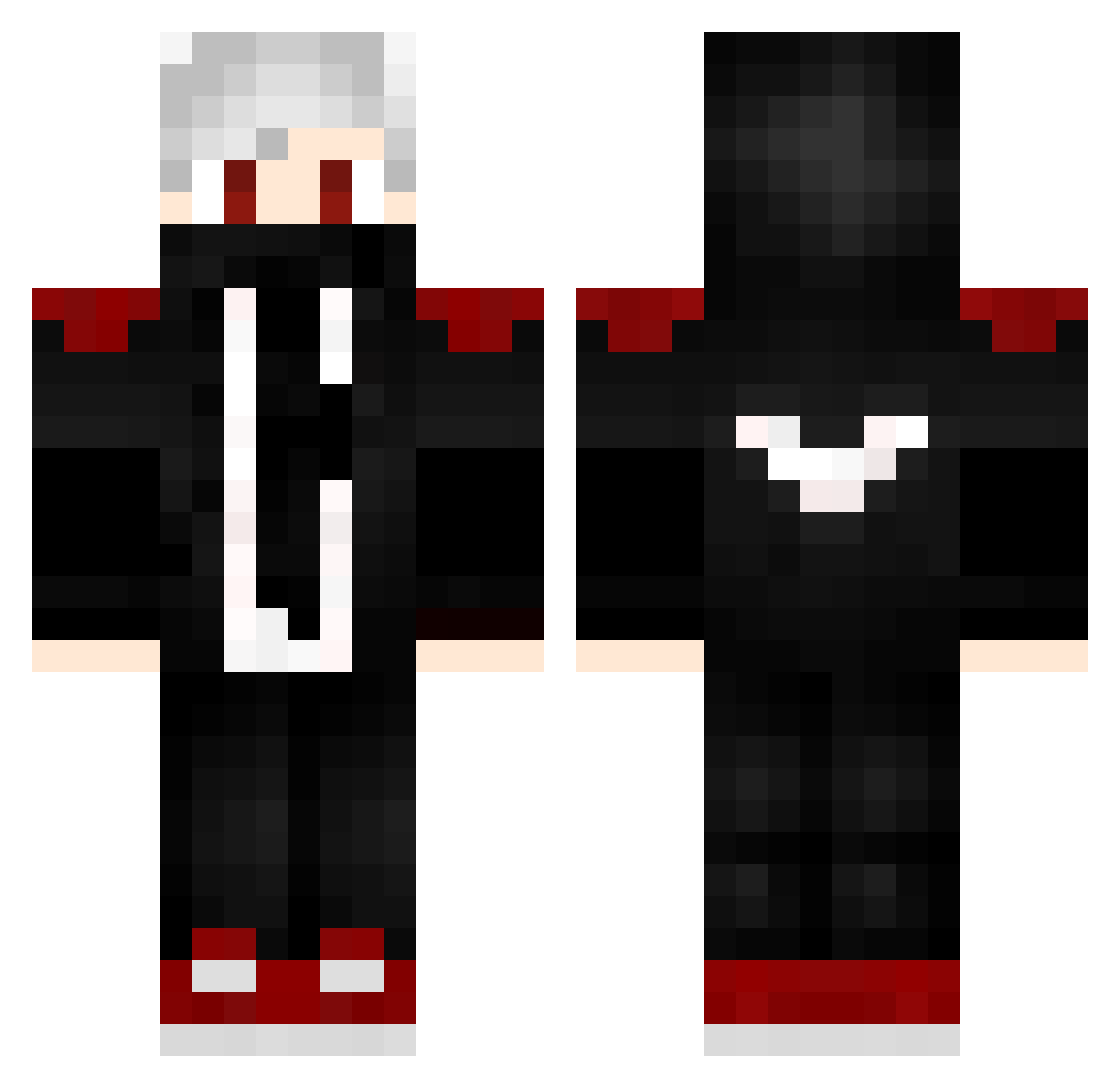
Minecraft skin of Expert8. Rotate the 3D model with your mouse or finger to view the skin from every angle, then download it as a PNG file and use it in Minecraft: Bedrock Edition or Java Edition for free. Rate the skin with stars to help other players find the best skins in our collection.
How to install the Expert8 skin
- Press the Download button above to save the skin as a PNG file.
- Minecraft: Bedrock Edition (PE): open the Dressing Room from the main menu (or tap your character → Edit Character), go to Classic Skins → Owned, press the + (new skin) button, choose the downloaded PNG and pick the Classic (Steve) model. Works on PC and mobile; consoles cannot import custom skins.
- Minecraft: Java Edition: open the Minecraft Launcher, go to the Skins tab, click New Skin, load the PNG, pick the Classic (Steve) model and press Save & Use. You can also upload it at minecraft.net → Profile → Change Skin.
The skin does not show up after import - what should I do?
Restart Minecraft and open the Dressing Room again - imported skins sometimes appear only after a restart. Also make sure you selected the imported skin and picked the Classic (Steve) model.
Which model should I choose, Classic or Slim?
This skin is designed for the Classic (Steve) model. If you pick the wrong model, the arms of the skin will look stretched or squeezed.
Is this skin free to use?
Yes. Press Download, save the PNG file and use it in Minecraft: Bedrock Edition or Java Edition - no payment or registration needed. The skin also works on multiplayer servers and Realms.
More Mask Minecraft skins
More skins
Looking for more? Go back to all Minecraft skins and check the top skins of the week, month and all time, or find any player's skin by nickname.