
hbrand - Minecraft Skins & Skin History
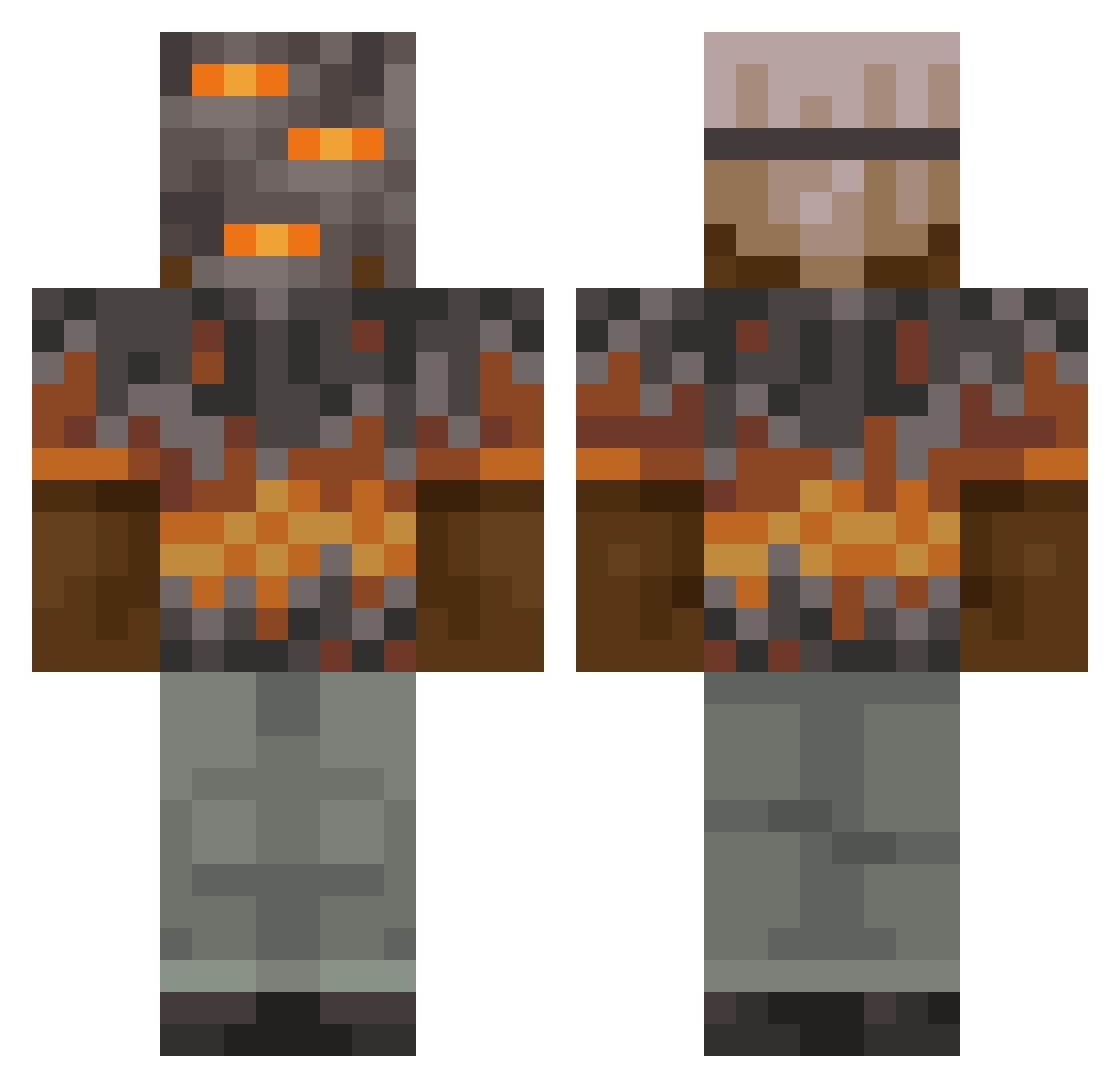
Current Minecraft skin of the player hbrand, loaded from the official Mojang API. Rotate the 3D model with your mouse or finger, then download the skin as a PNG file and use it in Minecraft: Bedrock Edition or Java Edition for free. When hbrand changes their skin, this page updates automatically and the old skin stays in the history below.
Other players with this skin (848)
hbrand was the 230th player we have seen with this skin, first spotted on 19.08.2026. The same skin was seen on these players. Open a nickname to see their current skin and skin history.
 ColeCass ryanf1556 mind80 Monsiba CoolMan9856
 FlamyGamy Jaymadden19 LordOfWars2002 _M1das Spehial1 HarlekinOak Rodryy02 Fourbeast07 circuitsparkm RareFlames CyberStorm472 Vlady201409 MoonShadowKeeper Polfet1 TheGamingGuru PedroRVgamer s56er LittleBigGuy1234 Mari9112 Savyyer Hectic810 vquvia AyeMav dominikbosspro spookygta Creamy87_Y athenaforever juvesito UndeadKin9 Mycroftp Peirsed AloneINTheDark33 Kurt0401 AbomasalPrism22 Mojoblastin SplatNGore TwoMercury1977 chomiczek9991 PrimeDreamPickle EzielCity Isidor1902 SlushierSoda690 Olexin treetrunk1999 13Physc Kellennn2343 Chesney_b SmugBug323 Agrestik CaesarTheWise_Vl Jspringy1 Ch0deWellB0ad420 ExecutableCMD Wojtek1108 leonbetter
More Rock Minecraft skins
How to install the hbrand skin
- Press the Download button above to save the skin as a PNG file.
- Minecraft: Bedrock Edition (PE): open the Dressing Room from the main menu (or tap your character → Edit Character), go to Classic Skins → Owned, press the + (new skin) button, choose the downloaded PNG and pick the Classic (Steve) model. Works on PC and mobile; consoles cannot import custom skins.
- Minecraft: Java Edition: open the Minecraft Launcher, go to the Skins tab, click New Skin, load the PNG, pick the Classic (Steve) model and press Save & Use. You can also upload it at minecraft.net → Profile → Change Skin.
The skin does not show up after import - what should I do?
Restart Minecraft and open the Dressing Room again - imported skins sometimes appear only after a restart. Also make sure you selected the imported skin and picked the Classic (Steve) model.
Which model should I choose, Classic or Slim?
This skin is designed for the Classic (Steve) model. If you pick the wrong model, the arms of the skin will look stretched or squeezed.
Is the skin of hbrand free to download?
Yes. Press Download, save the PNG file and use it in Minecraft: Bedrock Edition or Java Edition - no payment or registration needed. The skin also works on multiplayer servers and Realms.
More skins
Looking for more? Go back to all Minecraft skins and check the top skins of the week, month and all time, or find any player's skin by nickname.