
hashihashy - Minecraft Skins & Skin History
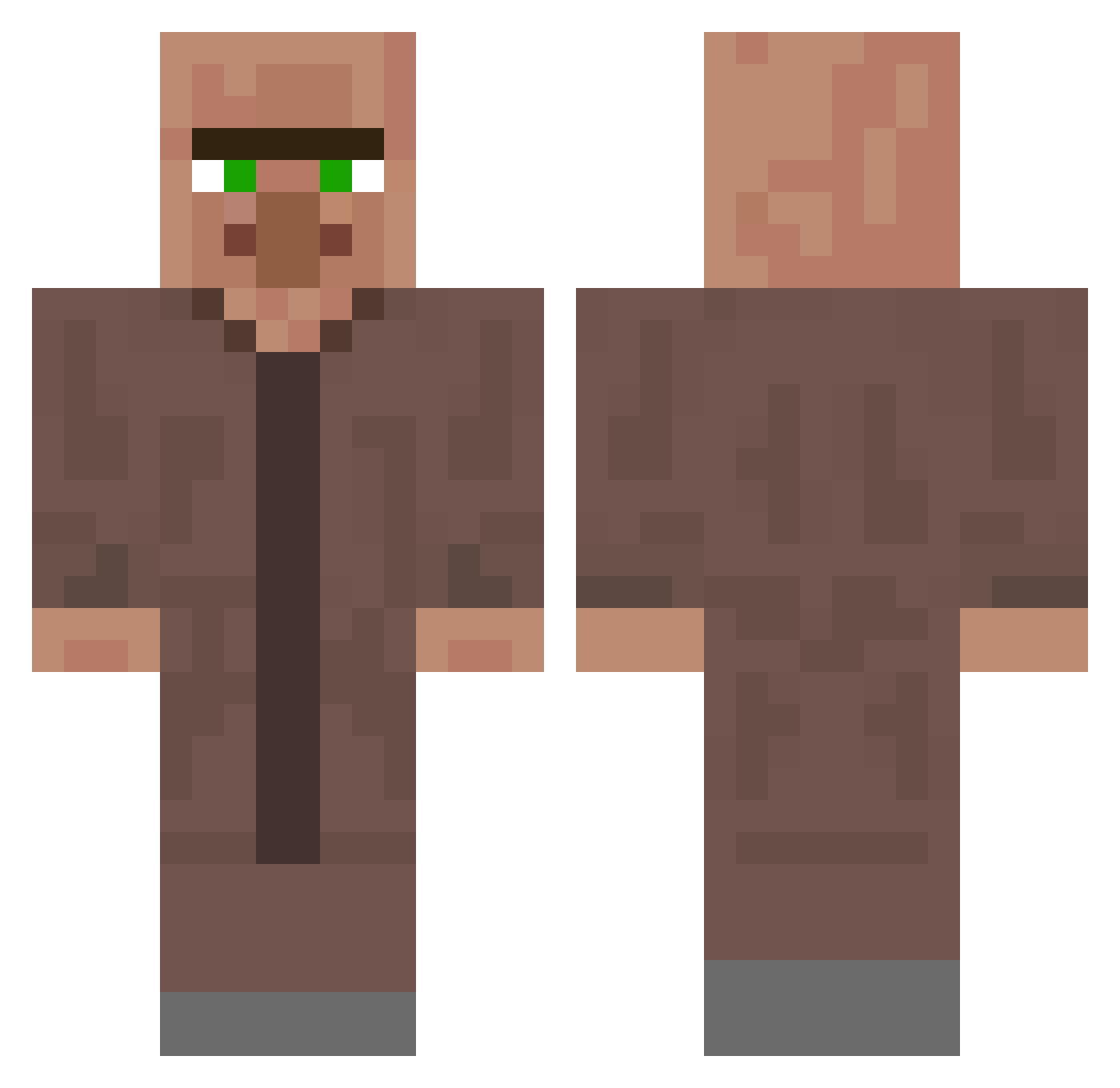
Current Minecraft skin of the player hashihashy, loaded from the official Mojang API. Rotate the 3D model with your mouse or finger, then download the skin as a PNG file and use it in Minecraft: Bedrock Edition or Java Edition for free. When hashihashy changes their skin, this page updates automatically and the old skin stays in the history below.
Other players with this skin (340)
hashihashy was the 43rd player we have seen with this skin, first spotted on 10.08.2026. The same skin was seen on these players. Open a nickname to see their current skin and skin history.
 Meruem0021 eson0801 The_Zoko PluginTester weme321
 Sanderkir amed_kaya YuNyi_1125 03_03 murabi10 _Technoblade
 laoxiancai123 Krzysiu_pl deminm Rexoel MartinekGamer99 Violationz25 SkrizzelHD VeryBrightMoon Bofishley EnormeMouille ProMinecrafter09 lpvmgj srcleytom Bronya1129 danica0_0 hrubyadam hegetam notrasurpur Stoppelbart Killerjahn rachelfeng0035 Nuuskane_Muikku haryung09 NandoLOOL RigidAcrobat TadtheMad Xiaoliu9178 Funktified klisox mokoruzu Plehlowla meowscles932 ohmychemical tomanu142 Denny6379 Drazzelie JuozasK ahihp Nacho134 BangoChips Javicami9java m1sterbombastic SgProfiJan ibukinnta Jucesvaldo1 luguim StemenVlogs Villager2424 MrHarryBotter
More Villager Minecraft skins
How to install the hashihashy skin
- Press the Download button above to save the skin as a PNG file.
- Minecraft: Bedrock Edition (PE): open the Dressing Room from the main menu (or tap your character → Edit Character), go to Classic Skins → Owned, press the + (new skin) button, choose the downloaded PNG and pick the Classic (Steve) model. Works on PC and mobile; consoles cannot import custom skins.
- Minecraft: Java Edition: open the Minecraft Launcher, go to the Skins tab, click New Skin, load the PNG, pick the Classic (Steve) model and press Save & Use. You can also upload it at minecraft.net → Profile → Change Skin.
The skin does not show up after import - what should I do?
Restart Minecraft and open the Dressing Room again - imported skins sometimes appear only after a restart. Also make sure you selected the imported skin and picked the Classic (Steve) model.
Which model should I choose, Classic or Slim?
This skin is designed for the Classic (Steve) model. If you pick the wrong model, the arms of the skin will look stretched or squeezed.
Is the skin of hashihashy free to download?
Yes. Press Download, save the PNG file and use it in Minecraft: Bedrock Edition or Java Edition - no payment or registration needed. The skin also works on multiplayer servers and Realms.
More skins
Looking for more? Go back to all Minecraft skins and check the top skins of the week, month and all time, or find any player's skin by nickname.