
hammorockstar - Minecraft Skins & Skin History
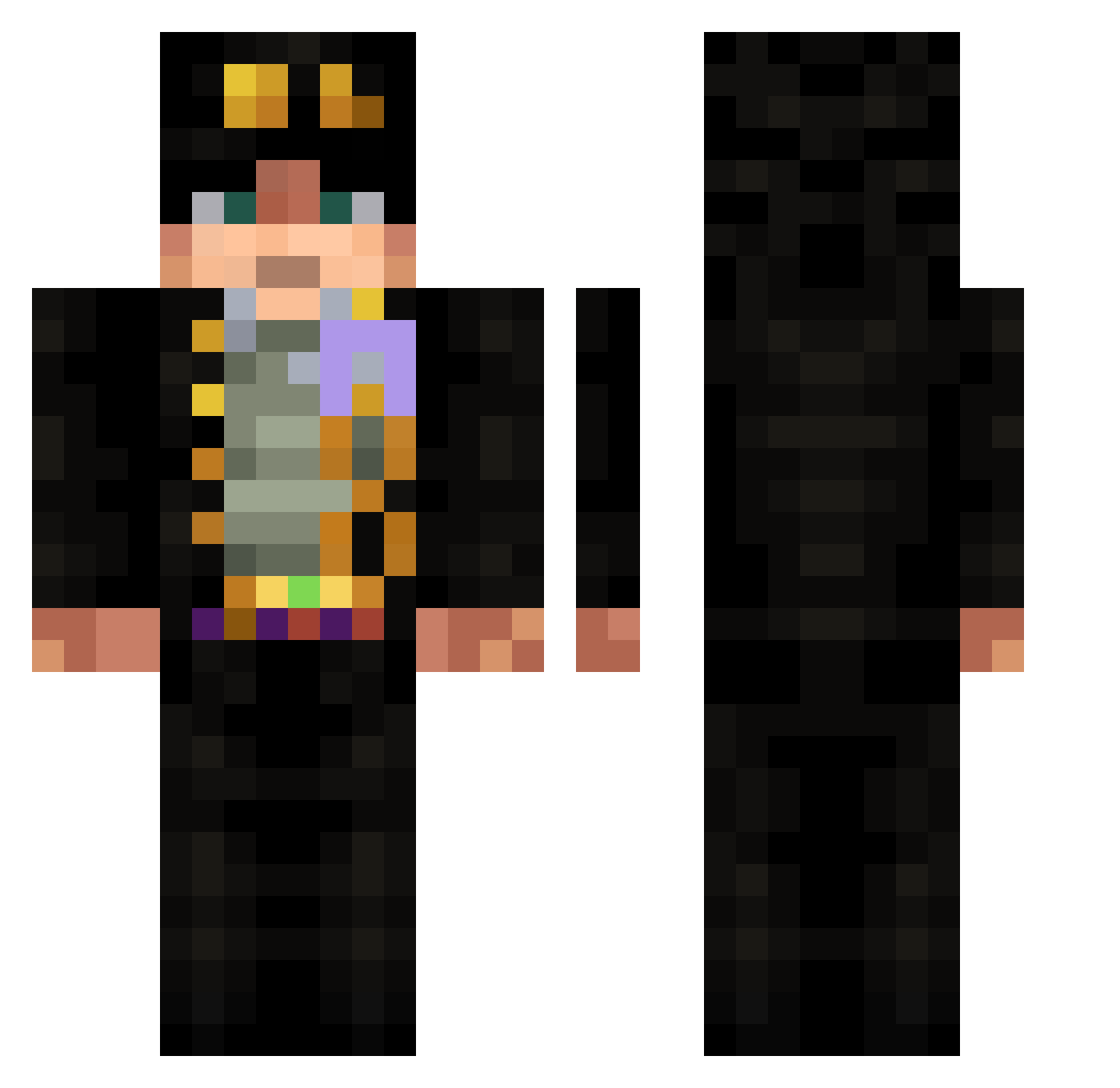
Current Minecraft skin of the player hammorockstar, loaded from the official Mojang API. Rotate the 3D model with your mouse or finger, then download the skin as a PNG file and use it in Minecraft: Bedrock Edition or Java Edition for free. When hammorockstar changes their skin, this page updates automatically and the old skin stays in the history below.
Other players with this skin (532)
hammorockstar was the 394th player we have seen with this skin, first spotted on 30.09.2026. The same skin was seen on these players. Open a nickname to see their current skin and skin history.
 Nigemizu ZOMBALE LiveTMER gooover009 njdarstar2 corynniee ZEGONA Stubbs221 rdwky LyonHat UltimateAgamer1 Sociedad3 HeeHawTheHutt Charmin9267 SarrrQuelPlaisir racism101 crowkishi Realjunky971 Kuna1010 NeroBlades CNEZR yuhyun2nd rui122121 NaudeNo dasher_1229 arthurmorgan1800 vvvxvx OnlyHyn IHairo_XD AgentRapGod jez0r MrKromeXD Yeshuang66 oolon9 MAKERCH MexicanMan6150 Sumer1 Rique3012 yungketama Zedral00 NedalEsrar Bleiseret p1ople meueboy GuiSGate Roquette123 alsdn53 KaanTheCurly Ma7mood278 Zigo_Zago jojo_sku Sunculita02 davidli012 MTVirux1337 Sunai24 JOJO_1031 Lihouwek EliaMitico Trekpunk TimeTravel_03
More Jotaro Kujo Minecraft skins
How to install the hammorockstar skin
- Press the Download button above to save the skin as a PNG file.
- Minecraft: Bedrock Edition (PE): open the Dressing Room from the main menu (or tap your character → Edit Character), go to Classic Skins → Owned, press the + (new skin) button, choose the downloaded PNG and pick the Classic (Steve) model. Works on PC and mobile; consoles cannot import custom skins.
- Minecraft: Java Edition: open the Minecraft Launcher, go to the Skins tab, click New Skin, load the PNG, pick the Classic (Steve) model and press Save & Use. You can also upload it at minecraft.net → Profile → Change Skin.
The skin does not show up after import - what should I do?
Restart Minecraft and open the Dressing Room again - imported skins sometimes appear only after a restart. Also make sure you selected the imported skin and picked the Classic (Steve) model.
Which model should I choose, Classic or Slim?
This skin is designed for the Classic (Steve) model. If you pick the wrong model, the arms of the skin will look stretched or squeezed.
Is the skin of hammorockstar free to download?
Yes. Press Download, save the PNG file and use it in Minecraft: Bedrock Edition or Java Edition - no payment or registration needed. The skin also works on multiplayer servers and Realms.
More skins
Looking for more? Go back to all Minecraft skins and check the top skins of the week, month and all time, or find any player's skin by nickname.