
furious_destroy - Minecraft Skins & Skin History
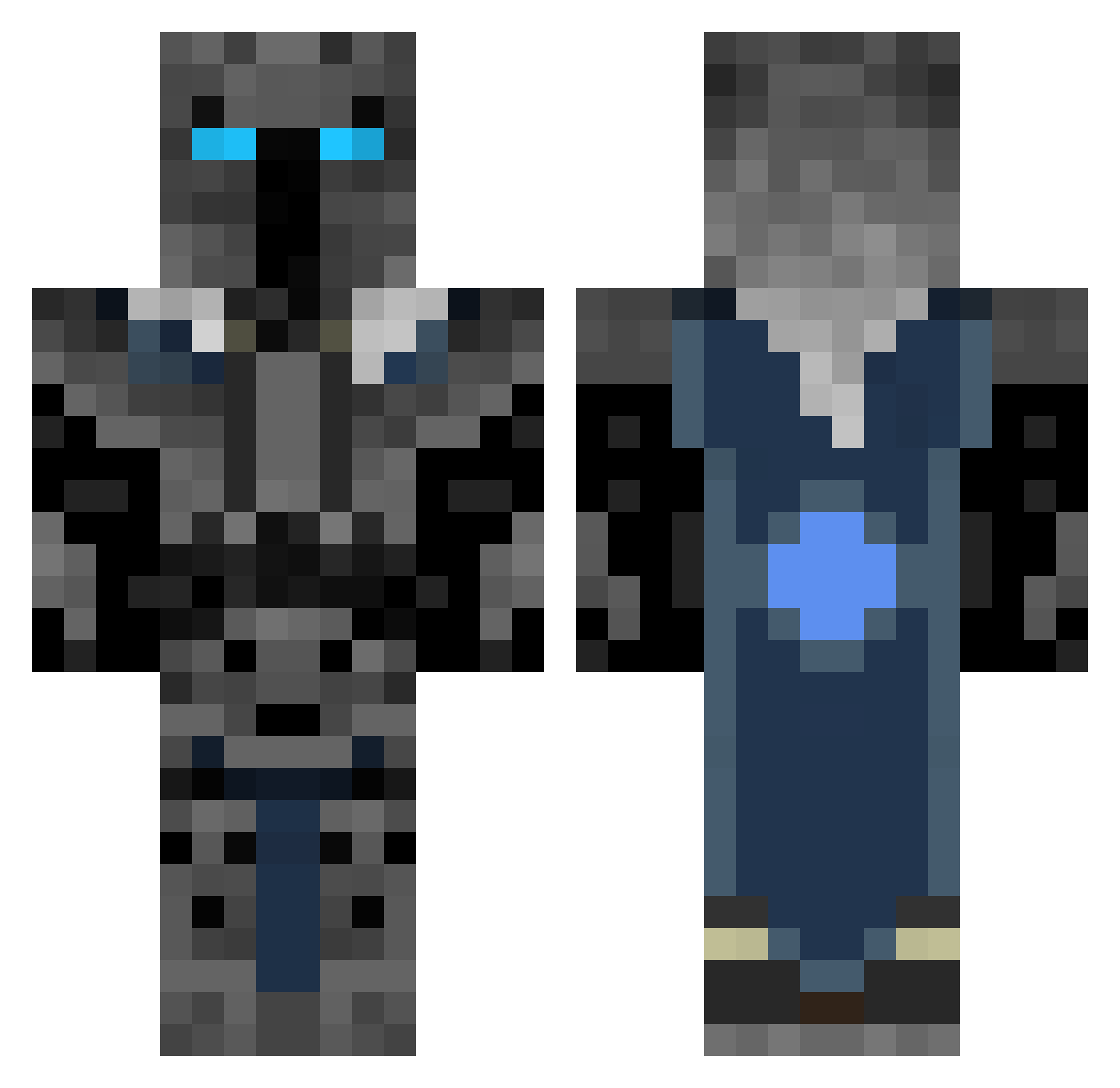
Current Minecraft skin of the player furious_destroy, loaded from the official Mojang API. Rotate the 3D model with your mouse or finger, then download the skin as a PNG file and use it in Minecraft: Bedrock Edition or Java Edition for free. When furious_destroy changes their skin, this page updates automatically and the old skin stays in the history below.
Other players with this skin (413)
furious_destroy was the 265th player we have seen with this skin, first spotted on 04.10.2026. The same skin was seen on these players. Open a nickname to see their current skin and skin history.
 TimiT8 Q9_Major BobandSteve buttersausage NickyRP rInCe DoctorJacer Araacloud Dark_Jack_123 Mackie879 flyflycolibri Miken8 BizcoBird hermitta on3fift jayjaylee123 MYFMDeMoN MK0930 NIGGAGRAIN Zonachenko MrShamu3 Splin177 Broco9Stonesmith Guardian203 jonathangrenier lexieboy4 Blackstonestar Kidrock2005 Hammerhead8000 Al3nox Yousif2004 CantStop88 nubhater Sondrebj TYLERSGAMING RhuarcWoT willbutcher Bomberman4733 mattheweades1 Skyguy0001 AlecCota zucafreitas EveryMean514 js16034 Drowman20 LuL_Wardower 5Bars ssyrupz Corne_314 Lichking624 kooguy123 naturalfrezz Arnellin ajnl Gsnickolai Adamjo28 Naelnajjar thunderlion03 TenFold_Reaper yolodan19
More Knight Minecraft skins
How to install the furious_destroy skin
- Press the Download button above to save the skin as a PNG file.
- Minecraft: Bedrock Edition (PE): open the Dressing Room from the main menu (or tap your character → Edit Character), go to Classic Skins → Owned, press the + (new skin) button, choose the downloaded PNG and pick the Classic (Steve) model. Works on PC and mobile; consoles cannot import custom skins.
- Minecraft: Java Edition: open the Minecraft Launcher, go to the Skins tab, click New Skin, load the PNG, pick the Classic (Steve) model and press Save & Use. You can also upload it at minecraft.net → Profile → Change Skin.
The skin does not show up after import - what should I do?
Restart Minecraft and open the Dressing Room again - imported skins sometimes appear only after a restart. Also make sure you selected the imported skin and picked the Classic (Steve) model.
Which model should I choose, Classic or Slim?
This skin is designed for the Classic (Steve) model. If you pick the wrong model, the arms of the skin will look stretched or squeezed.
Is the skin of furious_destroy free to download?
Yes. Press Download, save the PNG file and use it in Minecraft: Bedrock Edition or Java Edition - no payment or registration needed. The skin also works on multiplayer servers and Realms.
More skins
Looking for more? Go back to all Minecraft skins and check the top skins of the week, month and all time, or find any player's skin by nickname.