
fbtmdghk - Minecraft Skins & Skin History
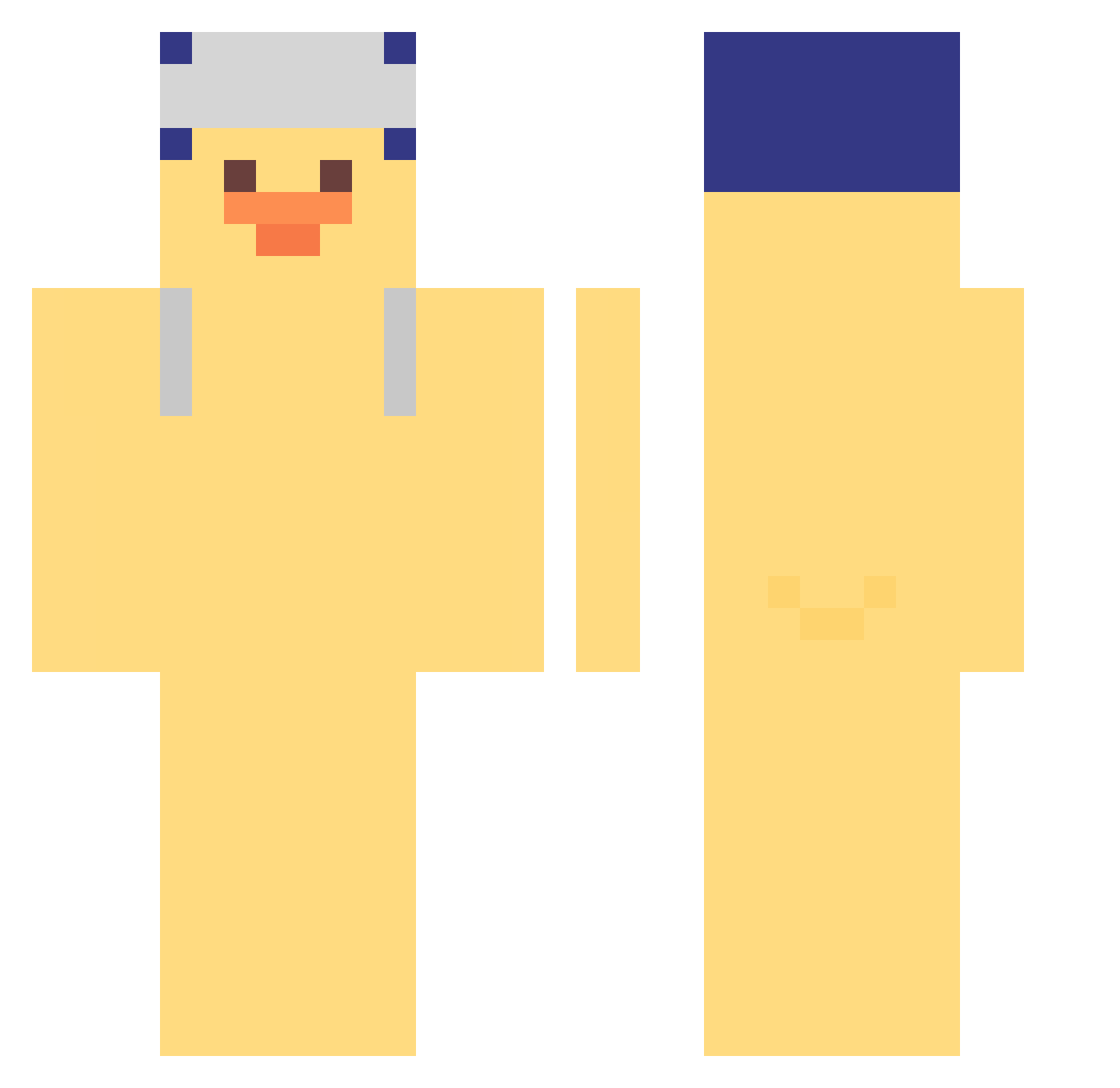
Current Minecraft skin of the player fbtmdghk, loaded from the official Mojang API. Rotate the 3D model with your mouse or finger, then download the skin as a PNG file and use it in Minecraft: Bedrock Edition or Java Edition for free. When fbtmdghk changes their skin, this page updates automatically and the old skin stays in the history below.
Other players with this skin (308)
fbtmdghk was the 77th player we have seen with this skin, first spotted on 15.08.2026. The same skin was seen on these players. Open a nickname to see their current skin and skin history.
 Sl0th22 qgdss Ingpu_128 alesus123 rainbowpoop696 J0J0C MisakaXGP_mxp641 jacy0 hangyul5754 kyuri05 Dan_Ga qiesesto TrackpadsHyper gigiecake YepcoCorentin wlsxkddl Isaac520 Minipouce35 J4ESEUNG bluemike111 Grady2008 WANI_INAW ConChim_Bear
 xingyingru1 Kaurinho ckxin 07HD IveGotOps didu0_ zhsp Tectonn kawprod DIDI_0 Derek_mii enen945 Ecatepec_Hiram GreenTeamilk tomotaka1003 imsuckgoo YoonSung_ LakakaDz B1aZeTjay Jaakob1 WoFnp SIO4038 grassjellies Lourboi liggener
 RetairyScrab5 NIMYO6974 sunflower69420 Keter5851
 SONKLOKU1234 Emrsyhn Kiki05487 Honunu wpom 5eshy john_wicktr KenderReal
More Duck Minecraft skins
How to install the fbtmdghk skin
- Press the Download button above to save the skin as a PNG file.
- Minecraft: Bedrock Edition (PE): open the Dressing Room from the main menu (or tap your character → Edit Character), go to Classic Skins → Owned, press the + (new skin) button, choose the downloaded PNG and pick the Classic (Steve) model. Works on PC and mobile; consoles cannot import custom skins.
- Minecraft: Java Edition: open the Minecraft Launcher, go to the Skins tab, click New Skin, load the PNG, pick the Classic (Steve) model and press Save & Use. You can also upload it at minecraft.net → Profile → Change Skin.
The skin does not show up after import - what should I do?
Restart Minecraft and open the Dressing Room again - imported skins sometimes appear only after a restart. Also make sure you selected the imported skin and picked the Classic (Steve) model.
Which model should I choose, Classic or Slim?
This skin is designed for the Classic (Steve) model. If you pick the wrong model, the arms of the skin will look stretched or squeezed.
Is the skin of fbtmdghk free to download?
Yes. Press Download, save the PNG file and use it in Minecraft: Bedrock Edition or Java Edition - no payment or registration needed. The skin also works on multiplayer servers and Realms.
More skins
Looking for more? Go back to all Minecraft skins and check the top skins of the week, month and all time, or find any player's skin by nickname.