
elusiivez - Minecraft Skins & Skin History
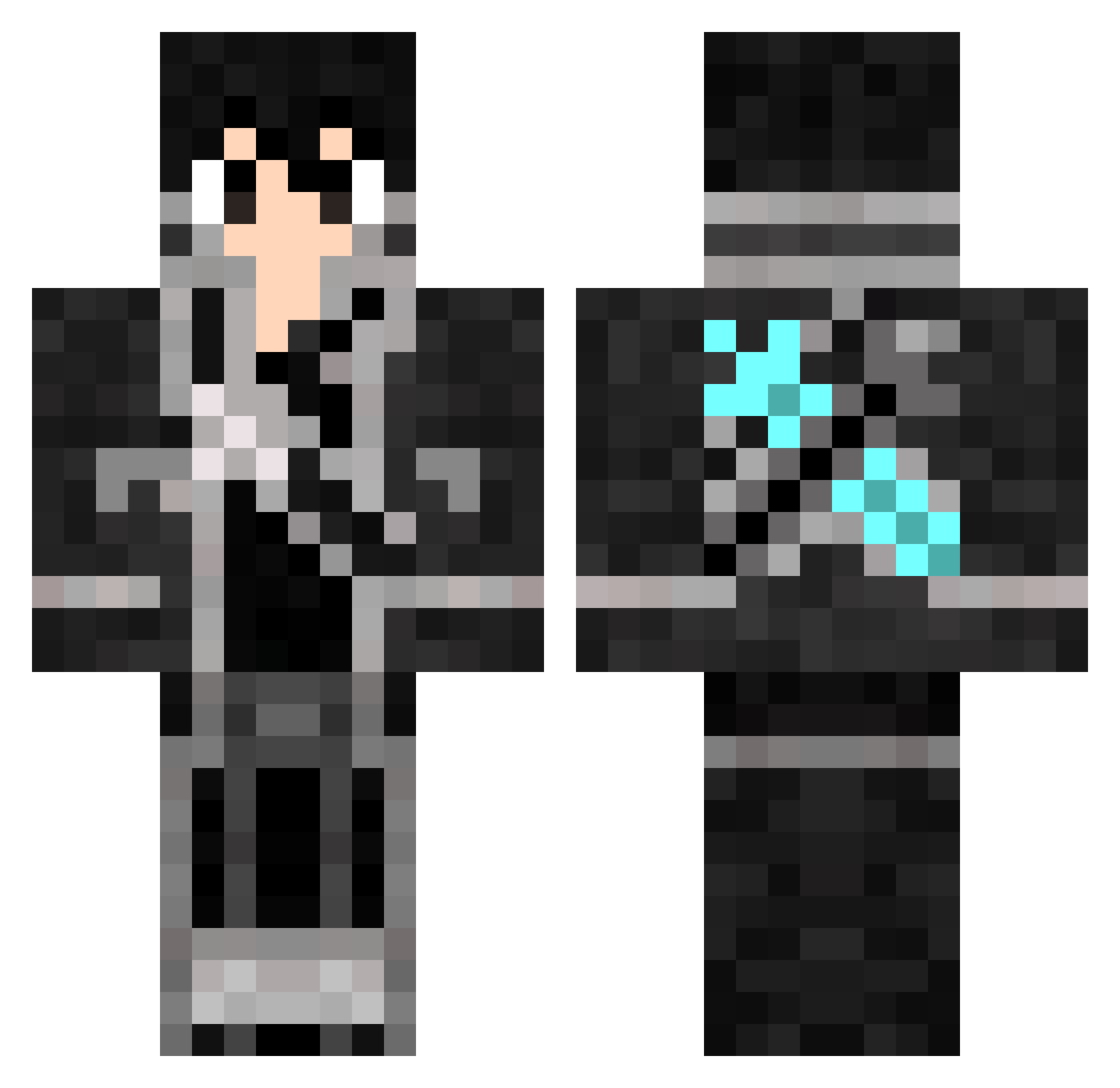
Current Minecraft skin of the player elusiivez, loaded from the official Mojang API. Rotate the 3D model with your mouse or finger, then download the skin as a PNG file and use it in Minecraft: Bedrock Edition or Java Edition for free. When elusiivez changes their skin, this page updates automatically and the old skin stays in the history below.
Other players with this skin (816)
elusiivez was the 388th player we have seen with this skin, first spotted on 17.09.2026. The same skin was seen on these players. Open a nickname to see their current skin and skin history.
 DarkAngelDA Normal01 Quantum_wolf_504 Mister_Stylz IndeWEED modadc DanFGam3r okan12k12 Vaneilkernt TheNikyMaster Spxour _Lyks_ wdswd NazaGMC naotyi BoK1ZA TooCryptical ssshjl KiritoMC03 Lupin2792 Asakoman winchester2020 DarylDares wjinling KiritoCxx JTen Raxor130604 XiaoTian4864 JUL1240 Vega1x kurumirex WXgame deftsu3 GOBLINxSCOPES TheAJCool Sherlq OoSkyBoyoO Johnk1ngz DhahiX BosalStudios ghostfly23333 GalaxyWolf2497 SrPikels Tachiny leonM2001 KIein_Moretti Tornaga Eru_iluvatar99 ayexjms jyhanyin WingedLynx72070 jiangchenNO01 TAICHY G4Designs kiriti0000 shidow100 BlackSimp takumi255 SZYJH Xiaohei233
More Kirito Minecraft skins
How to install the elusiivez skin
- Press the Download button above to save the skin as a PNG file.
- Minecraft: Bedrock Edition (PE): open the Dressing Room from the main menu (or tap your character → Edit Character), go to Classic Skins → Owned, press the + (new skin) button, choose the downloaded PNG and pick the Classic (Steve) model. Works on PC and mobile; consoles cannot import custom skins.
- Minecraft: Java Edition: open the Minecraft Launcher, go to the Skins tab, click New Skin, load the PNG, pick the Classic (Steve) model and press Save & Use. You can also upload it at minecraft.net → Profile → Change Skin.
The skin does not show up after import - what should I do?
Restart Minecraft and open the Dressing Room again - imported skins sometimes appear only after a restart. Also make sure you selected the imported skin and picked the Classic (Steve) model.
Which model should I choose, Classic or Slim?
This skin is designed for the Classic (Steve) model. If you pick the wrong model, the arms of the skin will look stretched or squeezed.
Is the skin of elusiivez free to download?
Yes. Press Download, save the PNG file and use it in Minecraft: Bedrock Edition or Java Edition - no payment or registration needed. The skin also works on multiplayer servers and Realms.
More skins
Looking for more? Go back to all Minecraft skins and check the top skins of the week, month and all time, or find any player's skin by nickname.