
dron09 - Minecraft Skins & Skin History
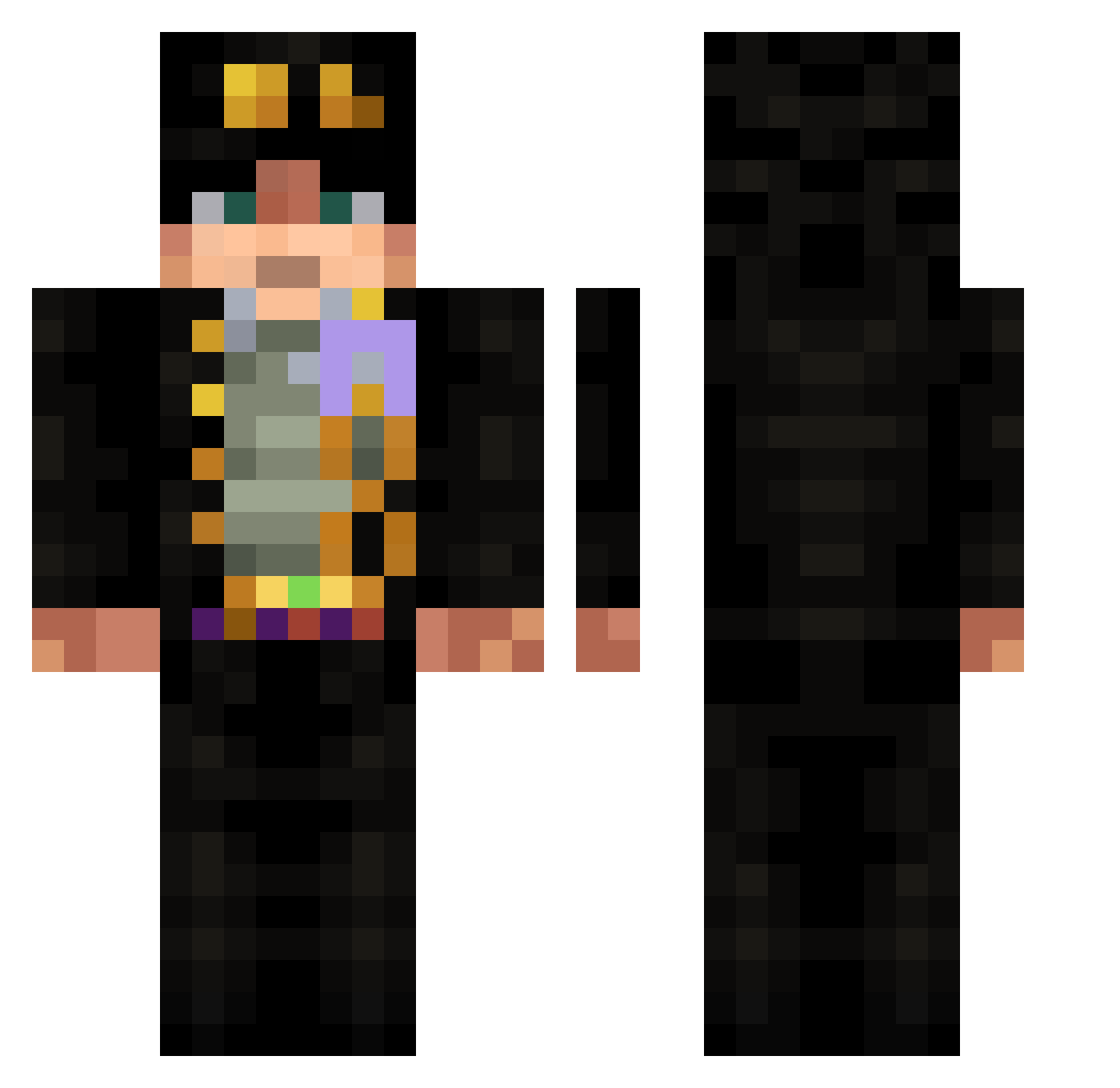
Current Minecraft skin of the player dron09, loaded from the official Mojang API. Rotate the 3D model with your mouse or finger, then download the skin as a PNG file and use it in Minecraft: Bedrock Edition or Java Edition for free. When dron09 changes their skin, this page updates automatically and the old skin stays in the history below.
Other players with this skin (532)
dron09 was the 356th player we have seen with this skin, first spotted on 24.09.2026. The same skin was seen on these players. Open a nickname to see their current skin and skin history.
 Thraax_ v7ghg Freezy03 AorkYa FluffyBead72979 carrycst Jbaforever StepBroHenry Vertizare MTR666XD ryouski__ Johnnys23 BigBesticle Ramusk MalaKai9999 Multigame45 Lihouwek JOJO_1031 Sunai24 hatredtalent1 davidli012 jotaro_123 Ma7mood278 quarang Certumee McCollough1234 alsdn53 pipipiyan meueboy Sektor071 Blaidd_69 LinhLwVSt1230 wongyun101030 Wintlink Yooncat Bleiseret Zedral00 KrustyPickles sypacq Sumer1 Ryko2563 erenjaeger19 MAKERCH oolon9 IglooSoup BaccaFan98 Yeshuang66 abduman MrKromeXD AgentRapGod UdyrJr OnlyHyn Monocromatico wj4644 vvvxvx arthurmorgan1800 Alexrp73 dasher_1229 valentotor32 NaudeNo
More Jotaro Kujo Minecraft skins
How to install the dron09 skin
- Press the Download button above to save the skin as a PNG file.
- Minecraft: Bedrock Edition (PE): open the Dressing Room from the main menu (or tap your character → Edit Character), go to Classic Skins → Owned, press the + (new skin) button, choose the downloaded PNG and pick the Classic (Steve) model. Works on PC and mobile; consoles cannot import custom skins.
- Minecraft: Java Edition: open the Minecraft Launcher, go to the Skins tab, click New Skin, load the PNG, pick the Classic (Steve) model and press Save & Use. You can also upload it at minecraft.net → Profile → Change Skin.
The skin does not show up after import - what should I do?
Restart Minecraft and open the Dressing Room again - imported skins sometimes appear only after a restart. Also make sure you selected the imported skin and picked the Classic (Steve) model.
Which model should I choose, Classic or Slim?
This skin is designed for the Classic (Steve) model. If you pick the wrong model, the arms of the skin will look stretched or squeezed.
Is the skin of dron09 free to download?
Yes. Press Download, save the PNG file and use it in Minecraft: Bedrock Edition or Java Edition - no payment or registration needed. The skin also works on multiplayer servers and Realms.
More skins
Looking for more? Go back to all Minecraft skins and check the top skins of the week, month and all time, or find any player's skin by nickname.