
dopsiegod - Minecraft Skins & Skin History
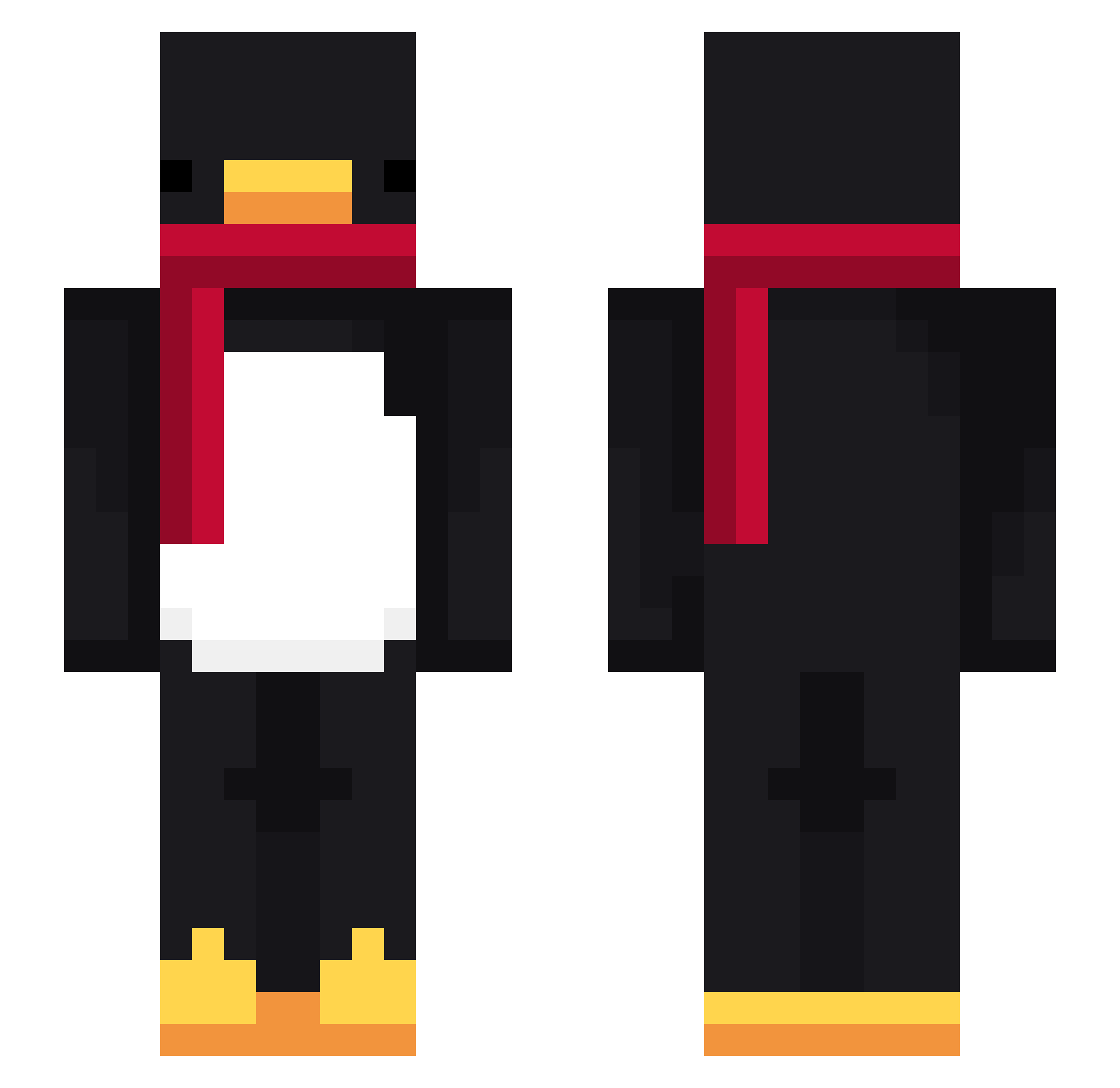
Current Minecraft skin of the player dopsiegod, loaded from the official Mojang API. Rotate the 3D model with your mouse or finger, then download the skin as a PNG file and use it in Minecraft: Bedrock Edition or Java Edition for free. When dopsiegod changes their skin, this page updates automatically and the old skin stays in the history below.
Other players with this skin (716)
dopsiegod was the 193rd player we have seen with this skin, first spotted on 20.08.2026. The same skin was seen on these players. Open a nickname to see their current skin and skin history.
 FROZEN2170
 LinhSkaTl0228 cocaebom FlareCdKsZTR0Sv2 Alerli gero5675 DEION2107 B_YTE jmjmhjm Pedro6250 EclipseTux leehajun1223 TheSquare0824 HvvJ0 hhfgffc LinhBgLTW0219 zdbx13 Tanosaurus ABSOLUTE4987 Tahwi1110 Bethell9w Rubinat haskasi chlrkdalska valono cm1ns Jing_gom Dodo97410 Sv2W3Mw3cTAQQSv2 Ice_Penguino Soutyannneru0523 LinhDawnva1UwU Sv2oorHlhzZpmSv2 taeg123 TOMA99 PASIRbumpzqiv42y bohadoba spawneggs1987 LT_Unknown AltVersedrpAV soneunsus verpp1 TeiaielErde0988 momozvtrn_ LittleKhim TIK_CK gralien6987 Yasumine Gliszczyk_12 Giorgio12340985 Taikyu69 matheuzzimmm_ d00rfr4me sungho1999 LinhDawnd5zUwU
 ScakRR Kezay
 Riesenfurz lole121209 MeBetU
More Penguin Minecraft skins
How to install the dopsiegod skin
- Press the Download button above to save the skin as a PNG file.
- Minecraft: Bedrock Edition (PE): open the Dressing Room from the main menu (or tap your character → Edit Character), go to Classic Skins → Owned, press the + (new skin) button, choose the downloaded PNG and pick the Slim (Alex) model. Works on PC and mobile; consoles cannot import custom skins.
- Minecraft: Java Edition: open the Minecraft Launcher, go to the Skins tab, click New Skin, load the PNG, pick the Slim (Alex) model and press Save & Use. You can also upload it at minecraft.net → Profile → Change Skin.
The skin does not show up after import - what should I do?
Restart Minecraft and open the Dressing Room again - imported skins sometimes appear only after a restart. Also make sure you selected the imported skin and picked the Slim (Alex) model.
Which model should I choose, Classic or Slim?
This skin is designed for the Slim (Alex) model. If you pick the wrong model, the arms of the skin will look stretched or squeezed.
Is the skin of dopsiegod free to download?
Yes. Press Download, save the PNG file and use it in Minecraft: Bedrock Edition or Java Edition - no payment or registration needed. The skin also works on multiplayer servers and Realms.
More skins
Looking for more? Go back to all Minecraft skins and check the top skins of the week, month and all time, or find any player's skin by nickname.