
davidsxz - Minecraft Skins & Skin History
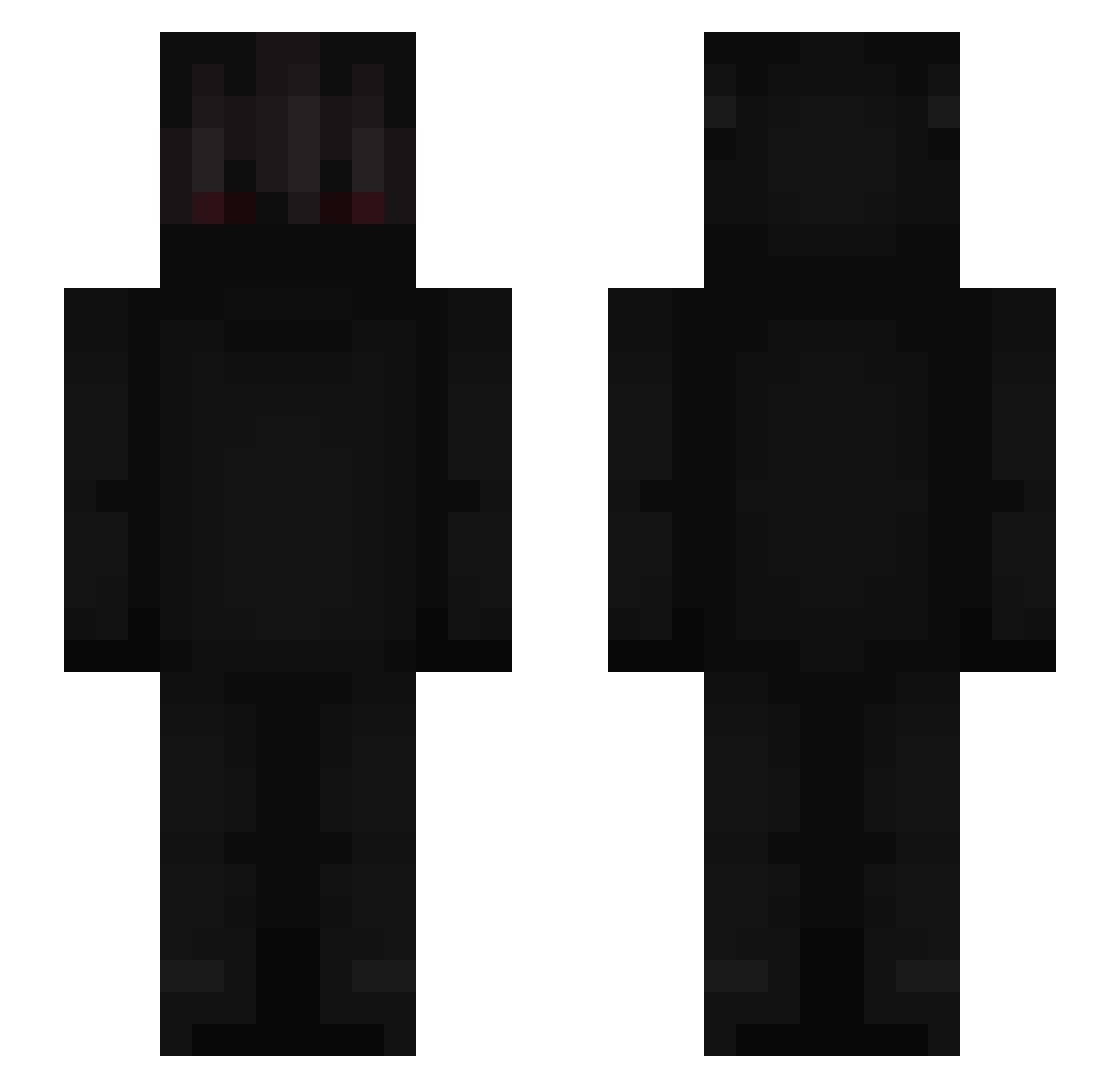
Current Minecraft skin of the player davidsxz, loaded from the official Mojang API. Rotate the 3D model with your mouse or finger, then download the skin as a PNG file and use it in Minecraft: Bedrock Edition or Java Edition for free. When davidsxz changes their skin, this page updates automatically and the old skin stays in the history below.
Other players with this skin (675)
davidsxz was the 380th player we have seen with this skin, first spotted on 28.09.2026. The same skin was seen on these players. Open a nickname to see their current skin and skin history.
 MADERO_ kimjxsh LuiZz_ 1takechino TheDeathShot17 MelonBot32 Feeonnaa Gladio_XD shaxy_ ThatsMyNameKappa Fawwwn Rhia405 t0x6 _yesface_ BellEuu Overlord4626 Pxndical_ Klqud JPKrasnal Beta_2020 cworq _RoMuK_BOSS XpiredApirak PlatinumLemonz LoreLevis TONYCOUTRY NO7_Xelvion Ndhy lessgooooooooo orisu sophlof Pawlo_1337 kr_Mickey Korb20 cDxku Aurel52 onnip Frederik0904 AlienX14 Virvs apophis06_ Chask Shunnie_1 Tihii8642 SarkiOficial PeprminT89 thexfeedz TAC_Jonas Shadow_Leo11 Sklzx5 Interwell Wanderrrrr GLIZZYSPRITE GambitDerGambino DwarvenZen roXmaiiddxxX Nikibuki NeverPleases Versetile forkyman
More Shadow Minecraft skins
How to install the davidsxz skin
- Press the Download button above to save the skin as a PNG file.
- Minecraft: Bedrock Edition (PE): open the Dressing Room from the main menu (or tap your character → Edit Character), go to Classic Skins → Owned, press the + (new skin) button, choose the downloaded PNG and pick the Slim (Alex) model. Works on PC and mobile; consoles cannot import custom skins.
- Minecraft: Java Edition: open the Minecraft Launcher, go to the Skins tab, click New Skin, load the PNG, pick the Slim (Alex) model and press Save & Use. You can also upload it at minecraft.net → Profile → Change Skin.
The skin does not show up after import - what should I do?
Restart Minecraft and open the Dressing Room again - imported skins sometimes appear only after a restart. Also make sure you selected the imported skin and picked the Slim (Alex) model.
Which model should I choose, Classic or Slim?
This skin is designed for the Slim (Alex) model. If you pick the wrong model, the arms of the skin will look stretched or squeezed.
Is the skin of davidsxz free to download?
Yes. Press Download, save the PNG file and use it in Minecraft: Bedrock Edition or Java Edition - no payment or registration needed. The skin also works on multiplayer servers and Realms.
More skins
Looking for more? Go back to all Minecraft skins and check the top skins of the week, month and all time, or find any player's skin by nickname.