
cactusjack90210 - Minecraft Skins & Skin History
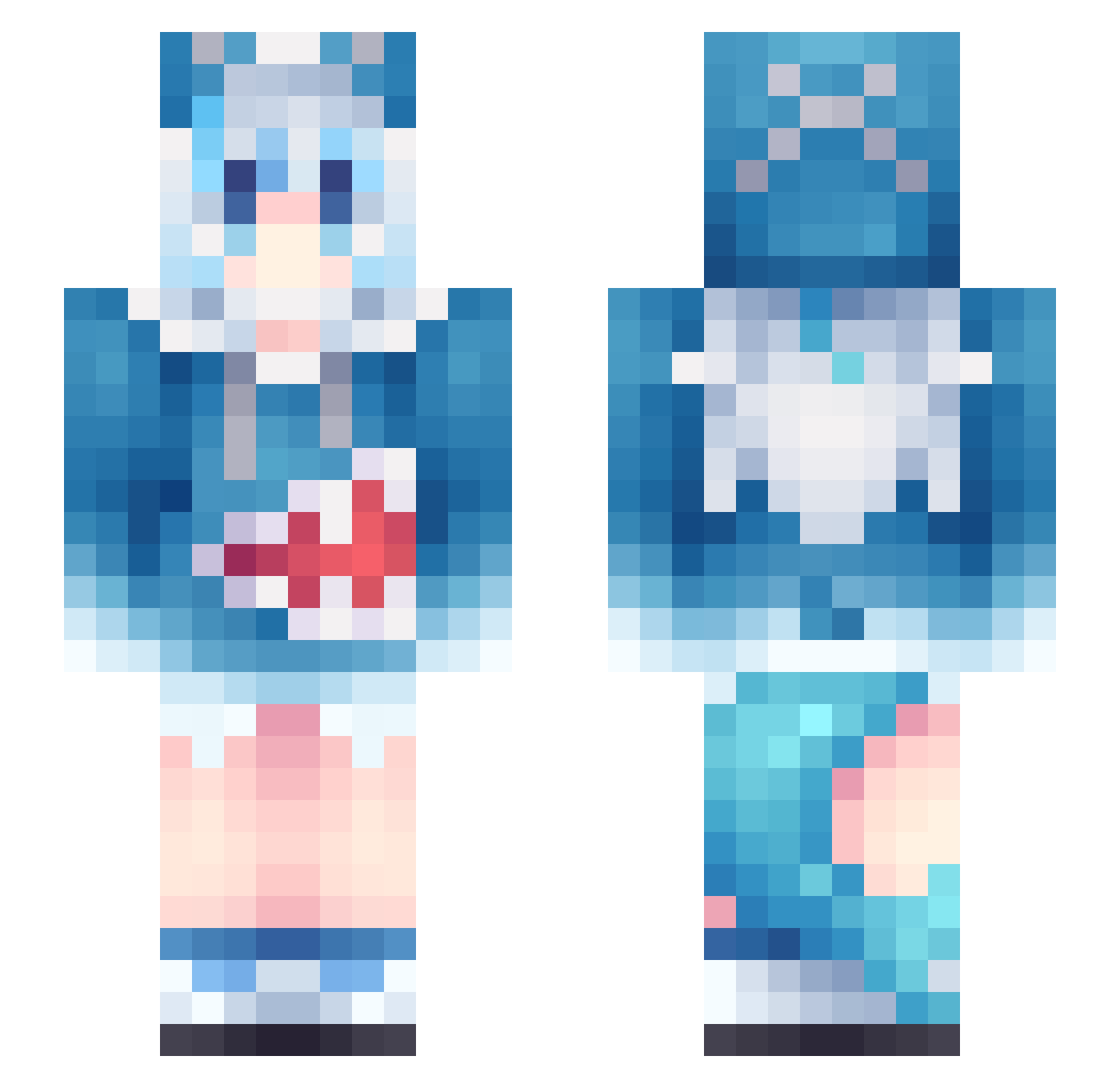
Current Minecraft skin of the player cactusjack90210, loaded from the official Mojang API. Rotate the 3D model with your mouse or finger, then download the skin as a PNG file and use it in Minecraft: Bedrock Edition or Java Edition for free. When cactusjack90210 changes their skin, this page updates automatically and the old skin stays in the history below.
Other players with this skin (957)
cactusjack90210 was the 619th player we have seen with this skin, first spotted on 28.09.2026. The same skin was seen on these players. Open a nickname to see their current skin and skin history.
 goomba2025 chara03 weiniu jybwx _Yurari_ okmese zhangjam BotTomasz CumGoober Undead_Maniac WelcomingYT fjsgh Littledodoco dengwei5 kwonhy1 ATANsama Rechi_03 xiaoerLI KekekekeLING Gutekpro90 ayazou Travelers00 Shikaine bouhuu1 Oinkitty Misaky___ id9t Allstat ZeroDesu0 WhiteHat85 Sorasaki_Rin kokoronaishi LHYin zhaane oldCY Yuri_KTO Rift10 Mahiru_qaq Suzuka_291 cappachan EricWong2010 yjj201314 sao31 GoutokuziMike AstralParty RaiZelxoxo catagood Mrlibucai NonstickPen3394 Kero0412 Ben0828 SiirUlti VeloOverFlow Kaizer_EX DHG_Klobrille Mortis_22 UnitedMidfielder plum__XD henan87 Dalek0723
More Gawr Gura Minecraft skins
How to install the cactusjack90210 skin
- Press the Download button above to save the skin as a PNG file.
- Minecraft: Bedrock Edition (PE): open the Dressing Room from the main menu (or tap your character → Edit Character), go to Classic Skins → Owned, press the + (new skin) button, choose the downloaded PNG and pick the Slim (Alex) model. Works on PC and mobile; consoles cannot import custom skins.
- Minecraft: Java Edition: open the Minecraft Launcher, go to the Skins tab, click New Skin, load the PNG, pick the Slim (Alex) model and press Save & Use. You can also upload it at minecraft.net → Profile → Change Skin.
The skin does not show up after import - what should I do?
Restart Minecraft and open the Dressing Room again - imported skins sometimes appear only after a restart. Also make sure you selected the imported skin and picked the Slim (Alex) model.
Which model should I choose, Classic or Slim?
This skin is designed for the Slim (Alex) model. If you pick the wrong model, the arms of the skin will look stretched or squeezed.
Is the skin of cactusjack90210 free to download?
Yes. Press Download, save the PNG file and use it in Minecraft: Bedrock Edition or Java Edition - no payment or registration needed. The skin also works on multiplayer servers and Realms.
More skins
Looking for more? Go back to all Minecraft skins and check the top skins of the week, month and all time, or find any player's skin by nickname.