
c1fang - Minecraft Skins & Skin History
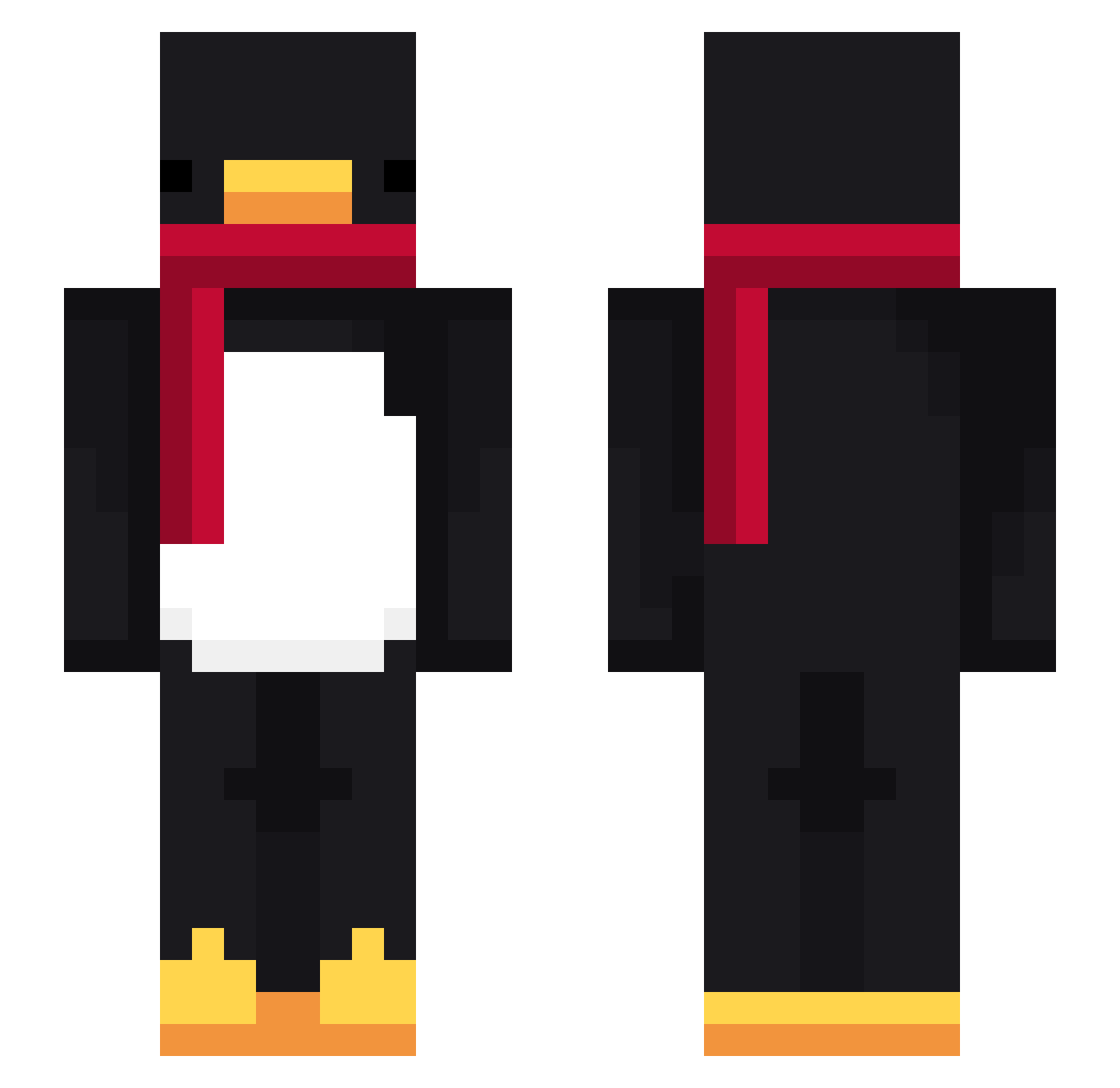
Current Minecraft skin of the player c1fang, loaded from the official Mojang API. Rotate the 3D model with your mouse or finger, then download the skin as a PNG file and use it in Minecraft: Bedrock Edition or Java Edition for free. When c1fang changes their skin, this page updates automatically and the old skin stays in the history below.
Other players with this skin (861)
c1fang was the 796th player we have seen with this skin, first spotted on 12.11.2026. The same skin was seen on these players. Open a nickname to see their current skin and skin history.
 mussubzzing1 Kwekchan Elneider01 Tio_Nower _MarcoR kursivo Miguel_Velozo Aquaticpenguin01 EngVitu Dotori_33 UhRaks ChocoCookie03 Sv2X4SwCAIin6Sv2 oupdumpling dial1212 Bigboy556 LinhVale52nUwU xTeapotz olikk2137 Mytski linhV07nY0304 kin12 PedroacS Sv21PHmkOZkkXSv2 St0pSignn TinThor mineral123 fartniteprogamer AltVerse7n8AV Tmuc_CoxeMonkey DrunkyUnicorn_1 Venea_ dinugmp 1IBumI Pavrik KrulMajtas MEJJOK Sv2bwDN1PoGCcSv2 Nozyx7 Qsn1per PASIR1accfjv679g momonMC Vexitbm4n Sv2YxkuXPMaRySv2 MTLYoshi MrStefan212 rave1brOKD0L LinhFang03qUwU madapax _ThePengu_ KGR07 Deadangel7788 RexIlDoggo PASIRhp7q35smfv2 TheDan1998 Sv2TPNiLAJnjWSv2 Sebitos auranc4nkfKVfSv2 RockBong troublemaker914
More Penguin Minecraft skins
How to install the c1fang skin
- Press the Download button above to save the skin as a PNG file.
- Minecraft: Bedrock Edition (PE): open the Dressing Room from the main menu (or tap your character → Edit Character), go to Classic Skins → Owned, press the + (new skin) button, choose the downloaded PNG and pick the Slim (Alex) model. Works on PC and mobile; consoles cannot import custom skins.
- Minecraft: Java Edition: open the Minecraft Launcher, go to the Skins tab, click New Skin, load the PNG, pick the Slim (Alex) model and press Save & Use. You can also upload it at minecraft.net → Profile → Change Skin.
The skin does not show up after import - what should I do?
Restart Minecraft and open the Dressing Room again - imported skins sometimes appear only after a restart. Also make sure you selected the imported skin and picked the Slim (Alex) model.
Which model should I choose, Classic or Slim?
This skin is designed for the Slim (Alex) model. If you pick the wrong model, the arms of the skin will look stretched or squeezed.
Is the skin of c1fang free to download?
Yes. Press Download, save the PNG file and use it in Minecraft: Bedrock Edition or Java Edition - no payment or registration needed. The skin also works on multiplayer servers and Realms.
More skins
Looking for more? Go back to all Minecraft skins and check the top skins of the week, month and all time, or find any player's skin by nickname.