
bugbrains900 - Minecraft Skins & Skin History
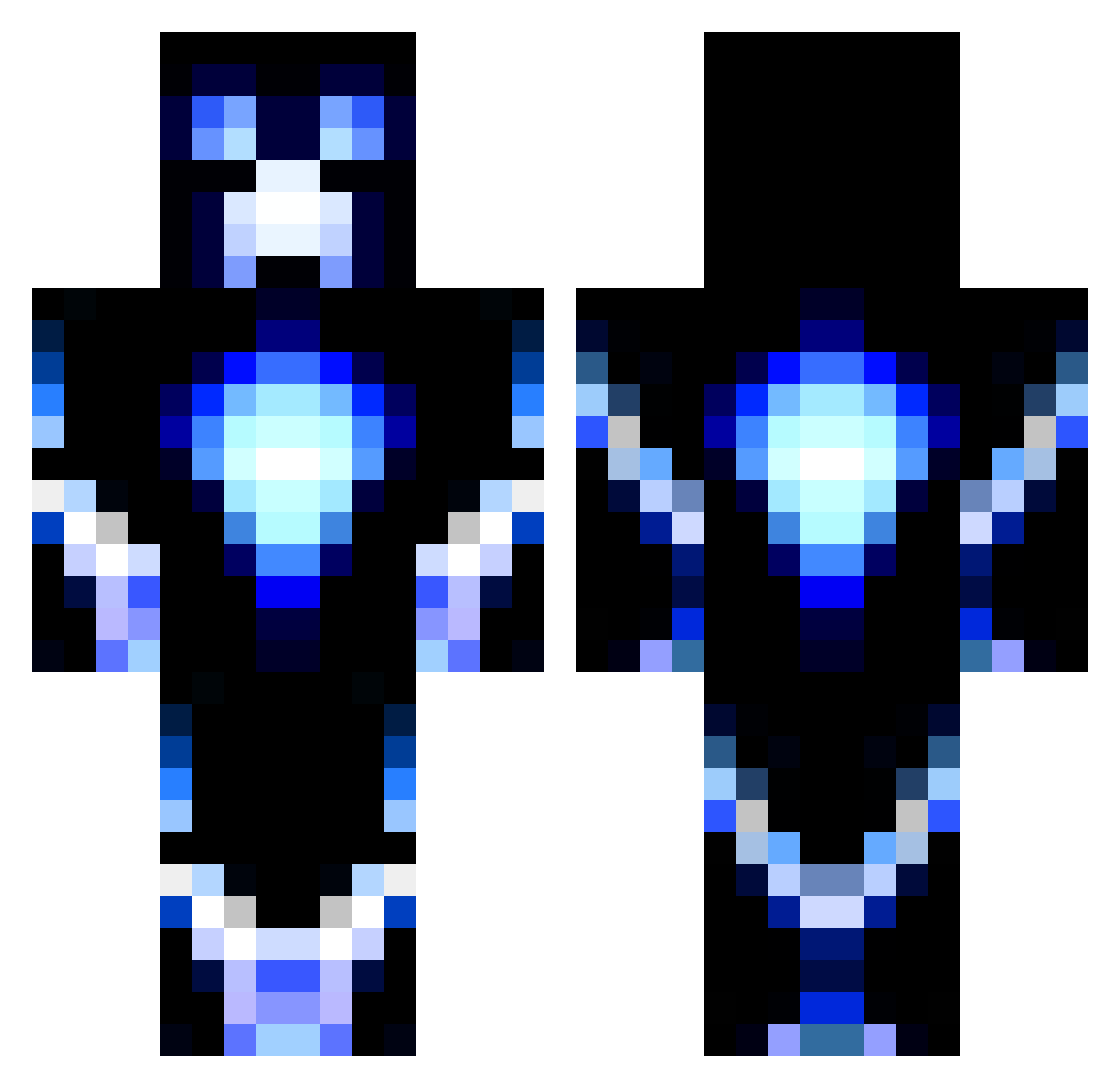
Current Minecraft skin of the player bugbrains900, loaded from the official Mojang API. Rotate the 3D model with your mouse or finger, then download the skin as a PNG file and use it in Minecraft: Bedrock Edition or Java Edition for free. When bugbrains900 changes their skin, this page updates automatically and the old skin stays in the history below.
Other players with this skin (1186)
bugbrains900 was the 1123rd player we have seen with this skin, first spotted on 27.10.2026. The same skin was seen on these players. Open a nickname to see their current skin and skin history.
 sinder33 camtheman82 Quasemodo chuckdragons LittleRapha maymay1000 Nonocko Corzilius neosdevices InfectedL FredJohnson Mr_Woof coolcon170 TheRealDrew24 TURLEYF evan1127s Sej117 kyleelyk4 ShinxGames D7fuego DarkKermode GzNyko MasterRex1116 Awesome_Atlantis HockeyDudeOp EvanB11 FunForce ArloForrest pengey01 BB_Boss17 fetuspower Henran45 U_N_KNOW_N Angle100 Steelersrock14 SamFZ Edaxo Mohadi sparker24 Elio290 paolog johey03 fartdragon01 MateusF1313 Resiliance Hky1235 Painlessfever8 josmond5451 DoshizSR marcosruiz Vymbino Chris_illig snowballer2003 ben619er Skills123 LHD_GAMER Zombiedom22 TonioJ KBreton Eternal_Thorn
More Glowing Minecraft skins
How to install the bugbrains900 skin
- Press the Download button above to save the skin as a PNG file.
- Minecraft: Bedrock Edition (PE): open the Dressing Room from the main menu (or tap your character → Edit Character), go to Classic Skins → Owned, press the + (new skin) button, choose the downloaded PNG and pick the Classic (Steve) model. Works on PC and mobile; consoles cannot import custom skins.
- Minecraft: Java Edition: open the Minecraft Launcher, go to the Skins tab, click New Skin, load the PNG, pick the Classic (Steve) model and press Save & Use. You can also upload it at minecraft.net → Profile → Change Skin.
The skin does not show up after import - what should I do?
Restart Minecraft and open the Dressing Room again - imported skins sometimes appear only after a restart. Also make sure you selected the imported skin and picked the Classic (Steve) model.
Which model should I choose, Classic or Slim?
This skin is designed for the Classic (Steve) model. If you pick the wrong model, the arms of the skin will look stretched or squeezed.
Is the skin of bugbrains900 free to download?
Yes. Press Download, save the PNG file and use it in Minecraft: Bedrock Edition or Java Edition - no payment or registration needed. The skin also works on multiplayer servers and Realms.
More skins
Looking for more? Go back to all Minecraft skins and check the top skins of the week, month and all time, or find any player's skin by nickname.